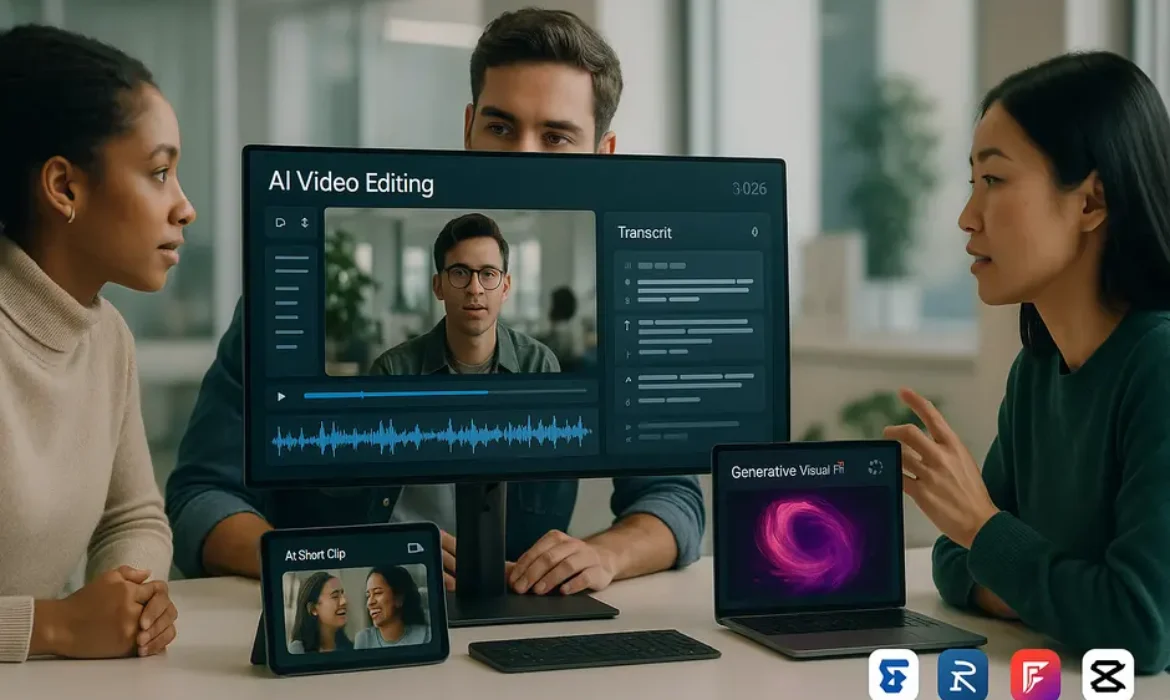
Best AI Video Editing Tools in 2026: What’s Actually Useful vs Hype
Estimated reading time: 15 minutes
Why This Conversation Matters Right Now
Not everything marketed as “AI-powered” makes your editing faster. Some tools genuinely save hours. Others add friction while wearing the costume of innovation.
The video content landscape in 2026 looks substantially different from even two years ago. Short-form content has become the primary discovery engine across platforms — YouTube Shorts, Instagram Reels, and TikTok dominate attention spans in ways that make long-form alone an incomplete strategy. At the same time, video production volume has exploded. According to Cisco’s Visual Networking Index, video traffic accounts for more than 82% of all internet traffic, and that percentage continues to climb.
Creators, marketing teams, and media companies are under pressure to produce more content, faster, without sacrificing quality. That’s the specific gap that AI video editing tools are designed to fill — and where many of them either genuinely deliver or quietly disappoint.
This guide cuts through the marketing language. You’ll find honest assessments of each major tool, practical guidance on when to use them, and a clear-eyed view of where automation actually earns its place in a professional workflow versus where human judgment still wins.
How to Actually Evaluate an AI Video Tool
Before diving into the tools themselves, it helps to establish a consistent framework. The most common mistake is evaluating tools by their feature list rather than their output quality and workflow compatibility.
Here are the criteria that matter most:
Output quality: Does the automated result require significant manual cleanup, or is it genuinely close to publish-ready? A tool that cuts your editing time by 80% but produces B-grade output creates a different kind of problem.
Learning curve versus time saved: Some tools have a steep ramp-up period. That’s fine if the long-term payoff is substantial, but worth knowing upfront.
Integration with existing workflows: A tool that doesn’t talk to Premiere Pro, Final Cut, or your existing asset management system can become an island. The best tools reduce hand-off friction.
Pricing transparency: Many tools use seat-based pricing that scales poorly for small teams. Others charge per export minute, which can get expensive at volume.
Reliability at scale: Processing a single 10-minute video as a demo is very different from running 50 client videos through a tool monthly. Stability and support quality matter enormously at scale.
With that framework in hand, let’s look at the tools that have genuinely earned their reputation in 2026.
The Best AI Video Editing Tools in 2026
1. Opus Clip — Best for Automated Clip Repurposing
Opus Clip remains one of the most practically useful tools for creators managing long-form content. Its core functionality — scanning a long video, identifying the highest-engagement moments, and auto-generating short clips with captions — sounds simple, but the execution has matured considerably.
The tool uses what Opus calls a “Virality Score” that analyzes hooks, pacing, and emotional arcs to predict which clips are most likely to perform well on short-form platforms. In practice, this scoring is directionally accurate but not infallible. Clips scored highly by the algorithm still benefit from a human review pass before publishing.
Where it genuinely excels:
- Podcast-to-clips pipeline is among the fastest available
- Auto-reframe for vertical video is solid, tracking speakers reliably even in multi-person conversations
- Caption styling and animation quality is above average
Where it falls short:
- Limited control over clip structure when you want a specific narrative arc
- The virality scoring can over-index on emotional spikes and miss contextually important moments
Best suited for: Podcasters, course creators, YouTubers converting long content to short-form.
Pricing (2026): Starts at approximately $19/month for 150 minutes of processed video. Business tiers available with team collaboration features.
2. Descript — Best for Transcript-Based Editing
Descript occupies a unique position in this space. Rather than traditional timeline-based editing, it lets you edit video by editing the text transcript — delete a sentence from the transcript and that footage disappears from the video. It sounds gimmicky until you actually try it, at which point it becomes hard to go back.
The AI transcript editing capability is what makes Descript genuinely powerful. The transcription accuracy hovers around 95–98% for clear audio, which means the manual correction burden is low. The Overdub feature — which lets you correct audio mistakes by typing replacement text in your own cloned voice — was already impressive in earlier iterations and has improved substantially.
Where it genuinely excels:
- Script-based editing workflow dramatically accelerates talk-heavy content
- Filler word removal is the best in class — one click removes every “um,” “uh,” and “you know” with precise cuts
- Screen recording integration makes it a strong choice for tutorial and SaaS content
Where it falls short:
- Not ideal for heavily visual content where the narrative exists in action rather than speech
- The timeline editor, while functional, doesn’t match the depth of Premiere Pro or Final Cut
- Overdub voice cloning requires a sample recording and has a setup cost
Best suited for: Marketers, educators, podcast producers, anyone whose content is primarily talk-driven.
Pricing (2026): Free tier with export watermark; Creator plan at approximately $24/month.
3. Runway ML — Best for Generative Visual Effects
Runway has evolved from a creative experiment into a serious production tool. Its Gen-3 Alpha model (and subsequent iterations) can generate video from text prompts, extend clips, remove backgrounds without a green screen, and apply cinematic style transfers that would have required a full post-production team two years ago.
For commercial video production, the inpainting and object removal tools are particularly useful. Removing a mic stand from a corporate shoot, replacing a background without a green screen, or extending a clip by a few frames to hit a timing mark — all of these are genuinely fast in Runway.
Where it genuinely excels:
- Generative AI capabilities for visual effects are industry-leading
- Background removal quality outperforms most browser-based alternatives
- Motion brush and camera control features give unusual precision for an AI tool
Where it falls short:
- Generative video still struggles with coherent motion over longer clips
- Output can have an “AI look” that’s immediately recognizable to trained eyes
- Pricing climbs quickly at production volume
Best suited for: Creative directors, social media producers, indie filmmakers, and marketing teams producing high-visual-impact content.
Pricing (2026): Starts at $15/month for 625 credits. Pro and Unlimited tiers available.
4. Adobe Firefly Video — Best for Enterprise Integration
Adobe’s Firefly Video integration within Premiere Pro represents the most seamless AI-into-professional-workflow experience currently available. Because it lives natively inside Premiere, there’s no export/import cycle — the AI tools operate directly on your timeline.
The Generative Extend feature, which uses AI to extend footage at the beginning or end of a clip to ease editorial timing, is practically useful in ways that standalone tools can’t match. The text-to-video capabilities within Firefly are still maturing, but the generative B-roll suggestions, object removal, and color-aware masking tools are already workhorses.
One significant differentiator is that Firefly models are trained on licensed content, which matters considerably for commercial work. Legal clearance concerns that complicate the use of other generative tools are largely addressed here.
Where it genuinely excels:
- Native Premiere Pro integration eliminates workflow friction
- Commercially safe generative content due to licensed training data
- Generative Extend is genuinely useful in daily editing scenarios
- Enterprise-grade reliability and support
Where it falls short:
- Requires an Adobe Creative Cloud subscription — not accessible to non-Adobe users
- Generative video output still trails Runway in raw visual quality
- Some features are gated behind higher-tier subscriptions
Best suited for: Professional editors, in-house creative teams, agencies already working in the Adobe ecosystem.
Pricing (2026): Included in Creative Cloud All Apps plans starting at approximately $60/month.
5. CapCut AI — Best Free Option for Short-Form Creators
CapCut’s AI features have grown substantially, and the free tier remains genuinely competitive. For creators who primarily produce content for TikTok, Instagram Reels, and YouTube Shorts, the platform offers auto-captions, AI-suggested cuts, script-to-video generation, and a library of templates that accelerate production considerably.
The auto-caption generator is notably accurate and produces stylized captions that match platform aesthetics. The smart cut tool analyzes footage rhythm and music BPM to suggest edit points that feel more natural than manual frame-by-frame cutting.
Where it genuinely excels:
- Free tier is genuinely useful, not just a teaser
- Auto-caption quality is among the best for consumer-grade tools
- Template ecosystem reduces design decision fatigue
- Mobile and desktop versions work well together
Where it falls short:
- Output resolution and quality on the free tier is capped
- Watermarks on some export formats
- Less suitable for long-form or broadcast-grade content
Best suited for: Independent creators, social media managers, small business owners managing their own content.
Pricing (2026): Free with limitations; CapCut Pro at approximately $10/month.
6. Pictory — Best for Text-to-Video Content Marketing
Pictory sits at the intersection of content repurposing and AI video production. Its core use case is converting written content — blog posts, scripts, articles — into video assets with matched stock footage, auto-narration, and branded captions.
For content marketing teams, the workflow is genuinely efficient. Paste a URL or script, select a visual style, and Pictory assembles a draft video with relevant footage pulled from a licensed library. The output won’t replace a custom video shoot, but for explainer content, social promos, and educational snippets, it significantly reduces production time.
Where it genuinely excels:
- Blog-to-video pipeline is faster than any comparable tool
- Brand kit integration keeps visual consistency across batches
- Auto-narration voices have improved — still not indistinguishable from a voiceover artist, but functional
- Batch processing for teams managing high content volume
Where it falls short:
- Stock footage matching is imprecise — often requires manual selection of visuals
- Output has a “template” aesthetic that experienced viewers recognize
- Not suitable for narrative or documentary content
Best suited for: Content marketing teams, B2B companies, e-learning producers.
Pricing (2026): Starter plan at approximately $25/month; Team plans for higher volumes.
7. AutoPod — Best for Podcast and Multi-Camera Video Editing
AutoPod is built specifically for podcast and multi-camera show editors working inside Adobe Premiere Pro. It automates the most time-consuming part of multi-cam editing — cutting between camera angles based on who’s speaking.
For anyone regularly editing video podcasts with two or more participants, AutoPod is one of the highest ROI tools on this list. What previously took two to four hours of manual cutting can be reduced to a 10-minute review-and-approve workflow.
Where it genuinely excels:
- Multi-camera sync and auto-switching is highly accurate
- Social clip creation from long-form episodes is streamlined
- Seamless Premiere Pro integration
- Episode-level automation at scale is reliable
Where it falls short:
- Requires Adobe Premiere Pro — no standalone version
- Doesn’t work well with overlapping speech or group discussions
- Limited aesthetic control over the auto-cut style
Best suited for: Video podcast editors, YouTube show producers, media companies.
Pricing (2026): Approximately $29/month for full access.
8. Topaz Video AI — Best for Video Enhancement and Upscaling
Topaz Video AI stands apart from the other tools on this list because it doesn’t edit narrative content — it enhances and restores existing footage. If you’re working with archival material, low-resolution assets, or footage shot under suboptimal conditions, Topaz can produce genuinely remarkable results.
The upscaling capability — converting 1080p content to 4K with AI-reconstructed detail — is the best available outside professional broadcast facilities. The motion deblur and noise reduction models are similarly impressive.
Where it genuinely excels:
- Upscaling quality is industry-leading for prosumer software
- Noise reduction preserves detail rather than blurring it
- Frame interpolation for smooth slow-motion is excellent
- One-time purchase option available (rare in this category)
Where it falls short:
- Processing is computationally intensive — requires a capable GPU
- Not useful for content creation from scratch
- Slow processing times on standard hardware
Best suited for: Archivists, documentary filmmakers, videographers enhancing client footage.
Pricing (2026): One-time purchase at approximately $299, or subscription at $99/year.
Head-to-Head: Which Tool Is Right for You
| Tool | Best Use Case | Skill Level | Price Range | Standalone or Plugin |
|---|---|---|---|---|
| Opus Clip | Long-to-short repurposing | Beginner | $19+/month | Standalone |
| Descript | Transcript-based editing | Beginner–Intermediate | $24+/month | Standalone |
| Runway ML | Generative visual effects | Intermediate–Advanced | $15+/month | Standalone |
| Adobe Firefly | Enterprise professional editing | Advanced | $60+/month (CC) | Plugin (Premiere) |
| CapCut AI | Short-form social content | Beginner | Free–$10/month | Standalone |
| Pictory | Blog/text to video | Beginner | $25+/month | Standalone |
| AutoPod | Podcast multi-cam editing | Intermediate | $29/month | Plugin (Premiere) |
| Topaz Video AI | Enhancement/upscaling | Intermediate | $99/year or $299 one-time | Standalone |
What the Hype Gets Wrong
The narrative around AI video editing tools tends toward two extremes: either these tools will replace human editors entirely, or they’re overpriced toys that don’t deliver on their promises. Neither is accurate.
The honest picture is more nuanced. Automated video editing tools excel at repetitive, pattern-based tasks — finding speakers, removing filler words, generating captions, matching cuts to music beats. These are tasks that consume a disproportionate share of an editor’s time without requiring much creative judgment. Automating them isn’t replacing editors; it’s giving them their time back.
What AI genuinely cannot do well yet is narrative judgment. Deciding which moment in an interview changes the story, knowing when to hold on a reaction shot for two extra seconds to build tension, understanding that the audience needs a breath before the emotional turn — this is craft that develops over years. The best results come from workflows that combine AI efficiency with human editorial judgment.
The other thing the hype consistently undersells is the importance of source material quality. AI video editing tools are multipliers, not rescuers. Good footage gets meaningfully better. Poor audio, shaky handheld work, and confusing source structure will produce poor AI output at faster-than-usual speed.
Workflow Integration: Getting the Most Out of AI Editing
The most effective approach to video editing automation isn’t replacing your workflow — it’s inserting AI tools at the highest-friction points within it.
For a typical creator workflow, this might look like:
Pre-edit: Use Descript or Otter.ai to generate a transcript before touching the timeline. This gives you a searchable record of your footage and identifies the strongest moments in text before you spend time scrubbing through video.
Rough cut: Use AutoPod (for multi-cam) or Opus Clip’s smart cut tool to produce an initial assembly. This is not your final cut — treat it as a first draft that needs editorial review.
Post-production: Use Topaz Video AI to enhance specific clips, Runway for any effects work, and Adobe Firefly’s generative tools for timeline problem-solving.
Distribution: Use Opus Clip or CapCut AI to generate platform-specific short-form versions from your finished long-form video.
This layered approach extracts real efficiency without abdicating creative control. The goal is to spend your time on decisions that require judgment, not on tasks that can be reliably systematized.
Key Takeaways
-
- The best AI video editing tools in 2026 are genuinely useful, but their value depends entirely on matching the right tool to the right task
- Opus Clip and Descript offer the highest practical ROI for creators working with spoken-word content
- Runway ML leads in generative visual capabilities; Adobe Firefly leads in professional workflow integration
- CapCut AI remains the strongest free option for short-form social content
- AI tools excel at repetitive, pattern-based editing tasks. Narrative judgment still requires human expertise
- Source material quality determines output quality. AI amplifies what’s already there
- Building a layered workflow — using different tools at different stages — produces better results than relying on any single platform
- Legal clearance for generative content remains an important consideration; Adobe Firefly’s licensed training data is a meaningful differentiator for commercial work
FAQs
Q1: Can AI video editing tools completely replace a professional video editor?
Not in any meaningful sense, and this question tends to confuse the category. What AI tools replace is the grunt work — the hours spent scrubbing timelines for the best take, removing filler words one by one, or manually syncing captions to audio. What they don’t replace is editorial judgment: the ability to understand story structure, pacing, emotional resonance, and audience expectations. The professionals seeing the greatest benefit from these tools aren’t being replaced by them — they’re using them to double or triple their output capacity while focusing their attention on the craft decisions that actually matter.
Q2: Which AI video tool is best for someone just starting out with no editing experience?
CapCut AI is the most accessible starting point. The learning curve is minimal, the free tier is genuinely functional, and the template-driven workflow makes it possible to produce presentable content quickly. For anyone specifically looking to repurpose existing long-form content into short clips, Opus Clip is a close second recommendation — the interface is intuitive and the output quality is consistently usable with minimal cleanup.
Q3: How accurate are AI-generated captions, and should I trust them for published content?
The accuracy range for modern AI caption generators sits between 93% and 98% for clear, well-recorded audio. Descript and Otter.ai tend to score at the high end. However, “mostly accurate” is not the same as “publish-ready.” Proper nouns, technical terminology, industry jargon, and anything spoken quickly or with a strong accent will produce errors that need manual correction. The workflow recommendation is to always do a fast review pass on generated captions before publishing — it takes significantly less time than creating captions from scratch, which is the point.
Q4: Is it worth paying for premium tiers, or do the free versions of these tools cover most use cases?
It depends on volume and output requirements. For individual creators producing content occasionally, the free tiers of CapCut AI and the entry-level tiers of Descript cover a surprising amount of ground. The value proposition for premium tiers typically comes down to three things: higher processing volume, removal of export restrictions or watermarks, and access to more advanced features. For anyone producing content professionally or at commercial scale, the time savings of higher-tier tools generally justify their cost within the first month of use.
Q5: What’s the best AI tool for video upscaling and enhancing old footage?
Topaz Video AI is the clear leader in this category. The quality of its upscaling models — particularly its Proteus and Artemis models for different types of source material — consistently outperforms browser-based alternatives and general-purpose tools. For archival footage, documentary work, or any situation where you’re working with degraded source material, it’s worth the investment. The main caveat is hardware — to process files in reasonable time, you’ll want a dedicated GPU with at least 8GB of VRAM.
Q6: How do I know if an AI video tool is commercially safe to use for client work?
This is a legitimate concern and one that’s often overlooked in the excitement around generative features. The key question is how the tool’s models were trained. Tools trained on licensed or proprietary datasets — Adobe Firefly being the clearest example — carry lower legal risk for commercial use. Tools trained on scraped internet content introduce ambiguity around copyright that some clients and legal teams will flag. When working with clients, it’s worth explicitly checking the terms of service for any generative features you plan to use and, where significant budget is involved, getting a legal review of the specific use case.
Q7: Are there AI video editing tools built specifically for enterprise or agency use?
Yes, and the market has matured considerably in this area. Adobe Firefly’s enterprise tier, Descript’s Business plan, and Pictory’s Team plan all include collaboration features, brand kit management, and centralized asset libraries designed for team workflows. For larger agencies or media companies, platforms like Brightcove and Vidyard also integrate AI editing features within broader video hosting and analytics ecosystems. The enterprise-specific differentiators to evaluate are SSO support, role-based access controls, API availability for custom integrations, and dedicated account support — none of which matter to an individual creator but become critical at organizational scale.
Final Thoughts
The phrase “AI-powered” has been applied to enough mediocre software that it’s almost become meaningless. What this guide has tried to do is separate the tools where the automation genuinely delivers — measurably faster workflows, usable output, meaningful time savings — from those that mostly deliver an impressive demo.
The tools that stand out in 2026 share a common characteristic: they’re built around specific, well-defined problems rather than trying to replace the entire editing process. Opus Clip solves clip repurposing. Descript solves transcript-based editing. AutoPod solves multi-cam switching. Topaz solves footage enhancement. Each one does its specific job exceptionally well.
The creators and teams seeing the most value from AI video editing tools aren’t looking for a replacement for good judgment. They’re systematically identifying the parts of their workflow that consume time without requiring creativity, and they’re automating those parts precisely. That’s not a trick — it’s just a smart way to work.
The technology will continue improving. Generative video will get better. Narrative understanding will get more sophisticated. But the fundamental principle — use tools for what they’re genuinely good at, and bring human judgment to everything else — will remain the right approach regardless of what the next generation of tools looks like.
For further reading on the evolving role of AI in creative workflows, the MIT Technology Review and Wired consistently publish substantive coverage that goes beyond the press release layer.