
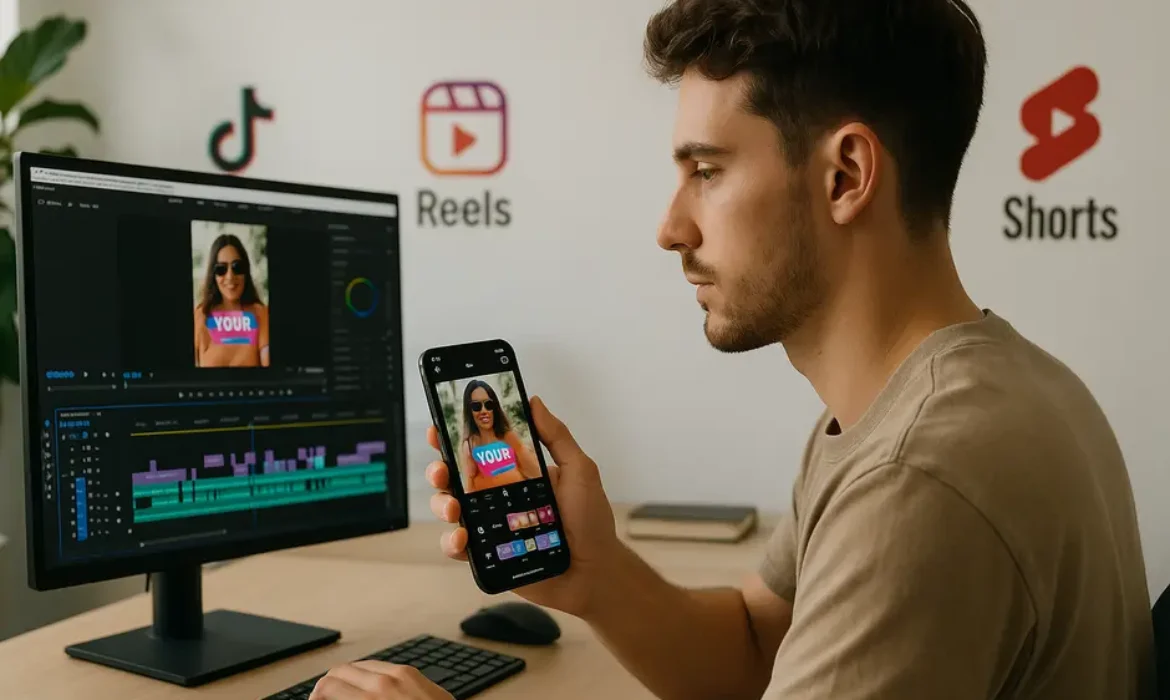
CapCut vs Premiere Pro: Which Editing App Is Right for Social Media Creators?
Estimated reading time: 14 minutes
Why This Comparison Actually Matters in 2025
Short-form video now dominates social media consumption. According to Statista, short-form video content consistently generates the highest return on investment among all social media content types, with platforms like TikTok, Instagram Reels, and YouTube Shorts driving massive engagement volumes.
That shift has changed the tools conversation. For years, the editing software discussion in professional circles was limited to Premiere Pro, Final Cut Pro, and DaVinci Resolve. Then ByteDance launched CapCut globally in 2020, and within two years, it had been downloaded over 500 million times. It became the editing engine behind a significant portion of viral content on TikTok, partly because of its deep native integration with the platform.
Suddenly, creators who had never touched a professional editing timeline were producing content that looked polished, trended, and converted. That success forced a real question: does professional editing software still have a place in social-first content creation, or has the game fundamentally changed?
The honest answer is more nuanced than most comparisons admit.
CapCut at a Glance: What It Does Well
CapCut, developed by ByteDance, started as a mobile editing app and has since expanded into a web-based and desktop application. It is free to use at its core, with a Pro subscription unlocking additional templates, assets, and AI-powered features.
The app is built around speed and accessibility. Its entire design philosophy assumes that users want to go from raw footage to a finished, share-ready video as quickly as possible, with as little friction as possible. That is not a criticism. For a large segment of creators, that is exactly what they need.
Core strengths include:
- A vast and regularly updated library of trending templates tied directly to TikTok audio trends
- Auto-captions powered by speech recognition that work surprisingly well across multiple languages
- One-tap background removal and smart AI cutout tools
- Built-in effects, transitions, and filters updated to mirror current platform trends
- Direct export optimization for TikTok, Instagram Reels, and YouTube Shorts
- Collaborative features that allow team members to work on the same project from different devices
- A relatively flat learning curve, with most basic features accessible within the first session
For creators who need to post consistently and cannot afford to spend three hours on a single video, CapCut delivers a genuinely strong value proposition.
Adobe Premiere Pro at a Glance: The Industry Standard
Adobe Premiere Pro has been the dominant professional video editing software in broadcast, film, and digital media production for over two decades. It is a desktop-first application available on Windows and macOS through the Adobe Creative Cloud subscription, which starts at around $54.99 per month or is included in the full Creative Cloud suite.
Premiere Pro operates on a non-linear editing timeline, giving editors complete control over every frame, audio track, color grade, and effects layer. It integrates natively with After Effects, Audition, Photoshop, and Illustrator, making it the center of a powerful creative ecosystem.
Core strengths include:
- Precise, frame-accurate editing with multi-track audio and video support
- Professional color grading through Lumetri Color, comparable in depth to dedicated color tools
- Advanced motion graphics and title work via the Essential Graphics panel and After Effects integration
- Robust export options through Adobe Media Encoder supporting virtually every format and codec
- Dynamic Link with After Effects for complex visual effects without rendering
- Collaborative workflow tools through Adobe Productions for team-based projects
- Auto Reframe, a genuinely useful AI-powered feature that automatically resizes footage for different aspect ratios
The learning curve is steep. Getting comfortable with Premiere Pro typically takes weeks of deliberate practice, and mastering its deeper features takes considerably longer. But what you get in return is a level of precision and flexibility that no mobile or template-based tool can replicate.
Head-to-Head Comparison: Feature Breakdown
| Feature | CapCut | Adobe Premiere Pro |
|---|---|---|
| Platform | Mobile, Web, Desktop | Desktop (Windows/macOS) |
| Cost | Free (Pro from ~$7.99/month) | From $54.99/month |
| Learning Curve | Low | High |
| Trending Templates | Extensive, regularly updated | None natively |
| Auto-Captions | Yes, built-in | Yes, via transcription panel |
| Color Grading | Basic to moderate | Professional-grade (Lumetri) |
| Multi-track Editing | Limited | Full multi-track support |
| Export Quality | Up to 4K (limited codec options) | Up to 8K, full codec library |
| AI Features | Auto-captions, background removal, smart templates | Auto Reframe, Speech to Text, AI-powered editing tools |
| Integration | TikTok, social platforms | Adobe CC (After Effects, Audition, Photoshop) |
| Collaboration | Real-time cloud collaboration | Adobe Productions, Team Projects |
| Mobile Editing | Full-featured mobile app | Companion app only (limited) |
| Best For | Short-form social content, quick turnaround | Professional, long-form, and complex projects |
CapCut for Social Media: Strengths and Real Limitations
There is a reason CapCut has become the default tool for a generation of short-form creators. Its integration with TikTok culture is not incidental. ByteDance built the app to feed directly into how content spreads on that platform. Templates are tied to sounds that are actively trending. Effects mirror what is performing well in the algorithm. The workflow bends toward vertical video by default.
For creators whose primary goal is posting consistently and staying culturally relevant, that alignment is a genuine competitive advantage.
Where CapCut genuinely excels:
The auto-caption feature alone justifies the app for many creators. Captions are no longer optional on social platforms, and CapCut generates accurate, stylized captions in a fraction of the time it takes to manually subtitle a video in Premiere Pro.
The background removal and AI segmentation tools are also better than you might expect from a free app. They handle hair and complex edges reasonably well for social-quality footage, which removes the need for expensive green screen setups in casual shooting environments.
The template library is a legitimate creative resource when used thoughtfully. Rather than simply dragging your clips into a pre-made structure, skilled creators use templates as a starting point and customize the pacing, text, and transitions to produce something that feels original while benefiting from proven visual frameworks.
Where CapCut shows its limitations:
Export quality and codec flexibility are real constraints. While CapCut supports up to 4K resolution, its codec options are limited, and the compression applied during export is often noticeable when footage is viewed on high-resolution screens or when it needs further post-processing.
Audio mixing in CapCut is functional but shallow. For creators who care about multi-track audio, dialogue editing, or sound design beyond basic level adjustments and built-in effects, it quickly becomes inadequate.
The timeline itself lacks the precision that complex editing demands. Trimming to exact frames, managing multiple synchronized audio and video tracks, and applying nuanced transitions requires workflows that CapCut was not designed to handle.
Privacy and data handling are also legitimate concerns worth noting. Given CapCut’s ownership by ByteDance, which also owns TikTok, some organizations and professional environments have placed restrictions on its use. For individual creators, this may be a non-issue, but for agencies, brands, and enterprise teams, it warrants consideration.
Premiere Pro for Social Media: Power With a Price
Premiere Pro is not a natural fit for short-form social content creation. That is worth saying clearly. Its interface was designed for projects measured in minutes and hours, not seconds. Opening Premiere Pro to cut a 30-second Reel feels like using a professional kitchen to make a sandwich.
That said, when social media content demands a higher production standard, Premiere Pro’s advantages become apparent.
Branded content, commercial campaigns, documentary-style long-form content for YouTube, narrative short films for social distribution — these all benefit from Premiere Pro’s precision and depth. When a brand needs to deliver a video that will run as a paid Instagram ad or a product launch film, the quality floor is higher, and the tools need to match.
Adobe has also made genuine progress on features that matter for social-first workflows. The Auto Reframe feature, powered by Adobe Sensei, intelligently detects subjects in a widescreen video and automatically reframes for square, vertical, or other aspect ratios. For creators repurposing long-form content across multiple platforms, this saves considerable time.
The Speech to Text transcription feature in Premiere Pro has also improved significantly, offering caption generation that integrates cleanly with the timeline for manual refinement.
The honest cost consideration:
At $54.99 per month for the standalone app, Premiere Pro is a significant investment for an individual creator. When weighed against CapCut’s free tier, the cost difference is substantial. That investment only makes sense if the depth of features you access genuinely improves the quality and marketability of your work.
Mobile vs Desktop Editing: The Workflow Question
The mobile vs desktop editing debate goes deeper than device preference. It reflects fundamentally different content creation realities.
Mobile editing, which CapCut excels at, fits naturally into the creation workflow for social media. You shoot on your phone, edit on your phone, and post from your phone. The friction is minimal, the feedback loop is fast, and the proximity between capture and creation keeps the energy of the original footage intact.
Desktop editing introduces distance from that process, but also introduces power. Keyboard shortcuts, multi-monitor setups, professional audio hardware, and the processing capacity of a full workstation allow for a level of craft that simply is not possible on a phone screen.
The reality for most modern social creators is that a hybrid approach makes the most sense. Quick, reactive content — a trending audio response, a day-in-the-life story, a behind-the-scenes clip — belongs in a mobile editing workflow. Planned, produced content with scripting, multiple cameras, or branded requirements belongs on the desktop.
Choosing one tool to handle both scenarios inevitably means compromising somewhere.
Template Editing vs Manual Editing: Different Philosophies
This distinction is worth exploring because it shapes the creative output in ways that go beyond technical capability.
Template editing, as CapCut enables it, is fundamentally a process of curation and customization. You select a framework that already has visual rhythm, timing, and aesthetic baked in, then fill it with your specific content. The upside is speed and a guaranteed baseline quality. The downside is that highly popular templates produce content with a recognizable aesthetic that can make your work feel interchangeable with thousands of others using the same structure.
Manual editing in Premiere Pro requires you to build every visual decision from scratch. The rhythm is yours. The pacing comes from your instincts and your understanding of your audience. The color grade reflects deliberate choices about mood and brand. This level of intentionality takes longer, demands more skill, and produces results that are genuinely difficult to replicate.
Neither approach is categorically superior. Some of the most effective social content ever created was built on a CapCut template. Some of the least engaging content imaginable has come out of Premiere Pro timelines that technically tick every production quality box.
The differentiator is always the creator’s judgment, not the tool.
Who Should Use CapCut?
-
- Daily content creators on TikTok, Instagram Reels, or YouTube Shorts who need to maintain consistent posting schedules without spending hours on editing
- Small business owners managing their own social media who need professional-looking output without a steep learning curve
- Beginner creators who are still developing their editing instincts and want a forgiving environment to learn pacing, transitions, and text placement
- Creators who shoot on mobile and want a seamless, end-to-end mobile production workflow
- Social media managers working across multiple accounts who need quick turnaround times and template-driven consistency
Who Should Use Premiere Pro?
-
-
- Professional video editors and production companies producing client work at broadcast or commercial quality
- YouTube creators producing long-form content that requires precise editing, professional audio mixing, and detailed color work
- Brands and agencies managing high-stakes video campaigns where quality control and codec flexibility are non-negotiable
- Creators building a professional portfolio who need to demonstrate mastery of industry-standard tools
- Filmmakers and documentarians using social platforms as a distribution channel but holding high production standards for their work
-
Can You Use Both?
Absolutely, and many professional creators do exactly this.
A common workflow for high-output creators looks something like this: produce planned, polished content in Premiere Pro for YouTube and branded campaigns, then repurpose key moments using CapCut for quick short-form content across TikTok and Instagram. The desktop workflow handles depth and quality. The mobile workflow handles speed and volume.
This dual-tool approach removes the false binary of the CapCut vs Premiere Pro debate entirely. They are not competing products in any meaningful sense. They serve different needs, and recognizing where each one belongs in your workflow is a mark of mature content strategy.
Some creators also use Premiere Pro’s Auto Reframe to generate vertical edits from horizontal long-form content, then do final trim and text work in CapCut before posting. That combination is faster than rebuilding the entire edit and maintains production quality on the core footage.
Key Takeaways
-
-
- CapCut is purpose-built for fast, social-first content creation with a low barrier to entry and strong platform integration, particularly with TikTok
- Premiere Pro is the professional standard for complex, high-quality video production with unmatched creative control and ecosystem depth
- The learning curve, cost, and workflow context differ significantly between the two tools, and the right choice depends entirely on your specific creation goals
- CapCut’s limitations in audio mixing, export codec options, and editing precision become relevant as production complexity increases
- Premiere Pro’s advantages in color grading, multi-track editing, and professional output are genuine but come at a significant time and financial investment
- Mobile editing and desktop editing serve different creative moments, and a hybrid workflow often produces better overall results than committing exclusively to one platform
- Template-based editing and manual editing are different creative philosophies, each with appropriate contexts
- Both tools can coexist productively in a single creator’s workflow, with each serving distinct content types and timelines
-
FAQs
1. Is CapCut good enough for professional social media marketing?
For most social media marketing applications, CapCut is entirely capable. Brands creating organic social content, short-form ads, and educational videos for platforms like TikTok, Instagram, and YouTube Shorts will find that CapCut meets their technical requirements. Where it falls short is in projects that require precise branding controls, complex motion graphics, professional-grade audio, or formats that go beyond social distribution. For agency work with high-stakes deliverables or content requiring broadcast-quality specifications, Premiere Pro remains the more appropriate tool.
2. Does CapCut reduce video quality when exporting?
CapCut exports up to 4K resolution, but its compression and codec options are limited compared to professional tools. The quality is generally more than sufficient for social media platforms, which apply their own compression algorithms during upload regardless of the source quality. However, if you are exporting footage that needs to be re-edited or used in a higher-production-value project downstream, CapCut’s export quality may present limitations.
3. Can Premiere Pro be used for short-form social media content?
Yes, and features like Auto Reframe, Speech to Text, and preset export profiles for social platforms make it more viable than it used to be. That said, Premiere Pro is not optimized for the speed that short-form content creation demands. Creators producing primarily short-form content at high volume will find the workflow slower and more complex than CapCut without a proportional benefit in output quality for those formats.
4. Is CapCut owned by the same company as TikTok?
Yes. CapCut is developed by ByteDance, the same company behind TikTok. This has led some organizations and government entities to restrict or ban its use on official devices, citing the same data privacy concerns that have surrounded TikTok. For individual creators, this is generally not an issue, but professional environments, agencies working with sensitive client content, and enterprise teams should verify their organization’s policies before using CapCut in a work context.
5. What is the learning curve difference between CapCut and Premiere Pro?
CapCut has a genuinely accessible learning curve. Most users can produce a polished short-form video within their first session. The core tools are intuitive, the interface is clean, and the template library provides a guided starting point. Premiere Pro is significantly more complex. Getting comfortable with the basic workflow typically takes several weeks of deliberate practice, and features like color grading, audio mixing, and motion graphics integration represent additional skill trees that can take months or years to develop properly. Adobe offers structured learning resources through Adobe Learn that help accelerate the process.
6. Which tool is better for caption and subtitle creation?
For speed and simplicity, CapCut’s auto-caption feature is genuinely impressive. It generates styled captions quickly with reasonable accuracy across multiple languages and lets you customize the look with minimal effort. Premiere Pro’s transcription and caption tools have improved significantly, offering a more precise workflow with better control over subtitle format and placement, which is valuable for content that requires compliance with accessibility standards or specific caption styling guidelines. For creators who prioritize caption quality at scale, both tools are now functional, with CapCut winning on speed and Premiere Pro winning on control.
7. How does pricing compare when you factor in long-term use?
CapCut’s free tier is genuinely useful and covers the needs of most individual social media creators. The Pro tier, at approximately $7.99 per month, unlocks additional templates, AI tools, and asset libraries. Premiere Pro starts at $54.99 per month as a standalone app, or it is included in the full Adobe Creative Cloud plan. Over a year, CapCut costs nothing to around $96, while Premiere Pro costs approximately $660 or more. That cost difference is significant and only justified if the quality, depth, and professional applications of Premiere Pro directly support your income or creative output.
Final Verdict
CapCut and Premiere Pro are not in direct competition because they are not trying to do the same thing. CapCut is a content velocity tool. Premiere Pro is a craft tool. Framing the comparison as a winner-take-all decision misunderstands how professional and semi-professional creators actually work.
If you are building a content strategy around consistent, platform-native short-form video and you need to produce at volume without a large production budget or team, CapCut is the smarter starting point. It will get you further, faster, with less friction than any desktop editing tool.
If your work requires production quality that reflects a professional standard, if you are producing content for clients, or if your creative vision regularly exceeds what templates and limited timelines can deliver, Premiere Pro is worth the investment and the learning curve.
And if you are operating at the level where both are relevant to your work, use both. Let each tool do what it was designed for, and stop looking for a single solution to every content challenge you face.
The best editing software is always the one that disappears into your workflow and lets your ideas take center stage.
Want to go deeper on video editing workflows for social media? Explore Adobe’s official guide to Premiere Pro for content creators or check out CapCut’s feature documentation at capcut.com for the latest updates to their toolset.