
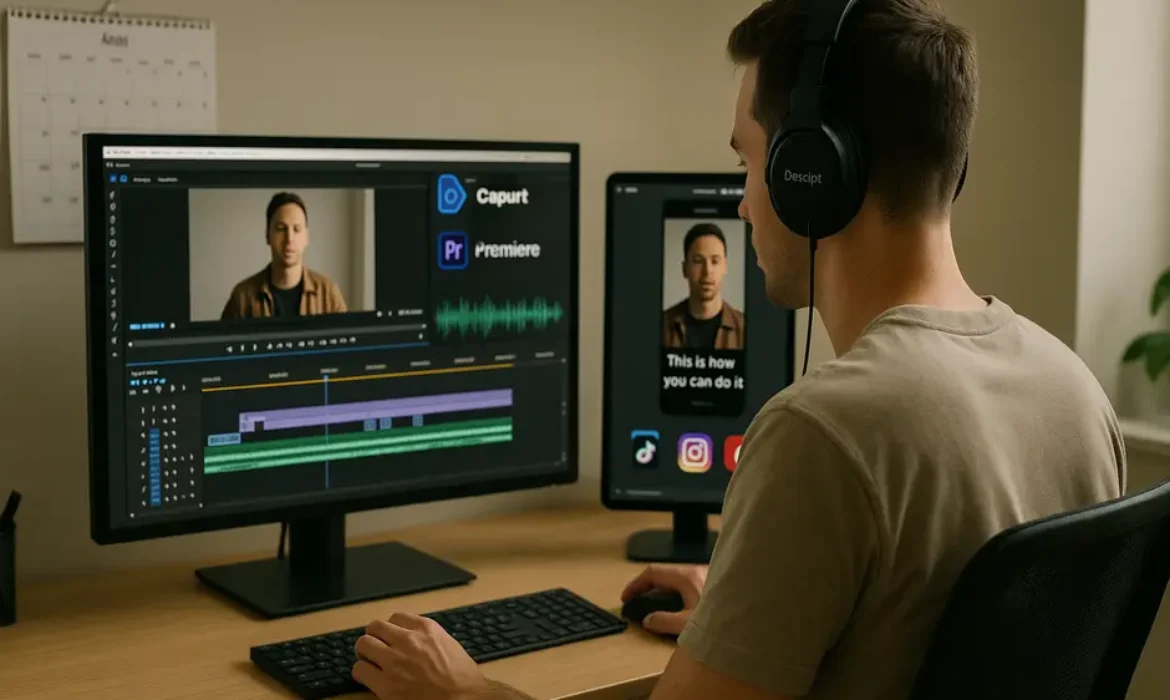
How to Repurpose Long-Form Content into Short-Form Videos (Step-by-Step)
Estimated reading time: 14 minutes
Why Repurposing Long-Form Content Is the Smartest Move You Can Make
Most content creators and marketing teams are sitting on a goldmine they have never fully excavated. That 90-minute podcast episode, that YouTube deep-dive, that webinar recording from last quarter — each one contains hooks, soundbites, expert quotes, and story moments that could drive thousands of views on TikTok, Instagram Reels, or YouTube Shorts.
Yet the majority of brands publish once and move on. The content disappears into an archive while they scramble to produce something new next week.
The math simply does not add up. According to Wyzowl’s State of Video Marketing report, 91% of businesses use video as a marketing tool, and short-form video consistently delivers the highest ROI of any content format. Meanwhile, producing a single polished YouTube video can take anywhere from 10 to 40 hours. Repurposing that same video into short-form content takes a fraction of that time and reaches audiences on platforms you might not even be targeting yet.
This is exactly what savvy content teams at brands like HubSpot, Morning Brew, and countless creator-led businesses have figured out. They build long-form content as a central pillar, then systematically extract, format, and distribute short-form content across every relevant platform.
This guide walks you through exactly how to do that — with a practical, repeatable process that works whether you are a solo creator or running a full content operation.
Understanding What Makes a Great Short-Form Clip
Before you start clipping anything, you need to understand what actually works in short-form video. Not every moment from a long recording deserves to be a Reel or a TikTok. The ones that do tend to share a few common characteristics.
Strong opening hook. Short-form audiences decide within the first two to three seconds whether to keep watching. A clip that starts mid-explanation or with a generic greeting will be scrolled past immediately. The best clips open with a provocative statement, a surprising statistic, or a question that creates immediate curiosity.
Self-contained narrative. A good short-form clip from a long video makes complete sense on its own. Viewers should not need to have watched anything else to follow the point being made.
Emotional or intellectual tension. Whether it is a counterintuitive business insight, a personal story with a turning point, or a concrete tip that solves a real problem — there needs to be some form of tension or payoff that makes watching worthwhile.
Concise length for the platform. TikTok, Instagram Reels, and YouTube Shorts each have their own content rhythms. Generally, 30 to 90 seconds performs consistently, though content that genuinely earns attention can run longer on TikTok and Reels without penalty.
Keep these criteria in mind throughout every stage of the process that follows.
Step 1 — Audit Your Existing Long-Form Library
The first move is not picking up an editing tool — it is taking stock of what you already have.
Pull together every long-form asset you have produced in the last 12 to 24 months. This includes:
- YouTube videos (tutorials, interviews, vlogs, reviews)
- Podcast episodes (especially guest interviews)
- Webinar and live stream recordings
- Online course modules
- Conference talks or panel recordings
Create a simple spreadsheet tracking each piece of content with the following columns: title, length, topic/theme, estimated clip potential, and platform relevance. You do not need anything elaborate. The goal is to get a clear view of the raw material available before you prioritize what to process first.
Prioritization criteria to use:
| Criteria | Why It Matters |
|---|---|
| Evergreen topics | Clips from evergreen content stay relevant longer |
| High-performing originals | Popular long-form content signals the topic resonates with your audience |
| Interview-heavy content | Interviews naturally contain quotable, self-contained moments |
| Data or insight-rich episodes | Statistics and surprising findings make highly shareable clips |
| Recent content | Timely relevance can amplify reach on trending topics |
Start with three to five pieces that score well across multiple criteria. Once you have a clipping workflow running smoothly, you can work backward through your entire archive.
Step 2 — Identify High-Value Moments Worth Clipping
This is where the editorial judgment comes in, and it is genuinely the most important skill in the entire content repurposing process.
Watch or listen through each piece with a dedicated mindset — not as a passive viewer, but as an editor hunting for gold. Timestamp every moment that triggers one of these responses:
- “That is a genuinely surprising or counterintuitive point”
- “That is a concise, perfectly stated explanation of something complicated”
- “That story had a clear beginning, middle, and end”
- “That would resonate strongly with someone who has never heard of this person or brand”
Professional video editors who specialize in clip extraction often work with a simple highlight script method. As they scrub through the footage, they drop timestamps and a one-sentence description of why a moment stood out. After reviewing the full piece, they rank the highlights by potential and build from there.
If you are working with podcast audio specifically, you can turn the audio into a transcript first (Descript makes this seamless), then scan the text for quotable lines and sharp insights. It is far faster than listening in real time.
For a 60-minute video, a realistic clip extraction should yield:
| Content Length | Estimated Clips |
|---|---|
| 15–30 minutes | 5–10 clips |
| 30–60 minutes | 10–20 clips |
| 60–90 minutes | 15–30 clips |
| Full-day event/course | 30–50+ clips |
Not all of them will be publish-ready. Plan to use roughly 60 to 70 percent of what you extract after reviewing quality.
Step 3 — Choose the Right Tool for Your Workflow
The tool you choose will shape how fast and how scalably you can repurpose long-form content to short-form. Each option below serves a different use case and skill level.
Opus Clip
Opus Clip is purpose-built for automated clip extraction from long videos. You drop in a YouTube URL or upload a video file, and the AI identifies the highest-engagement moments, clips them, adds captions, and scores each clip based on predicted virality potential.
It is not perfect — you will still want to review and sometimes manually adjust clips — but it dramatically accelerates the first pass. For teams producing high volumes of content, it functions like a force multiplier.
Best for: Creators and teams who need to process large volumes quickly and want automation to handle the heavy lifting.
Descript
Descript takes a transcript-first approach. Every word in your video becomes editable text, meaning you can cut a clip simply by deleting sentences in a document. It also handles multi-track audio, screen recordings, and automatic filler word removal.
The collaborative editing features make it particularly strong for teams where one person does editorial review and another handles the actual cutting. Descript also generates captions natively and supports direct social publishing.
Best for: Podcasters repurposing audio to video Reels, teams that want editorial control without steep editing learning curves.
CapCut
CapCut is a free mobile and desktop editor with an impressive suite of short-form specific features — auto-captions, trending templates, beat sync, background removal, and text animations that match the aesthetic of native TikTok content. For creators who want polished, platform-native results without paying for a subscription, CapCut is difficult to beat.
Best for: Individual creators who want high-quality results without spending on software.
Adobe Premiere Pro
Premiere Pro is the professional standard. It offers complete control over every element of your clip — color grading, audio mixing, motion graphics, multi-resolution export. The learning curve is steeper, but for brands where production quality is a differentiator, it is worth the investment.
The Essential Graphics panel and sequence presets make vertical crop and reformatting significantly faster than it used to be. Premiere’s integration with Adobe After Effects also opens up polished text animation and motion graphics options.
Best for: Production teams, agencies, and creators who already know Premiere and need maximum quality control.
| Tool | Best For | Price | Learning Curve | Auto-Captions |
|---|---|---|---|---|
| Opus Clip | High-volume automated clipping | Paid (free trial) | Low | Yes |
| Descript | Transcript-based editing | Freemium | Low–Medium | Yes |
| CapCut | Free, platform-native aesthetic | Free | Low | Yes |
| Premiere Pro | Professional quality control | Subscription | High | With plugins |
Step 4 — Crop, Format, and Optimize for Each Platform
One of the most common mistakes in short-form video production is treating it as a simple export process. Cropping a horizontal 16:9 video to vertical 9:16 without thoughtful repositioning is often worse than not posting at all. Talking heads get decapitated. Key visual elements disappear off screen. The result looks like an afterthought.
Here is how to handle formatting properly.
Aspect Ratios by Platform:
| Platform | Recommended Ratio | Resolution |
|---|---|---|
| TikTok | 9:16 | 1080 x 1920 |
| Instagram Reels | 9:16 | 1080 x 1920 |
| YouTube Shorts | 9:16 | 1080 x 1920 |
| LinkedIn Video | 1:1 or 4:5 | 1080 x 1080 / 1080 x 1350 |
| Twitter/X Video | 16:9 or 1:1 | 1280 x 720 / 1080 x 1080 |
For vertical crops, use dynamic tracking in Premiere Pro or CapCut’s auto-reframe feature to ensure the camera follows the subject rather than cropping a static center cut. When the speaker moves or gestures, auto-reframe adjusts the crop dynamically — a small detail that makes a significant difference to watch-through rates.
If your original footage was shot in a studio or controlled environment with clean framing, vertical cropping is straightforward. If it was shot in a wide-angle format or with multiple people on screen, you will need to make intentional editorial decisions about what to prioritize in the frame.
Step 5 — Add Captions, B-Roll, and On-Screen Context
This step separates forgettable clips from ones that actually perform. Three elements consistently improve short-form video retention: captions, contextual b-roll, and on-screen text that reinforces key points.
Captions
According to research published by Verizon Media, 69% of people watch video with sound off in public places. Captions are not optional — they are essential. Every short-form clip you publish should have accurate, well-timed captions.
Both Opus Clip and Descript generate captions automatically with reasonable accuracy. CapCut does the same on mobile. Regardless of which tool you use, always review the caption file manually before publishing. Proper nouns, technical terms, and brand names are consistently misread by auto-captioning systems.
Style your captions for the platform. TikTok-native content typically uses large, high-contrast text centered on screen. LinkedIn clips may use more subdued subtitle styling. The aesthetic should feel at home on the platform where it lands.
B-Roll
For podcast clips and talking-head interview footage, relevant b-roll keeps visual interest alive. If you are repurposing a podcast episode into Reels, a static waveform animation over a branded background is the bare minimum. Stronger options include:
- Screen recordings that illustrate the point being made
- Stock footage that adds visual metaphor to the concept
- Text-over animations that break down a multi-step process
- Quick-cut reaction shots if you have multiple camera angles
On-Screen Context Text
Short-form viewers frequently encounter your clips without any prior context about who you are. A brief on-screen label — “Ep. 47 | The Growth Marketing Pod” or “From our YouTube deep-dive on content strategy” — adds credibility and encourages viewers to seek out the original long-form piece.
This is also where you can add value-layering: bullet points that appear as the speaker makes each argument, data overlays, or callout boxes that highlight the core insight. Done tastefully, these elements increase the perceived value of the clip significantly.
Step 6 — Build a Distribution Calendar That Actually Works
Even a perfectly produced clip fails if it is posted inconsistently or without a strategy behind the timing.
A content repurposing strategy works best when it is mapped to a publishing calendar that specifies: which clip goes on which platform, on which day, with what caption and hashtag set.
Sample Weekly Distribution From One Long-Form Piece:
| Day | Platform | Content Type |
|---|---|---|
| Monday | YouTube Shorts | Insight clip with captions |
| Tuesday | TikTok | Hook-forward story clip |
| Wednesday | Instagram Reels | Quote card animated clip |
| Thursday | Thought leadership data clip | |
| Friday | Twitter/X | Short punchy moment, 30 seconds |
| Weekend | Instagram Stories | Behind-the-scenes or teaser for next week |
One long-form video can easily power a full week — sometimes two weeks — of platform-native short-form content. The key is to avoid copy-pasting the same clip across every platform simultaneously. Vary the hooks, adjust the captions for each platform’s culture, and stagger the publishing schedule.
Use a tool like Notion, Airtable, or a dedicated social media calendar to plan this in advance. Some teams use a simple Google Sheet with columns for clip file name, platform, caption draft, hashtags, scheduled date, and published URL. The sophistication of the tool matters far less than the consistency of the process.
Step 7 — Measure, Iterate, and Refine Your Strategy
Repurposing is not a set-it-and-forget-it strategy. The teams that get the most from their content repurposing workflow are the ones that actually analyze what is working and feed those insights back into their content creation and editing decisions.
Metrics to track by platform:
| Platform | Primary KPIs | Secondary KPIs |
|---|---|---|
| TikTok | Watch time, completion rate | Follows gained, shares |
| Instagram Reels | Reach, plays, saves | Profile visits, DMs |
| YouTube Shorts | Impressions, click-through rate | Subscriber conversion |
| Impressions, engagement rate | Profile views, connection requests |
When a clip significantly outperforms others, dig into why. Was it the hook? The topic? The caption? The length? Document the pattern and replicate it in your next batch.
Conversely, when clips consistently underperform on a specific platform, do not assume the content is the problem. Sometimes it is the caption, the thumbnail, the posting time, or the hashtag set. Test one variable at a time before drawing conclusions.
Over six to twelve months of consistent execution, you will have built a data-driven understanding of exactly what kind of clip extraction yields the best results for your specific audience — and that knowledge becomes a genuine competitive advantage.
Key Takeaways
-
- Long-form content — YouTube videos, podcasts, webinars — contains dozens of short-form clips waiting to be extracted
- A structured video clipping workflow can turn one 60-minute recording into 15 to 30 pieces of short-form content
- Tools like Opus Clip, Descript, CapCut, and Premiere Pro each serve different skill levels and budgets
- Platform-native formatting (vertical crop, captions, aspect ratio) is non-negotiable for short-form performance
- Repurposing is not just about saving time — it is about compounding reach across channels without producing new content from scratch
- Repurposing long-form content to short-form is a force multiplier, not a shortcut. The goal is compounding reach and topical presence across platforms
- Every long-form asset — YouTube video, podcast, webinar — contains extractable clips if you watch it with an editorial eye
- The clip extraction process is where most of the value is created. Prioritize moments with strong hooks, self-contained narratives, and clear takeaways
- Tool selection should match your team’s skill level and volume requirements. Opus Clip for automation, Descript for transcript-based editing, CapCut for free polished output, Premiere Pro for maximum control
- Vertical crop, accurate captions, and platform-native formatting are non-negotiable for short-form performance
- A staggered distribution calendar across multiple platforms maximizes the mileage from every clip without fatiguing any single audience
- Measure consistently and let data guide your repurposing decisions over time
FAQs
1. How many short-form videos can I realistically get from one long-form piece of content?
It depends on the length and density of the original content, but a useful rule of thumb is one quality clip for every three to five minutes of runtime. A 45-minute podcast episode could realistically yield 8 to 15 publishable clips. A 90-minute webinar might produce 20 or more. The key word is “quality” — not every timestamp becomes a clip worth publishing. Focus on moments that are self-contained, hook-strong, and genuinely valuable to someone encountering your brand for the first time.
2. Do I need expensive software to repurpose YouTube videos into Reels?
Not at all. CapCut is free on both desktop and mobile and handles auto-captions, vertical cropping, text animations, and export in the correct resolution for every major platform. Descript offers a generous free tier. The paid tools like Opus Clip or Adobe Premiere Pro offer speed and control advantages that matter at scale, but if you are just starting out or working solo, you can produce professional-quality results without spending a dollar on software.
3. What is the best way to repurpose a podcast episode into short-form video if I have no video footage?
This is more common than people realize, and there are several effective approaches. The most popular option is an audiogram format — a waveform animation overlaid on a branded background or relevant still image, with auto-generated captions. Tools like Descript and Headliner make this straightforward. For a more engaging result, you can pair the audio with relevant stock footage or screen recordings that illustrate the topic being discussed. Some podcasters also record a “face cam” reaction to their own episodes, which adds a visual element while keeping the best audio moments intact.
4. How do I make sure my clips feel native to TikTok and not like repurposed content?
The biggest giveaway that content is repurposed is usually the aspect ratio, the pacing, and the hook. TikTok audiences are attuned to content that starts immediately — no intros, no “welcome back” — and that uses informal, conversational language. When you clip for TikTok specifically, trim every second of preamble before the hook hits. Adjust your caption to use TikTok-native language. Consider adding trending audio underneath talking-head clips where the original audio is secondary. Small formatting choices — text style, caption positioning, cut speed — signal to the algorithm and the viewer that this content belongs there.
5. Can this workflow work for a small team or solo creator without dedicated video editors?
Absolutely, and this is arguably where content repurposing delivers its greatest value. A solo creator who records one long YouTube video per week can use Opus Clip to auto-generate initial clips, review and approve the best ones in Descript, and publish through CapCut with minimal editing time. The entire repurposing process for one 60-minute video, once you have a workflow established, can take two to three hours. That is a significant leverage point compared to producing separate short-form content from scratch every single day.
6. How do I clip long video for TikTok without violating copyright or platform rules?
If you are clipping your own original content, there are no copyright concerns — the content is yours to redistribute in any format. If you are working with interviews, guest appearances, or licensed content, ensure you have clear written agreements about content redistribution rights before repurposing. For music, always use royalty-free audio or TikTok’s licensed sound library rather than clipping audio from a long video that contains background music you did not license for social distribution. TikTok’s content matching system is sensitive, and a copyright strike on a clip can suppress your entire account’s organic reach.
7. How long does it take to see results from a content repurposing strategy?
Short-form video results can appear quickly — some clips go wide within 48 hours of publishing — but building a consistent, compounding presence across platforms typically takes three to six months of regular publishing. The algorithm on every major short-form platform rewards consistency and engagement history. In the early months, treat each clip as data rather than a campaign. Over time, as your channel builds authority and your clipping instincts sharpen, you will see engagement rates stabilize and grow. The brands and creators who commit to repurposing as a long-term system — rather than a one-off experiment — consistently report it as one of the highest-return activities in their entire content operation.
Conclusion
The shift to short-form video is not a trend that is going away. It reflects a fundamental change in how people consume content across every platform, demographic, and device. Brands and creators who continue to treat their long-form library as a one-time asset are leaving enormous reach, authority, and audience growth on the table.
Repurposing long-form content to short-form is not about cutting corners. Done properly, it is a systematic, editorial process that amplifies the best ideas from your best content and delivers them to the right audience on the right platform in the right format.
Start with what you already have. Build the workflow. Stay consistent with distribution. Let the data guide your iterations. Within a few months, you will wonder why it took so long to start treating your content archive like the strategic asset it has always been.
Have a specific long-form format you want to repurpose — podcast, webinar, or YouTube series — and want to know which workflow fits your situation best? Drop your question in the comments.