How B2B Brands Can Use Short-Form Video to Generate Pipeline in 2026
How B2B Brands Can Use Short-Form Video to Generate Pipeline in 2026
Estimated reading time: 14 minutes
Introduction
Here is a number worth sitting with: according to Wyzowl’s State of Video Marketing report, 87% of marketers say video has directly increased traffic to their website. For B2B brands, that statistic would have seemed almost irrelevant five years ago — video was consumer territory, a playground for DTC brands and lifestyle creators, not for SaaS companies, professional services firms, or enterprise software vendors.
That thinking is now genuinely obsolete.
The B2B buyer in 2026 is a different creature. They research before they ever speak to sales. They consume video content during their consideration process. They trust brands that show up with useful, specific, and human content — not polished brand manifestos. And increasingly, short-form video is the format through which they discover, evaluate, and ultimately trust vendors.
This is not a trend piece. This is a practical, strategy-first guide for B2B marketing leaders, demand generation teams, and SaaS marketers who want to understand exactly how short-form video generates pipeline — not just impressions — and how to build the infrastructure to do it consistently in 2026.
1. Why Short-Form Video Is Now a B2B Pipeline Tool, Not Just a Branding Play
For a long time, B2B marketing teams treated video as an awareness asset. You made a brand film, ran it as a pre-roll on YouTube, and measured success in reach and frequency. Video lived at the top of the funnel, and pipeline lived somewhere else entirely.
That division no longer makes sense.
Short-form video — clips ranging roughly from 30 seconds to three minutes — has matured into a medium capable of doing serious demand generation work. LinkedIn’s algorithm now actively surfaces short-form native video to professional audiences. YouTube Shorts appears in pre-roll sequences. Even platforms like Instagram and TikTok have meaningful B2B audiences among founders, operators, and decision-makers under 40.
What changed is not just platform behavior. It is buyer behavior. The modern B2B buyer spends significantly more time in self-directed research before engaging with a vendor’s sales team. According to Gartner, buyers spend only 17% of their total purchase journey actually speaking with potential suppliers. The rest is independent research — and video is increasingly central to that research.
When a CFO watches a two-minute breakdown of your product’s ROI methodology on LinkedIn, or a VP of Engineering sees a 90-second walkthrough of how your API handles a common integration headache, those are not passive brand moments. Those are pipeline-building touchpoints. The challenge for most B2B teams is treating them that way.
2. The B2B Buyer Has Changed — Your Content Strategy Needs to Catch Up
The buyers entering B2B purchasing cycles today grew up with YouTube. They are comfortable watching a video before reading a white paper. Many of them would prefer to watch a video instead of reading a white paper. This is not a commentary on attention spans — it is a reflection of how people now prefer to learn.
This shift has significant implications for B2B content strategy. A few worth highlighting:
Video reduces cognitive load for complex topics. SaaS products, enterprise software, professional services, and technical platforms can be genuinely difficult to explain in text. A well-crafted two-minute video that demonstrates a workflow, explains a concept, or walks through a result is often more persuasive than a 1,200-word blog post covering the same ground.
Thought leadership lands harder on camera. Reading an opinion piece is one thing. Watching the same person deliver that perspective with conviction, nuance, and personality builds trust at a different level. Executives and subject matter experts who appear in short-form video content become more recognizable, more trusted, and more associated with expertise in their niche.
Video compresses the trust-building timeline. In traditional B2B content marketing, trust accumulates over many touchpoints and a long period of time. Short-form video — especially when delivered consistently — can accelerate that process significantly. A prospect who has watched twelve of your LinkedIn videos before a discovery call is a fundamentally different type of lead than one who found your website via a paid search ad yesterday.
3. Where Short-Form B2B Video Fits in the Funnel
One of the strategic mistakes B2B marketers make is treating all short-form video as awareness-stage content. In reality, you can — and should — deploy it across the entire buyer journey.
| Funnel Stage | Video Content Goal | Formats That Work |
|---|---|---|
| Awareness | Introduce the problem, build brand recognition | Thought leadership clips, industry insight reels, executive POV videos |
| Consideration | Differentiate your approach, build credibility | Product demos (short), explainer videos, video case studies |
| Decision | Remove objections, validate the choice | Customer testimonials, implementation walkthroughs, ROI breakdowns |
| Post-Sale / Expansion | Deepen product adoption, drive advocacy | Feature spotlight videos, customer success stories, community content |
The key insight here is that the same short-form format — a 90-second clip — can serve radically different purposes depending on the message, the call to action, and where it is deployed. A video case study on LinkedIn targeting warm retargeting audiences operates very differently from a thought leadership clip going to cold audiences who have never heard of your brand.
Understanding this distinction is what separates B2B teams that generate pipeline from video from those that generate views.
4. Platform Strategy: Where to Distribute B2B Short-Form Video in 2026
Platform selection matters more than most B2B marketers acknowledge. Publishing the same video to every platform is not a strategy. It is a time-consuming way to achieve mediocre results everywhere.
Here is how to think about the major platforms:
Still the primary channel for B2B video content strategy in 2026. LinkedIn’s algorithm continues to reward native video uploads with organic reach that far exceeds what text posts or image posts receive. More importantly, LinkedIn’s targeting capabilities for paid video promotion are unmatched in the B2B space — you can reach decision-makers by company size, job function, seniority, and industry with a precision that no other platform offers.
LinkedIn video leads are particularly valuable because they come with professional context baked in. When someone watches your video on LinkedIn, you already know something meaningful about them.
YouTube
Often underused as a B2B video channel. YouTube operates as the world’s second-largest search engine, and B2B buyers regularly use it to research vendors, understand product categories, and compare solutions. Short-form video on YouTube — both Shorts and standard sub-three-minute videos — benefits from search intent signals that social platforms cannot replicate. A video titled “How to migrate data from [Legacy Tool] to [Your Product]” can generate qualified inbound traffic for months.
YouTube pre-roll ads remain highly effective for B2B brands targeting specific content categories relevant to their buyers.
Instagram and TikTok
These platforms demand a more nuanced approach for B2B. They work well for brands targeting younger B2B buyers — startup founders, growth marketers, product managers — and for companies with a strong point-of-view culture. The organic reach potential is significant, but the audience targeting for paid campaigns is less precise than LinkedIn for traditional B2B use cases.
That said, ignoring them entirely is increasingly difficult to justify. Many senior decision-makers consume content on these platforms outside of working hours, and brand familiarity built there can influence professional purchasing decisions.
5. Content Formats That Actually Generate B2B Pipeline
Not all short-form video content is created equal. Some formats are primarily attention-grabbing. Others move people through a buying process. The most effective B2B video content strategy uses formats with a clear job to do.
The Insight Clip (60–90 seconds)
A tight, punchy observation from a subject matter expert or executive on a specific problem, trend, or mistake. No production value required. What matters is specificity and credibility. These work exceptionally well on LinkedIn because they feel authentic and show up in the feeds of the exact people who care about the topic.
Example: A VP of Security at a SaaS company posts a 75-second clip explaining the one misconfiguration that causes 80% of cloud data breaches. This is not a product pitch. It is a demonstration of expertise. It builds trust with the exact buyers who will eventually evaluate security tools.
The Mini Case Study (90–120 seconds)
A compressed version of a traditional case study — problem, solution, result, in video form. These work at the consideration and decision stages. They are particularly powerful as retargeting ads on LinkedIn or YouTube for people who have already visited your website or engaged with your content.
The Product Walkthrough Clip (60–90 seconds)
Short enough to hold attention, specific enough to answer a real question. These are not full demos. They show one feature, one workflow, or one outcome in detail. Think: “Here is how our customers automate this specific report in under three minutes.”
The Thought Leadership Series
A recurring video format — same presenter, same general topic area, consistent cadence — builds a following over time. This is arguably the most powerful long-term pipeline driver because it creates an audience that self-selects based on genuine interest. By the time someone from that audience enters a buying cycle, they already have a relationship with your brand.
The Customer Testimonial Clip
A customer speaking directly to camera about a specific result they achieved. Not a scripted corporate production — a genuine, specific, conversational account. These are among the most persuasive pieces of content a B2B brand can produce because they reduce perceived risk and provide social proof in a format that feels personal.
6. How to Build a Short-Form Video Funnel That Converts
A video funnel for B2B demand generation is not complicated, but it does require intention. Here is a practical framework:
Stage 1: Build audience with organic content
Use thought leadership clips and insight videos to build an organic following on YouTube and Linkedin. These videos should be genuine, specific, and consistently valuable. The goal at this stage is not to convert — it is to build a warm audience of people who recognize your brand and associate it with expertise.
Stage 2: Retarget with deeper content
Use LinkedIn’s video retargeting capabilities to serve your mini case studies and product walkthroughs to people who watched 50% or more of your awareness videos. This audience has already demonstrated interest. Now you move them closer to consideration.
Stage 3: Convert with social proof
Customer testimonial clips and ROI-focused content go to the warmest segment of your video audience — people who have watched multiple videos, visited your website, or engaged with your ads. These are the people who are evaluating vendors, and your job is to reduce remaining objections.
Stage 4: Capture intent with a direct CTA
At this stage, your video content should include a direct and specific call to action — a demo request, a free trial, a strategy call. Not a vague “learn more,” but a specific offer tied to a specific value proposition.
This four-stage approach transforms short-form video from a branding exercise into a structured demand generation system.
7. LinkedIn Video Leads: Making the Most of the Platform’s Organic Reach
LinkedIn deserves its own section because it is still the highest-leverage platform for most B2B video content strategy efforts, and most brands are underusing it significantly.
A few practices that separate high-performing LinkedIn video strategies from average ones:
Post natively, always. LinkedIn’s algorithm suppresses external links and gives native video uploads substantially more organic reach. Never post a YouTube link when you can upload the video directly.
Front-load value. The first three seconds of a LinkedIn video determine whether someone keeps watching. Open with the most interesting, provocative, or useful statement in the video. Do not spend three seconds on a logo animation.
Optimize for sound-off viewing. A large percentage of LinkedIn video is watched without audio. Captions are not optional — they are essential. They also improve accessibility, which matters both ethically and from an engagement standpoint.
Use personal profiles strategically. Videos posted from individual employee or executive profiles consistently outperform videos posted from company pages. This is not a flaw to work around — it is a feature of how LinkedIn works. Empower your executives and subject matter experts to post video content from their personal accounts.
Measure video views as an audience signal, not just a metric. LinkedIn allows you to retarget people who watched 25%, 50%, or 75% of your videos. This is one of the most valuable targeting options in B2B advertising. Every organic video view is potentially adding someone to a retargeting audience you can reach with more specific, conversion-focused content.
8. Measuring What Matters: Video Attribution for B2B Marketers
Attribution is legitimately difficult in B2B video marketing, and pretending otherwise does not help anyone. The challenge is that short-form video operates largely in the awareness and consideration phases of a long, complex buying cycle. Direct last-click attribution will systematically undervalue it.
A more honest approach to measurement involves a few layers:
View-through attribution windows. Most B2B advertising platforms allow you to credit a conversion to a video ad if the viewer later converts within a defined window, even without clicking. A 30-day view-through window is reasonable for most B2B products.
Pipeline influence tracking. When a deal closes, look at which content touchpoints appeared in that account’s history. If video views consistently appear in the histories of closed-won deals, that is meaningful signal even if video was not the last touchpoint.
Audience quality metrics. Track the conversion rates of your video retargeting audiences compared to cold audiences. If people who watched your videos convert to demos at significantly higher rates when retargeted, video is doing pipeline work even if it is not getting last-click credit.
Brand search lift. Sustained video content investment typically produces measurable increases in branded search volume over time. This is an imperfect proxy for video’s contribution to pipeline, but it is a real signal worth monitoring.
9. Common Mistakes B2B Brands Make With Short-Form Video
A few patterns show up repeatedly among B2B teams that invest in video but do not see pipeline results:
Making it about the product too soon. Video content that leads with features and product capabilities instead of problems and outcomes loses audiences before they are ready to care. Earn the right to talk about your product by first demonstrating that you understand your buyer’s world.
Treating production quality as the primary variable. Expensive production does not guarantee performance. A specific, credible, well-framed insight delivered by a genuine expert in a simple format will consistently outperform a highly produced video that says nothing new.
Posting inconsistently. A B2B video content strategy that produces five videos in a burst and then goes quiet for two months accomplishes very little. The compounding value of video comes from consistent, sustained publishing over time.
Ignoring the distribution side. Great video content without a distribution strategy generates views from your existing audience, not new pipeline. Budget and planning for paid promotion, employee amplification, and cross-channel distribution are not afterthoughts — they are core to the strategy.
Measuring only views. Views are a vanity metric without context. What matters is who watched, how much they watched, what they did next, and whether they eventually became customers or influenced deals.
Key Takeaways
-
- Short-form video has matured from a branding tool into a legitimate B2B demand generation channel in 2026
- The modern B2B buyer conducts most of their research independently before engaging with sales — video meets them in that self-directed phase
- Effective B2B video content strategy requires matching video formats to funnel stages rather than treating all video as awareness content
- LinkedIn remains the highest-leverage platform for most B2B teams, especially when combining organic thought leadership video with paid retargeting
- A structured video funnel — awareness to consideration to conversion — outperforms unconnected video publishing by a significant margin
- Attribution for B2B video requires pipeline influence tracking and audience quality analysis, not just last-click metrics
- Consistency, specificity, and genuine expertise matter more than production quality in B2B short-form video
FAQs
Q1: What length should B2B short-form videos be for maximum engagement?
There is no single universal answer, but the evidence consistently points toward a sweet spot between 60 and 90 seconds for organic social video and 30 to 60 seconds for paid video ads. The more important principle is that a video should be as long as it needs to be to deliver its specific value — and not one second longer. A two-minute video that earns every second of its runtime outperforms a 45-second video that meanders. For LinkedIn specifically, videos under two minutes tend to see the highest completion rates, which matters both for algorithm performance and for building your retargeting audiences.
Q2: How often should a B2B brand post short-form video content?
For organic LinkedIn video, two to three times per week from executive and employee accounts is a realistic and effective cadence for most teams. For company pages, once or twice per week is reasonable. The most important factor is consistency — a sustainable cadence that continues for months and years builds far more pipeline influence than an intensive sprint followed by silence. Start with what your team can maintain authentically, then scale from there.
Q3: Does short-form video work for complex, high-consideration B2B products?
Yes, and often more effectively than for simpler products. The reason is counterintuitive: complex products require more education, more trust-building, and more sustained engagement — all of which short-form video is well-suited to deliver over time. The approach needs to adjust: rather than trying to explain a complex product in two minutes, use a series of short videos to address specific aspects of the problem, the solution, and the outcome. Each video earns trust incrementally. A prospect who has consumed eight short videos about your approach to enterprise data governance is far more prepared for a sales conversation than one who received a single whitepaper.
Q4: How do you generate LinkedIn video leads without a large existing following?
Organic reach on LinkedIn benefits from an existing following, but it is not a prerequisite for generating leads. LinkedIn video ads allow you to reach precisely targeted professional audiences regardless of your follower count. The most effective approach for teams starting from scratch is to run paid video campaigns to build a warm video viewer audience, then retarget that audience with more specific content and conversion-focused offers. Simultaneously, invest in organic content from individual executives and subject matter experts, whose personal networks will drive reach even without an established company page following.
Q5: What is the difference between thought leadership video and a product video for B2B marketing purposes?
Thought leadership video focuses on the buyer’s problem, the industry context, and the perspectives and expertise of your team. It earns attention and trust without asking for anything in return. Product video, by contrast, focuses on your solution — its features, its workflows, its outcomes. Both serve important roles in a B2B video funnel, but they serve different audiences at different stages. Thought leadership video works best for cold and warm audiences who are not yet in an active buying process. Product video works best for audiences who are already problem-aware and evaluating solutions. Many B2B brands make the mistake of producing predominantly product video and then wondering why their organic reach and engagement numbers are low.
Q6: How do YouTube pre-roll ads fit into a B2B video marketing strategy?
YouTube pre-roll ads are particularly effective for B2B brands when targeting is built around content categories, keywords, and specific YouTube channels that their buyers already watch. For example, a SaaS company targeting CFOs might run pre-roll ads against videos on financial modeling, enterprise planning software, or SaaS finance content. The key advantage of YouTube pre-roll over social video ads is that it captures search-adjacent intent — people watching YouTube content about specific topics are often in active research mode. Pre-roll also builds brand familiarity over time, which influences purchase decisions even when the ad is skipped after five seconds.
Q7: How should B2B brands repurpose short-form video content across channels?
Repurposing short-form video is one of the highest-leverage activities a B2B content team can engage in. A single well-produced video can be natively uploaded to LinkedIn, uploaded to YouTube, embedded in a blog post, included in an email newsletter, added to a relevant landing page, turned into a GIF for Slack or Twitter, transcribed for an SEO-optimized article, and clipped into shorter segments for Stories or Reels. The most important repurposing principle is to adapt — not just copy — for each platform. A video that performs well on LinkedIn may need different captions, a different aspect ratio, or a different hook to perform well on YouTube or Instagram. The core content remains the same; the packaging changes to match platform context.
Conclusion
The B2B brands that are generating consistent pipeline from short-form video in 2026 are not doing something magical. They are applying the same principles that have always driven effective demand generation — deep buyer understanding, consistent value delivery, and patient trust-building — through a format that their buyers now genuinely prefer.
Short-form B2B video is not a campaign. It is an ongoing commitment to showing up with genuine expertise in the formats and platforms where your buyers are spending their time. The teams that treat it that way — building systematic video funnels, measuring influence rather than just views, and investing in the quality of insight over the quality of production — are the ones seeing it show up in their pipeline numbers.
The question for most B2B marketing leaders is not whether short-form video deserves a place in their 2026 content strategy. That question has been answered. The question is whether they are ready to treat it with the strategic seriousness it now warrants.
For further reading on video marketing measurement and B2B buyer behavior, the Google Think with Google library and LinkedIn’s B2B Institute research are both substantial resources worth bookmarking.
LinkedIn Video Specs and Best Practices for 2026
LinkedIn Video Specs and Best Practices for 2026
Estimated reading time: 14 minutes
Why LinkedIn Video Deserves Your Full Attention in 2026
LinkedIn has quietly become one of the most powerful video platforms for B2B brands, creators, and professionals — and the numbers back that up. According to LinkedIn’s own internal data, video content generates approximately three times more engagement than static text posts, and native video in particular earns significantly higher organic reach compared to external links.
What changed? A few things converged. LinkedIn’s algorithm now actively prioritizes video in the feed. The platform introduced dedicated video tabs on profiles and pages. And the professional audience on LinkedIn — 1 billion members globally as of 2024 — is actively consuming video content during decision-making moments that matter.
But here’s the catch: posting the wrong file type, wrong resolution, or wrong aspect ratio does not just hurt your aesthetics. It tanks your reach, breaks your auto-play functionality, and signals to the algorithm that your content is low quality. Getting the technical side right is not optional — it is the foundation everything else rests on.
This guide covers every LinkedIn video spec you need in 2026, plus the strategic best practices that actually move the needle.
LinkedIn Video Specs: The Complete Technical Breakdown
Before you record a single frame, you need to understand what LinkedIn will accept and what it will reject. The platform has specific requirements for native video uploads, and uploading a file that falls outside these parameters results in degraded playback, failed uploads, or stripped quality.
Here is everything in one place.
LinkedIn Native Video Upload Specifications (2026)
| Specification | Requirement |
|---|---|
| File Format | MP4 (recommended), MOV, AVI, FLV, MPEG-1, MPEG-4, MKV, WebM |
| Minimum Resolution | 256 x 144 pixels |
| Maximum Resolution | 4096 x 2304 pixels |
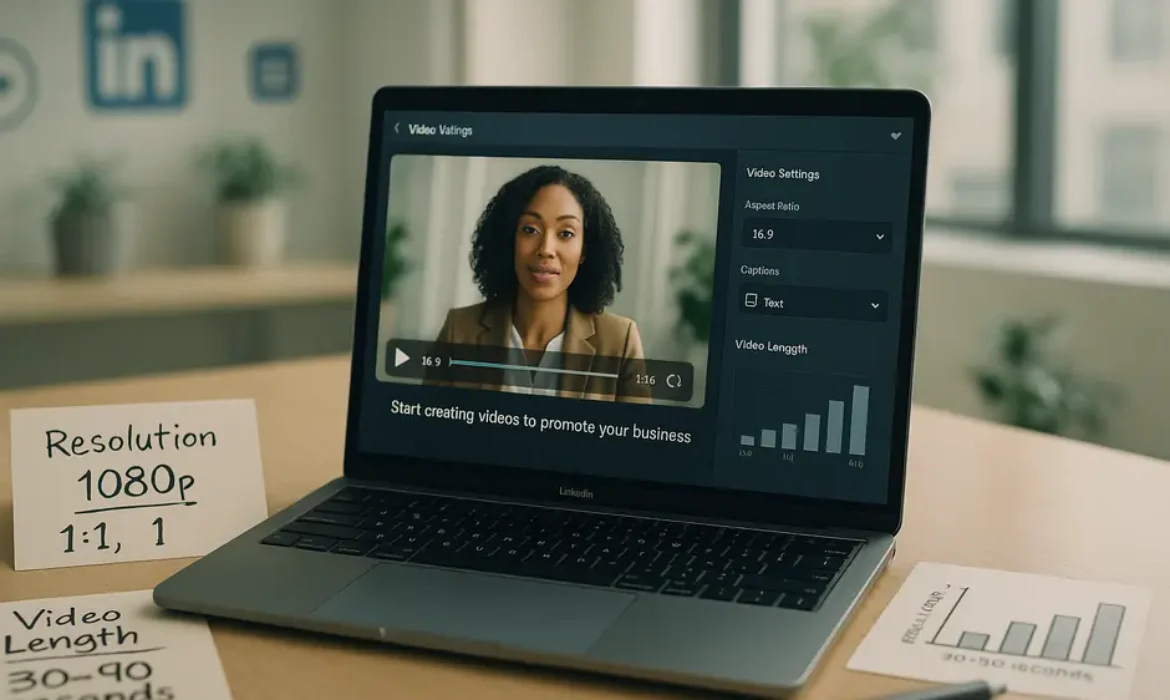
| Recommended Resolution | 1920 x 1080 pixels (1080p) |
| Aspect Ratio | 1:1, 4:5, 9:16, 16:9 (all supported) |
| Frame Rate | 10–60 fps (29.97 or 30 fps recommended) |
| Minimum File Size | 75 KB |
| Maximum File Size | 5 GB |
| Minimum Video Length | 3 seconds |
| Maximum Video Length | 15 minutes (desktop upload), 10 minutes (mobile) |
| Maximum Bitrate | 30 Mbps |
| Audio Format | AAC or MPEG4 |
| Audio Size | Less than 64 KHz |
| Caption Support | SRT file upload supported |
This table should serve as your go-to reference before every upload. Bookmark it.
LinkedIn Video Ad Specifications
Video ads — whether Sponsored Content or Conversation Ads — have slightly different requirements that are worth separating out.
| Specification | Requirement |
|---|---|
| File Format | MP4 only |
| Resolution | 360p, 480p, 720p, or 1080p |
| Aspect Ratio | 16:9 (landscape), 1:1 (square), 9:16 (vertical) |
| File Size | Up to 200 MB |
| Video Length | 3 seconds to 30 minutes |
| Frame Rate | Less than 30 fps |
| Audio | Less than 64 KHz |
For paid campaigns, LinkedIn enforces stricter file size limits and recommends MP4 exclusively. If you are running video ads, do not repurpose a file that exceeds 200 MB without compressing it first.
LinkedIn Native Video vs. Shared Video Links: What Actually Performs Better
This is a question worth addressing directly because many marketers still make the wrong call here.
When you upload a video directly to LinkedIn — what the platform calls a native video — it plays automatically in the feed without the viewer needing to leave the platform. When you share a YouTube or Vimeo link, LinkedIn renders it as a clickable thumbnail that takes the user off-platform.
LinkedIn’s algorithm has consistently rewarded native uploads with greater organic reach. The logic is straightforward: LinkedIn wants to keep users on LinkedIn. Every click to an external site is a loss for the platform, so the algorithm deprioritizes external video links in feed distribution.
The practical implication: If reach and engagement are your goals, upload directly. Always. Save the YouTube link for your newsletter or website.
That said, there are cases where a shared link makes sense — when you need to drive traffic to a specific landing page, or when your analytics infrastructure is built around a third-party video host. In those scenarios, using the link is a deliberate strategic trade-off, not an oversight.
Aspect Ratios Explained: Choosing the Right Format for Your Goal
Aspect ratio might seem like a minor technical detail, but it has a disproportionate impact on how your video feels in the feed and how much real estate it claims on screen.
16:9 (Landscape)
The classic widescreen format. It works well for webinar replays, product demos, and interview-style content where you are repurposing content originally recorded for YouTube or a web environment. The downside is that on mobile — where the majority of LinkedIn users now browse — landscape video occupies less vertical space in the feed, which can reduce visual impact.
1:1 (Square)
Square video tends to outperform landscape on mobile feeds because it takes up more vertical space without requiring the viewer to rotate their device. For short-form thought leadership clips, case study snippets, and brand storytelling, square is often the smarter choice.
4:5 (Portrait)
This format sits between square and full vertical, and it is gaining traction as LinkedIn leans further into mobile-first content. It uses even more screen real estate than 1:1 without going full vertical. Worth testing if you are serious about mobile optimization.
9:16 (Vertical)
Full vertical video was primarily the territory of TikTok and Instagram Reels, but LinkedIn now supports it — and with the platform’s growing investment in short-form video features, expect this format to become more prominent through 2026. If you are targeting younger professionals or creating content designed for LinkedIn’s dedicated video feed, 9:16 is worth experimenting with.
Quick Format Decision Guide:
| Goal | Recommended Aspect Ratio |
|---|---|
| Repurposing YouTube/webinar content | 16:9 |
| Mobile-first feed engagement | 1:1 or 4:5 |
| Short-form thought leadership | 1:1 |
| LinkedIn video feed / short-form | 9:16 |
| Video ads (all placements) | 1:1 or 16:9 |
File Size, Length, and Resolution: The Numbers That Matter
File Size
LinkedIn allows native video uploads up to 5 GB. That is generous, but it does not mean you should push it. Larger files take longer to process, and during that processing window, your post is not visible in the feed — which means you miss the critical early-engagement window that heavily influences LinkedIn’s distribution algorithm.
A practical target: keep most uploads under 1 GB. For a 1–3 minute video at 1080p, that is very achievable with standard export settings.
Video Length
The minimum is 3 seconds. The maximum is 15 minutes on desktop and 10 minutes on mobile.
But here is the nuance: just because LinkedIn allows 15 minutes does not mean 15 minutes is the right choice. LinkedIn’s own data has historically shown that videos under 90 seconds retain viewers at higher rates for organic feed content. For longer educational content, instructional series, or event replays, longer formats can work — but they require strong hooks and clear chapter-like structure to maintain attention.
For most use cases, aim for:
- 30–90 seconds for organic feed posts aimed at engagement
- 2–5 minutes for educational or thought leadership content
- 5–15 minutes for in-depth content targeting high-intent professional audiences (document-style or course-style formats)
Video Resolution
LinkedIn supports resolutions from 256 x 144 pixels up to 4096 x 2304 pixels. In practice, 1920 x 1080 (1080p) is the sweet spot — high enough to look professional, low enough to upload and process without friction.
If you are shooting on a smartphone (which is entirely fine for authentic, high-engagement LinkedIn content), modern iPhone and Android flagships shoot at 1080p or 4K by default. For most LinkedIn content, 1080p is more than sufficient.
One thing worth noting: LinkedIn does compress video on upload. Even if you upload a pristine 4K file, what viewers see will be a compressed version. This is why exporting at a slightly higher bitrate than usual can help preserve quality post-compression.
Captions, Auto-Play, and Accessibility on LinkedIn
Auto-Play and Why It Changes Everything
LinkedIn videos auto-play silently in the feed. This single feature fundamentally changes how you should think about the first three seconds of your video.
Because the sound is off by default, your opening frame needs to communicate value visually — through text overlays, strong facial expressions, compelling B-roll, or on-screen context. If your video opens on a dark screen, a long intro animation, or someone speaking with no captions, you have already lost the majority of your potential viewers.
The first three seconds should answer one unspoken question: why should I stop scrolling right now?
Captions: Not Optional in 2026
Multiple studies on video consumption — including research from Verizon Media and Publicis — have found that 85% of social media video is watched without sound. On LinkedIn, where professionals are often browsing from open offices, meetings, or public spaces, that number may be even higher.
LinkedIn supports SRT file uploads for captions, which give you control over timing and accuracy. This is the preferred method over auto-generated captions because it allows you to review and correct transcript errors before anyone sees them.
Adding captions serves multiple purposes simultaneously:
- Accessibility for viewers with hearing impairments
- Engagement for the silent-scrolling majority
- Keyword reinforcement that may contribute to content discoverability
If you do not want to create SRT files manually, tools like Rev, Descript, or Kapwing can generate accurate transcripts quickly and export them in the correct format.
Thumbnail Selection
When a video finishes playing (or before it starts in some cases), LinkedIn displays a thumbnail. You can upload a custom thumbnail image — and you should. A custom thumbnail dramatically increases click-through rates compared to auto-selected frames, which are often mid-blink or mid-transition.
Optimal thumbnail size: 1200 x 627 pixels for landscape, or match your video’s aspect ratio for other formats.
LinkedIn Video Analytics: Measuring What Actually Matters
Once your video is live, LinkedIn provides a native analytics dashboard. Knowing which metrics to prioritize separates strategic video marketers from those who chase vanity numbers.
Metrics Worth Tracking
Views: LinkedIn counts a view at just two seconds of playback at 50% visibility. This is a low bar. Do not optimize your strategy around raw view counts alone.
View Completion Rate: How many people watched to 25%, 50%, 75%, and 100% of your video. This is far more meaningful than views. A video with 500 views but a 70% completion rate is performing exceptionally well. A video with 5,000 views but a 15% completion rate has a serious hook or content problem.
Engagement Rate: Reactions, comments, and shares relative to impressions. High engagement signals to the algorithm that the content resonates, which triggers further distribution.
Audience Demographics: LinkedIn’s video analytics show you who is watching — industry, seniority, geography. This is gold for B2B marketers. If your target audience is C-suite executives in financial services but your videos are mostly watched by interns in retail, you have a targeting or positioning problem worth addressing.
Click-Through Rate (for video ads): For paid campaigns, CTR is a primary performance indicator. LinkedIn’s benchmark CTR for video ads hovers around 0.44% according to various industry reports — anything above that is a positive signal.
Best Practices That Separate High-Performing Videos from the Noise
Technical compliance gets your video into the feed. These practices get it seen, shared, and remembered.
Hook in the First Three Seconds
Repeat it like a mantra: the first three seconds are everything. Your opening should be visually compelling, immediately relevant, and designed for silent viewing. Think of it as a billboard that has half a second to communicate its core message.
Strong hooks include:
- A provocative statement or bold claim in on-screen text
- A surprising statistic displayed visually
- A question that speaks directly to a professional pain point
- A dramatic visual that creates instant curiosity
Upload Natively, Always
As discussed, native uploads consistently outperform external links in organic reach. Build this into your workflow as a non-negotiable.
Use Captions and Text Overlays
Do not rely solely on SRT captions. Burn key phrases into your video as text overlays during editing. This reinforces your message visually, holds attention, and ensures your core points land even with zero audio.
Optimize Your Post Copy
The text accompanying your video is not an afterthought. LinkedIn’s algorithm reads the post copy, and so do your viewers. Write a compelling first line — this is the only line visible before “see more” — that makes someone want to stop and watch. Keep post copy concise and purposeful.
Post at the Right Time
LinkedIn engagement tends to peak on Tuesday through Thursday, with the highest activity windows typically falling between 8–10 AM and 12–1 PM in your target audience’s local time zone. That said, test and validate against your own analytics rather than applying global averages blindly.
Respond to Comments Quickly
Early engagement — especially comments — signals high content quality to LinkedIn’s algorithm and triggers further distribution. Responding to every comment in the first hour after posting is one of the simplest and most effective ways to extend your video’s organic reach.
Consistency Over Virality
One viral video is less valuable than a consistent publishing cadence that builds audience familiarity and trust over time. Professionals follow creators who show up reliably with useful, relevant content — not those who post sporadically hoping for a breakout moment.
Key Takeaways
-
- Always upload natively. LinkedIn’s algorithm rewards content that keeps users on the platform. External video links will not reach the same audience.
- MP4 at 1080p is your standard. It covers virtually every use case, processes quickly, and delivers professional quality after LinkedIn’s compression.
- Match your aspect ratio to your goal. Square (1:1) for mobile engagement, landscape (16:9) for repurposed content, vertical (9:16) for short-form feed content
- Keep most videos under 90 seconds for organic feed performance. Go longer only when your content genuinely requires it and your audience expects it.
- Captions are not optional. 85% of LinkedIn video is watched on mute. If your message depends entirely on audio, you are losing most of your audience.
- Nail the first three seconds. Auto-play means every video competes silently for attention. Your opening must communicate value instantly.
- Track completion rate, not just views. Completion rate tells you whether your content is actually working. Views tell you how many people gave it two seconds.
- Add a custom thumbnail. It significantly increases clicks in contexts where auto-play does not trigger.
FAQs
What is the best video format for LinkedIn in 2026?
MP4 is the best and most universally supported format for LinkedIn video. While LinkedIn accepts several file types including MOV, AVI, MKV, and WebM, MP4 offers the best balance of compatibility, file compression, and playback quality. When exporting, use H.264 encoding for the video stream and AAC for audio — this combination produces excellent quality at manageable file sizes and processes smoothly on LinkedIn’s servers.
What is the ideal LinkedIn video length for maximum engagement?
For organic feed posts targeting engagement, videos between 30 and 90 seconds tend to perform best. Attention drops sharply beyond that window unless your content has a very strong narrative pull. For educational or thought leadership content where your audience expects depth, 2–5 minutes is a reasonable range. Avoid stretching a video longer than necessary simply to fill time — LinkedIn’s completion rate metrics will expose it, and the algorithm will deprioritize the content accordingly.
What video dimensions should I use for LinkedIn?
LinkedIn supports multiple aspect ratios: 16:9 (1920 x 1080), 1:1 (1080 x 1080), 4:5 (1080 x 1350), and 9:16 (1080 x 1920). For most feed-based content, 1080 x 1080 (square) offers the best performance across desktop and mobile. For video ads, 1920 x 1080 (landscape) or 1080 x 1080 (square) are the most widely used and tested formats. Whatever dimensions you choose, consistency within a single video is essential — mixed resolutions in one file will cause rendering issues.
Does LinkedIn auto-play video with sound?
No. LinkedIn videos auto-play silently in the feed. Sound only activates when a viewer clicks on the video or unmutes it deliberately. This is why captions, text overlays, and visually compelling opening frames are essential rather than optional. Design every video assuming it will be watched with no audio at all, and treat audio as a bonus experience for those who choose to unmute.
How do I add captions to LinkedIn videos?
LinkedIn supports SRT (SubRip Subtitle) file uploads, which you can attach during the video upload process. After uploading your video, look for the “Add Captions” option in the post editor and upload your .srt file. If you do not have an SRT file, tools like Rev, Descript, Otter.ai, and Kapwing can transcribe your video and export the result in SRT format quickly and accurately. Auto-generated captions are better than nothing, but always review and edit for accuracy before publishing.
What is the maximum file size for a LinkedIn video?
For native video uploads (organic posts), the maximum file size is 5 GB. For LinkedIn video ads, the limit drops to 200 MB. In practice, most well-optimized 1–3 minute videos at 1080p will fall between 100 MB and 500 MB, well within the native upload limit. If your file is approaching the ad limit, use a tool like HandBrake or Adobe Media Encoder to compress the file before uploading without significant quality loss.
How does LinkedIn measure video views?
LinkedIn counts a view after two seconds of playback at 50% visibility — meaning at least half the video player must be visible on screen for at least two seconds. This is a relatively low threshold, which is why raw view counts can be misleading. A more reliable measure of content performance is completion rate — what percentage of viewers watched through to 25%, 50%, 75%, or 100% of the video. High completion rates signal genuine audience interest and correlate strongly with algorithmic reach boosts.
Conclusion
LinkedIn video is not a trend that is leveling off — it is a core content format that will only become more central to professional communication through 2026 and beyond. The platform is actively investing in video infrastructure, the algorithm rewards native uploads, and professional audiences are increasingly comfortable consuming video content during their workday.
But the gap between videos that perform and videos that disappear into the feed comes down to two things: technical precision and strategic intent. Getting the specs right — the right file format, resolution, aspect ratio, length, and captions — ensures your content is even eligible to compete. Getting the strategy right — the hook, the structure, the publishing cadence, the engagement behavior — is what actually builds an audience.
Use this guide as a reference point, not a one-time checklist. Revisit it as LinkedIn continues to evolve its video features, and keep testing formats, lengths, and approaches against your own analytics. The best LinkedIn video strategy is the one that learns from your specific audience.
Sources and further reading: LinkedIn Marketing Solutions Blog, LinkedIn Help Center – Video Specifications, Verizon Media Silent Autoplay Study, Statista LinkedIn User Statistics

LinkedIn Video Marketing: How to Build Authority and Generate Leads with Video
LinkedIn Video Marketing: How to Build Authority and Generate Leads with Video
Estimated reading time: 14 minutes
Introduction
Most marketers know LinkedIn is a serious professional platform. But many still treat it like a digital resume — a place to post job updates, reshare industry articles, and occasionally drop a text post that gets twelve likes from colleagues. That approach worked years ago. Today, it leaves a significant competitive gap for anyone willing to do something different.
LinkedIn video marketing has quietly become one of the highest-leverage channels available for B2B brands, consultants, executives, and service providers. Not because video is universally magical, but because LinkedIn’s audience — over one billion members, the majority of whom are active decision-makers — consumes video content at a meaningfully different level than passive scrollers on consumer platforms.
According to LinkedIn’s own marketing blog, video content generates five times more engagement than static posts on the platform. That number matters more in context: LinkedIn’s audience isn’t your typical social media demographic. These are procurement managers, C-suite executives, department heads, and founders — people with actual purchasing authority.
This guide is for anyone who wants to move beyond surface-level advice and build a real LinkedIn video strategy. Whether you’re a solo practitioner working on your personal brand or a marketing team at a B2B company, the principles here are practical, tested, and designed to produce tangible outcomes.
Why LinkedIn Video Deserves Your Full Attention
Let’s start with the honest reality: LinkedIn is oversaturated with mediocre written content. Motivational posts, thinly veiled self-promotion, and recycled industry takes flood most people’s feeds every morning. That saturation actually creates an opening.
Video, specifically LinkedIn native video, consistently cuts through the noise because it demands more sensory engagement. A viewer watches your facial expression, hears your tone of voice, and processes your confidence or lack of it — all within the first three seconds. No text post can replicate that level of connection.
More importantly, LinkedIn’s user base is in an active professional mindset when they log in. Unlike Instagram or TikTok, where entertainment is the primary driver, LinkedIn users are thinking about their businesses, careers, and challenges. That intent alignment is enormously valuable. When your video speaks directly to a business problem they’re wrestling with, the relevance hits differently.
The numbers back this up. Wyzowl’s State of Video Marketing Report consistently finds that over 80% of marketers say video has directly helped increase sales. On LinkedIn specifically, video ads generate three times the engagement of plain text ads, according to LinkedIn Marketing Solutions data.
For B2B video marketing in particular, LinkedIn isn’t just a nice-to-have channel — it’s increasingly the dominant one.
How the LinkedIn Algorithm Treats Video Content
Understanding the LinkedIn algorithm isn’t about gaming the system. It’s about working with how the platform distributes content so your videos reach the right people.
LinkedIn’s algorithm evaluates several factors when deciding how widely to distribute any piece of content. For video specifically, a few signals carry disproportionate weight:
Dwell time is the most significant. LinkedIn tracks how long someone pauses on your video — not just whether they clicked play. If someone stops scrolling and watches for fifteen or thirty seconds, even without engaging, the algorithm registers that as a positive signal. This means your opening hook is everything. You need to earn that pause in the first two to three seconds.
Early engagement velocity also matters significantly. Comments, reactions, and shares within the first sixty to ninety minutes of posting tell the algorithm that the content resonates. This is why timing and community matter — posting when your network is active and having genuine relationships with people who engage thoughtfully accelerates distribution.
Native video outperforms linked video. LinkedIn demonstrably suppresses reach on posts that link out to external platforms, including YouTube. Uploading video directly to LinkedIn — native video — keeps users on the platform, which aligns with LinkedIn’s business interest. Always upload directly.
Completion rates signal quality. If viewers are watching your videos to the end or close to it, that behavior tells the algorithm your content is worth surfacing to more people. Shorter, focused videos tend to perform better on this metric than meandering, overlong ones.
The practical implication: structure your videos to hook immediately, deliver dense value without padding, and end cleanly. The algorithm rewards efficiency.
Types of LinkedIn Videos That Actually Work
Not all video formats are equal on LinkedIn. The platform’s professional context means certain approaches resonate far more than others.
Talking Head Videos
The most common format — someone speaking directly to the camera — works well on LinkedIn because it humanizes the person or brand behind the content. For executives and consultants, this is the fastest way to build trust at scale. The production quality doesn’t need to be broadcast-level. A clean background, good lighting, and clear audio are enough.
Educational Explainer Videos
Short videos that teach one specific thing perform exceptionally well. “How I reduced our sales cycle by 30%” or “Three questions every CFO should ask before signing a SaaS contract” — these titles speak directly to a professional problem and promise a specific payoff. The educational angle positions you as a thought leader without requiring you to make explicit claims about your expertise.
Behind-the-Scenes and Process Videos
Showing how your team works, how a project came together, or what your actual workflow looks like builds credibility in a way that polished promotional content cannot. B2B buyers are inherently skeptical. Authenticity is a differentiator.
Client Story Videos
Case studies in video form — featuring real clients describing a real problem and real outcome — are among the highest-converting video types for B2B lead generation. These don’t need heavy production. A straightforward conversation format often feels more credible than a slickly edited testimonial reel.
Event and Conference Clips
Quick takeaways from events, keynotes, or panel discussions demonstrate active industry participation and consistently attract engagement from professional communities.
| Video Type | Primary Goal | Ideal Length | Production Level |
|---|---|---|---|
| Talking Head | Trust building | 60–90 seconds | Low to medium |
| Educational Explainer | Authority + SEO | 90–180 seconds | Low |
| Behind-the-Scenes | Humanization | 30–60 seconds | Low |
| Client Story | Lead generation | 2–4 minutes | Medium |
| Event Clip | Community engagement | 30–60 seconds | Low |
| Product Demo | Conversion | 2–5 minutes | Medium to high |
Building a LinkedIn Video Strategy That Drives B2B Results
A random series of videos isn’t a strategy. Real LinkedIn video strategy requires intentionality about who you’re trying to reach, what action you want them to take, and how each video fits into a broader content system.
Define Your Audience with Precision
LinkedIn’s targeting capabilities — especially if you’re running paid video campaigns — are among the most precise in digital marketing. You can target by job title, seniority, industry, company size, and even specific companies using LinkedIn Sales Navigator audiences. But even for organic video, you should write and film as if speaking to a specific person, not a generic audience.
Ask yourself: who is the decision-maker most likely to buy from me or refer me? What does their daily professional life look like? What language do they use internally when describing the problem I solve? Build your video content around those answers.
Create a Content Pillar Framework
Rather than posting random videos whenever inspiration strikes, build a small set of content pillars — two to four core themes that connect directly to your business and your audience’s needs. For a B2B SaaS company, pillars might include operational efficiency, team leadership, and SaaS implementation. Every video you produce slots into one of those pillars.
This approach builds topical authority over time. LinkedIn’s algorithm, like Google’s, rewards accounts that consistently produce content in a defined area rather than jumping between unrelated topics.
Consistency Over Volume
Posting two high-quality videos per week consistently for six months will dramatically outperform posting ten videos in a burst and then going silent. LinkedIn rewards consistent creators with progressive reach expansion. Build a production rhythm you can actually sustain.
The Companion Post Strategy
LinkedIn video posts that include a well-written text caption significantly outperform those with minimal or generic captions. Use the caption to expand on the video’s key point, invite a specific question, or give viewers who didn’t watch a reason to engage. The caption should complement the video, not just describe it.
Technical Best Practices for LinkedIn Native Video
Technical quality affects how your content is perceived, even among audiences who aren’t consciously evaluating production values.
Resolution and Format: Upload video in MP4 format with a minimum resolution of 1080p. LinkedIn supports both landscape (16:9) and portrait (9:16) formats. Portrait videos tend to perform better on mobile, which now accounts for a significant portion of LinkedIn usage.
Captions are non-negotiable. A substantial portion of LinkedIn users browse with sound off. According to data from Verizon Media and Publicis, 69% of people watch video with the sound off in public places. Auto-generated captions are a minimum; edited captions are better.
File size and length: LinkedIn accepts videos up to 10 minutes, but that doesn’t mean you should use all ten minutes. For organic posts, 60 to 180 seconds typically yields the strongest completion rates and algorithmic distribution. Reserve longer formats for video ads or LinkedIn Live.
Thumbnail selection: LinkedIn allows you to choose a custom thumbnail. Use it. A face — specifically, a face making deliberate eye contact — consistently outperforms text-only or abstract thumbnails in click-through scenarios.
Audio quality: Poor audio is the fastest way to lose a viewer. A $30 lapel microphone will improve your audio quality more than a $300 camera upgrade. Prioritize sound.
LinkedIn Thought Leadership Video: Positioning Yourself as an Expert
LinkedIn thought leadership isn’t about broadcasting credentials. It’s about consistently demonstrating that you think clearly about things your audience cares about.
The most effective thought leadership videos on LinkedIn share a few characteristics. They take a specific, defensible position on something. They explain the reasoning behind that position. And they invite the audience to think differently about a problem they already have.
Vague “inspirational” content doesn’t build thought leadership. “Failure is part of success” says nothing. “Why we stopped tracking activity metrics for our sales team and what we tracked instead” says something specific and earns attention from the right people.
Here’s a simple framework for thought leadership video content:
- Name the conventional belief your audience holds
- Challenge it with your own experience, data, or reasoning
- Offer the alternative perspective and explain why it works
- Tie it to a practical implication they can act on
This structure works because it creates intellectual friction — a moment where the viewer thinks “wait, that’s not what I expected” — and friction drives engagement. People comment when they disagree, share when they agree strongly, and remember when something genuinely shifts their thinking.
Building a personal brand on LinkedIn through video also has compounding effects. Each video that performs well introduces you to new second and third-degree connections who then encounter your next video. Over six to twelve months of consistent output, this creates a growing audience that arrived specifically because of what you know, not just who you know.
Generating B2B Leads Through LinkedIn Video
Video is not inherently a lead generation tool on its own. It becomes one when it’s connected to a thoughtful conversion system.
Organic Video to Lead Pipeline
The most reliable organic path looks like this: A prospect watches your video, finds it genuinely useful, visits your profile, sees a clear description of what you do and who you help, and either connects with you or visits your website. The profile becomes the landing page.
Make sure your profile is optimized before you invest heavily in video. Your headline should describe the specific outcome you create for a specific audience. Your featured section should include a strong call to action — a lead magnet, a case study, a free consultation link. Your banner image should reinforce your positioning.
LinkedIn Lead Gen Forms with Video Ads
For teams with paid budget, LinkedIn’s Lead Gen Forms combined with video ads are one of the most efficient B2B lead acquisition channels available. A viewer watches a short video ad — sixty to ninety seconds addressing a specific pain point — and LinkedIn’s pre-filled form captures their professional information with a single tap. Because LinkedIn already holds accurate professional data, form completion rates are substantially higher than third-party landing pages.
The Follow-Up Intelligence Layer
LinkedIn Sales Navigator allows you to see who has engaged with your content, track company-level activity, and build targeted outreach lists. When someone watches your video, comments on it, or shares it, that’s a warm signal. Sales teams that monitor this engagement and follow up with contextually relevant outreach — referencing the video content, not just the platform — see dramatically higher response rates than cold outreach.
Direct Message Strategy Post-Video
When someone comments genuinely on your video — not just an emoji, but a real response — that’s an opening for a direct message. Not a pitch. A continuation of the conversation. “Thanks for your comment on the video about X — you raised a point I’d love to get your take on..” This approach converts warm engagement into real conversations, which is where B2B relationships actually begin.
Measuring Success with LinkedIn Analytics
Vanity metrics — views, likes, follower counts — tell a partial story at best. For B2B video marketing on LinkedIn, the metrics worth tracking are the ones connected to real business outcomes.
| Metric | What It Tells You | Why It Matters |
|---|---|---|
| Video completion rate | How engaging your content is | Low completion means losing viewers early |
| Dwell time | How long people pause on your video | Directly influences algorithmic distribution |
| Profile visits from video posts | How many viewers explored further | Signals interest beyond passive watching |
| Connection requests after posts | Audience growth quality | Indicates resonance with target profiles |
| Inbound messages | Direct pipeline signals | Most direct measure of lead generation |
| Click-through rate (paid) | Ad creative effectiveness | Key for paid video campaign optimization |
| Cost per lead (paid) | Campaign efficiency | Financial ROI measurement |
LinkedIn’s native analytics dashboard provides data on impressions, unique views, video view completion quartiles (25%, 50%, 75%, 100%), and audience demographics. Use the demographic data to verify that your content is reaching the intended audience — if you’re targeting directors and VPs but your audience data shows primarily junior staff, your content framing needs adjustment.
For deeper analysis, connect your LinkedIn activity to your CRM. When leads come inbound and mention your LinkedIn content, tag and track that source. Over time, you’ll build a clear picture of which video topics and formats drive actual pipeline, not just engagement.
Key Takeaways
-
- LinkedIn native video generates five times more engagement than static posts and should always be uploaded directly to the platform — never linked from YouTube or other external sources
- The LinkedIn algorithm prioritizes dwell time and early engagement velocity over raw follower count, which means a smaller but engaged audience can outperform a larger passive one
- The most effective LinkedIn video strategy is built around two to four defined content pillars that map directly to your audience’s professional challenges and your business’s core value proposition
- Thought leadership video works not by broadcasting credentials, but by taking specific, reasoned positions on ideas that challenge conventional thinking in your industry
- B2B lead generation through LinkedIn video requires connecting video to a functional conversion system — an optimized profile, a clear CTA, and a disciplined follow-up process
- Portrait (9:16) video and captioned content are table stakes for mobile viewership; audio quality matters more than visual production value
- LinkedIn Analytics completion rates, profile visits from posts, and inbound message volume are the most meaningful organic metrics for B2B video marketers
- Consistency over a sustained period — not viral moments — is what builds compounding authority and audience growth on LinkedIn
Frequently Asked Questions
1. How long should LinkedIn videos be for maximum reach and engagement?
For organic posts, the sweet spot is between 60 and 180 seconds. This length is long enough to deliver genuine value and short enough to achieve strong completion rates, which the algorithm rewards. For LinkedIn video ads, 30 to 90 seconds tends to perform best in terms of cost-per-view and lead form completion. If you have complex material that genuinely requires more time — a detailed walkthrough or in-depth interview — LinkedIn Live or a LinkedIn newsletter with an embedded video may be a more appropriate format than a standard feed post.
2. Does LinkedIn penalize videos that link to external platforms like YouTube?
LinkedIn does not explicitly penalize external links, but its algorithm consistently gives native video substantially less reach than content that keeps users on the platform. The practical difference can be dramatic — native video often receives three to five times the organic reach of a post linking to the same video on YouTube. The reason is straightforward: LinkedIn, like any social platform, wants to keep users engaged within its ecosystem. Always upload video files directly to LinkedIn for organic posts. External links are better suited for comments or direct messages.
3. Do you need professional video equipment to succeed with LinkedIn video marketing?
No. The barrier to effective LinkedIn video is far lower than most people assume. What matters is clear audio, adequate lighting, and a focused message. A smartphone with a lapel microphone, natural window light, and a clean background will produce content that performs as well as — or better than — over-produced studio videos that feel overly corporate. Authenticity often carries more weight with LinkedIn’s professional audience than production polish. Invest in a decent microphone first, good lighting second, and more sophisticated camera equipment only if and when it genuinely adds to your content.
4. How frequently should you post LinkedIn videos to build consistent reach?
Two to three videos per week is a strong cadence for most creators and brands with the resources to sustain it. Posting daily rarely improves results proportionally and often leads to quality decline. What matters more than frequency is consistency — choosing a schedule you can maintain for months, not weeks. The LinkedIn algorithm has a documented preference for consistent creators over sporadic ones. If you can only realistically produce one video per week at a high quality level, that is a better strategy than posting three per week and burning out after six weeks.
5. What’s the difference between LinkedIn video ads and organic video posts?
Organic video posts reach your existing connections and followers, with algorithmic distribution to second and third-degree connections based on engagement. They require no budget and are ideal for building long-term authority, nurturing existing relationships, and attracting inbound interest over time. LinkedIn video ads, on the other hand, allow you to target specific audiences by job title, industry, seniority, company size, and other professional attributes — including people with no connection to you whatsoever. Video ads are best for accelerating reach, building awareness in a specific target market, or capturing leads at scale through LinkedIn’s Lead Gen Form format. The most effective B2B video marketing programs combine both: organic content builds credibility while paid video accelerates reach to new, precisely defined audiences.
6. How do you use LinkedIn video to support the sales process specifically?
LinkedIn video is most powerful in the sales process when used to personalize outreach and maintain momentum between touchpoints. Sales teams at B2B companies increasingly use short, personalized videos in LinkedIn DMs — recorded directly on a mobile device — to follow up after a call, recap a proposal, or address a specific objection. These personal videos have significantly higher open and response rates than text-only messages because they feel human and specific. Additionally, sharing relevant thought leadership videos with prospects during a sales cycle positions the salesperson as a trusted resource rather than a vendor, which compresses the trust-building timeline. LinkedIn Sales Navigator helps identify which prospects are actively engaging with content, enabling timely, contextually relevant follow-up.
7. Can small businesses or solo professionals compete with large B2B brands on LinkedIn video?
Absolutely — and in many cases, they have a structural advantage. Large companies often produce video content that is carefully reviewed, legally approved, and thoroughly drained of anything that might be considered controversial or distinctive. Individual professionals and small teams can move faster, take clearer positions, speak more specifically to niche audiences, and build genuine personal connections that no branded content from a large corporation can replicate. LinkedIn’s algorithm does not weight content distribution by company size or follower count in the way that might advantage large accounts. A consultant with 800 followers who consistently produces incisive, specific video content will outperform a brand page with 50,000 followers posting generic industry news every time.
Conclusion
LinkedIn video marketing is not a trend to monitor from a distance while waiting for more proof. The proof is already in — the engagement numbers are real, the lead generation mechanics are functional, and the professional context of LinkedIn’s audience makes it a uniquely powerful environment for building B2B authority.
What separates the people who see results from those who don’t isn’t budget or production quality or follower count. It’s strategic clarity and consistency. Know who you’re talking to. Say something specific and worth hearing. Show up regularly enough that LinkedIn’s algorithm recognizes you as a consistent creator. And connect the dots between attention and action so that the audience you build actually moves toward a business relationship.
The technical details matter, but they’re learnable quickly. The harder work is developing a point of view clear enough to articulate on camera and the discipline to produce content consistently over the months it takes to see compounding results. That patience is exactly what most competitors won’t maintain — which means it’s precisely where your opportunity lives.
For deeper reading on B2B content strategy and search intent alignment, the Google Search Quality Evaluator Guidelines offer useful context on how authoritative, expertise-driven content is evaluated. LinkedIn’s Marketing Solutions Blog also publishes regular platform-specific data worth bookmarking.
Creator Economy 2026: Trends Every Content Creator Needs to Know
Creator Economy 2026: Trends Every Content Creator Needs to Know
Estimated reading time: 14 minutes
Introduction: The Creator Economy Is No Longer an Experiment
There was a time, not long ago, when describing yourself as a “content creator” at a dinner party earned you a polite smile and a quiet pivot in conversation. That time has passed.
By 2026, the creator economy has matured into one of the most structurally significant layers of the global digital economy. It is no longer a subculture of YouTubers and Instagram influencers chasing viral moments. It is a sophisticated, diversified business ecosystem with its own investment vehicles, legal frameworks, creator-first platforms, and frankly impressive revenue streams.
Whether you are a full-time creator, a brand strategist, or someone seriously considering making the leap, understanding the direction of creator economy 2026 is not optional — it is the difference between building something durable and spending years chasing trends that no longer exist.
This piece breaks down the most consequential shifts happening right now: where the money is flowing, which platforms are worth your time, what AI actually changes about creative work, and how the smartest creators are structuring businesses that will still be standing in 2030.
How Big Is the Creator Economy in 2026?
The numbers matter here because they frame everything else.
The creator economy market size has grown substantially beyond the figures that made headlines a few years ago. Goldman Sachs projected the creator economy would reach $480 billion by 2027, nearly double the $250 billion valuation estimated in 2023. Independent tracking by platforms, analytics firms, and market researchers consistently point in the same direction: sustained, compounding growth.
What is driving that growth is worth examining carefully, because it is not simply “more people making videos.”
The structural drivers include:
- Fragmentation of traditional media consumption Streaming, social, and niche content have collectively eroded the primacy of broadcast television and print publishing. Audiences have redistributed themselves across thousands of independent voices, and advertising budgets have followed
- Platform infrastructure maturation Tools like Substack, Patreon, Gumroad, and YouTube’s channel memberships have made monetising direct audience relationships genuinely viable — not just theoretically possible
- Creator-led commerce The fusion of content and commerce through affiliate programs, co-branded products, and creator-owned e-commerce stores has created revenue channels that exist independently of platform algorithm goodwill
- Institutional capital Venture capital and private equity have moved into the creator economy in meaningful ways, funding creator funds, tool companies, agencies, and even individual creator ventures
The digital creator landscape in 2026 is not uniform. There are creators generating eight figures annually from a relatively modest but deeply loyal audience, and there are creators with millions of followers struggling to convert attention into income. Understanding that distinction is foundational to everything that follows.
The Shift From Followers to Revenue: Monetisation Trends Redefining the Game
If there is one theme that defines creator monetisation trends in 2026, it is this: the follower count is no longer the most important metric in the room.
Revenue per fan, conversion rate, and audience quality have replaced raw audience size as the primary indicators of a creator business’s health. This is a meaningful shift, and it changes how you should think about your content strategy.
Direct-to-Audience Revenue Is Dominant
Subscription models have proven their durability. Platforms like Substack have demonstrated that writers, analysts, and niche voices can generate sustainable income from a few thousand paying subscribers. Patreon hosts tens of thousands of creators earning consistent monthly revenue without needing platform virality to sustain it.
The appeal is structural, not just financial. When a creator’s income depends on algorithm performance and platform ad revenue, their entire business is subject to decisions made by engineers in Silicon Valley. When income comes from a subscribed audience, the relationship is direct, more predictable, and far more defensible.
Diversification Is No Longer Optional
The creators who have built genuinely resilient businesses in 2026 are not relying on a single revenue stream. A common revenue architecture for a successful mid-tier creator today looks something like this:
| Revenue Stream | Typical Contribution |
|---|---|
| Brand partnerships and sponsorships | 30–45% |
| Digital products (courses, templates, ebooks) | 20–30% |
| Subscription revenue (newsletter, membership) | 15–25% |
| Affiliate commissions | 10–20% |
| Live events, workshops, or consulting | 5–15% |
This is not accidental. It is a deliberate business architecture, and the creators who have built it did so by thinking about their audience as customers, not just viewers.
Creator-Owned Products Are Outperforming Merch
The early wave of creator-led revenue often meant throwing a logo on a hoodie. That model has largely been superseded by something more intellectually serious: digital products that solve specific problems for specific audiences.
An investing-focused creator sells a financial planning spreadsheet. A fitness creator licenses a training program. A marketing educator sells a course. These products carry high margins, require no inventory, and compound in value over time as the creator’s audience grows.
Platform Power Plays: Where Creators Are Winning and Losing
The platform landscape in 2026 is simultaneously more concentrated and more distributed than at any previous point. A small number of mega-platforms dominate attention, but creators are increasingly sophisticated about how they manage platform dependency.
YouTube: Still the Anchor
YouTube remains the most economically significant platform for creators seeking long-term, search-driven revenue. Its monetisation depth — ad revenue, Super Thanks, channel memberships, YouTube Shopping — is unmatched. More importantly, YouTube content compounds over time in ways that social feeds do not. A video published three years ago can generate meaningful revenue today through search and recommendations.
The YouTube Partner Program has expanded its eligibility thresholds, bringing more creators into its monetisation ecosystem. Combined with YouTube’s aggressive investment in Shorts and podcast-format content, it remains the most strategically important platform for most creators building a serious business.
TikTok: Still Powerful, But Complicated
The TikTok Creator Fund was widely criticised for low per-view payouts, and TikTok has worked to address that through its Creativity Program and direct brand integration tools. The platform’s algorithm remains one of the most powerful content distribution engines ever built — it gives genuine discovery opportunities to new creators in ways that other platforms no longer do.
However, political scrutiny, regulatory challenges in Western markets, and the inherent instability of relying on a single short-form feed make TikTok a powerful amplification tool but a risky foundation for a creator business. The smartest TikTok creators use the platform to build audience awareness and funnel followers into owned channels: email lists, newsletters, or YouTube.
Substack and the Newsletter Renaissance
Substack’s growth trajectory has validated the hypothesis that long-form, direct audience relationships can generate serious money. The platform now has more creators earning over $1 million annually than at any previous point. The model suits creators with genuine intellectual depth — journalists, analysts, researchers, and domain experts who produce writing that people are willing to pay to receive.
What Substack has done effectively is normalise paid newsletters at a cultural level. Readers who once expected free content from individual writers have become accustomed to paying for the voices they trust most.
Emerging Platforms Worth Watching
- LinkedIn has quietly become a significant revenue channel for B2B creators, consultants, and professionals. Its algorithm currently rewards consistent, value-driven posting in ways that translate into real business opportunities
- Threads and Instagram continue to serve as relationship-maintenance platforms, supporting discovery but rarely functioning as primary revenue engines
- Pinterest remains underestimated for creators in lifestyle, food, home, and fashion niches, particularly for affiliate-driven revenue
The Rise of the Micro and Nano Creator
One of the most consequential structural changes in the influencer industry is the recalibration of what counts as a valuable audience.
A micro-influencer, typically defined as a creator with between 10,000 and 100,000 followers, and a nano-creator, operating in the 1,000 to 10,000 follower range, now collectively attract a disproportionate share of brand partnership investment relative to their audience size. The reason is not complicated: engagement rates are significantly higher, trust is more concentrated, and conversions are often more predictable.
Brands learned, sometimes expensively, that mega-influencer campaigns with millions of impressions do not always translate into meaningful consumer behaviour. A nano-creator recommending a product to 8,000 deeply engaged followers who trust their opinion unconditionally frequently outperforms a macro-influencer’s casual endorsement to 2 million passive viewers.
This has democratised the brand partnership market in important ways. Creators who might have once felt their audience was “too small” to attract sponsorships are now being actively sought by brands that understand community depth over demographic breadth.
The practical implication for any creator building an audience in 2026 is significant: do not optimise for size at the expense of specificity. A highly defined niche audience with strong engagement is worth more — commercially and creatively — than a broad audience with weak affinity.
AI, Tools, and the New Production Stack
No honest assessment of content creator trends in 2026 can avoid the subject of AI. But the conversation is more nuanced than most headlines suggest.
AI has not replaced creators. It has restructured the economics of content production in ways that benefit the creators who understand how to use it and disadvantage those who misuse it.
Where AI Genuinely Helps
- Research and synthesis Pulling together background information, identifying statistical sources, and summarising lengthy documents now takes a fraction of the time it once did. This is a meaningful efficiency gain for creators who produce research-heavy content
- Production workflow Video editing tools powered by machine learning — automatic captions, noise reduction, clip suggestion — have reduced post-production time significantly. Podcast editing that once took hours can now be completed in minutes
- Repurposing Transforming a long-form video into a newsletter summary, a series of social posts, and a short-form clip is now a largely automated process for creators using the right tools
- SEO and keyword intelligence Tools that help creators understand what their audience is searching for, how to structure content for discoverability, and which topics have growth potential have become genuinely useful
Where AI Creates Risk
The commoditisation risk is real. If AI can produce generic informational content at scale, the value proposition of a creator who produces generic informational content is directly threatened.
The creators who are navigating this well are those who understand that their competitive advantage was never purely informational. It is perspective, personality, lived experience, taste, and editorial judgment. These are qualities that cannot be automated, and audiences can feel their presence or absence.
The most durable creator businesses in 2026 use AI to do more of what they do faster, not to replace what makes them distinctive.
A useful resource for understanding how search quality evaluates content in this environment is Google’s Search Quality Rater Guidelines, which emphasise Experience, Expertise, Authoritativeness, and Trustworthiness — qualities that are expressed through human judgment, not generated text.
Brand Deals Are Evolving — Here’s What That Means for You
The brand deals market has matured considerably, and for creators who understand the shift, it represents one of the most significant opportunities in the current landscape.
From One-Off Posts to Long-Term Partnerships
Brands have largely moved away from single-post sponsorships toward longer-term ambassador relationships. The reasoning is straightforward: a creator mentioning a product once registers as advertising. A creator using, discussing, and genuinely integrating a product into their content over time builds association and trust.
For creators, this shift is economically significant. Long-term partnerships offer predictable revenue, deeper creative integration, and often better rates than transactional one-off deals.
Performance-Based Structures Are Increasing
Affiliate models and performance-based deal structures are now mainstream in brand partnership negotiations. Brands want to see that creator partnerships generate measurable outcomes — traffic, conversions, or revenue — not just impressions.
This is not necessarily bad for creators. Creators with highly engaged, action-oriented audiences can often earn significantly more under a performance model than a flat-fee arrangement. The key is knowing your audience conversion behaviour before agreeing to a structure.
What Brands Are Actually Looking For in 2026
| Factor | Why It Matters |
|---|---|
| Audience engagement rate | Indicates real relationship with followers |
| Content quality and consistency | Signals professionalism and longevity |
| Niche specificity | Reduces targeting waste for the brand |
| Audience demographics and location | Must align with brand’s customer profile |
| Past campaign performance data | Brands want evidence, not promises |
Creators who treat their analytics as a sales asset — presenting clean data on reach, engagement, click-through rates, and past partnership outcomes — are significantly more successful in securing and renewing brand partnerships.
Building a Creator Business That Lasts
Every trend discussed in this piece points toward the same underlying principle: the most successful creators in 2026 are not primarily thinking about content. They are thinking about business.
That distinction matters enormously.
Own Your Audience
Email lists and direct-to-consumer channels remain the single most important infrastructure investment a creator can make. When a platform changes its algorithm, reduces its creator fund payouts, or simply declines in cultural relevance, the creators with email lists retain their audience relationship. Those without them start over.
Building an email list is not glamorous advice. It is, however, consistently one of the most important variables separating creators who build durable businesses from those who do not.
Treat Your Brand as an Asset
Creators who have built recognisable, trusted personal brands can extend into new platforms, products, and revenue streams with existing audience goodwill. This compound effect is genuinely powerful — but it requires consistency of voice, clarity of positioning, and the kind of long-term thinking that does not always come naturally in a metrics-driven environment.
Build Collaboration Into Your Strategy
The creator economy is increasingly collaborative. Co-created content, podcast networks, newsletter collectives, and creator-led media companies are all expressions of the same logic: distributed audiences, shared infrastructure, and collective audience development create economies of scale that solo creators struggle to achieve alone.
Some of the most interesting businesses in the current creator landscape are not individual creators at all — they are small creator studios where several voices operate under shared production and distribution infrastructure.
Key Takeaways
-
- The creator economy market size is on track toward the $480 billion mark by 2027, reflecting structural shifts in media consumption and advertising spend
- Monetisation success in 2026 is defined by revenue per fan, not follower count. Diversified income across brand deals, subscriptions, and digital products is the standard business model
- YouTube remains the most economically durable platform for long-term creator revenue; TikTok is a powerful but risky primary foundation
- Micro and nano-creators are attracting serious brand partnership investment due to higher engagement rates and stronger community trust
- AI tools are restructuring content production economics, benefiting creators who use them strategically while commoditising purely generic content
- Brand partnerships are evolving toward long-term ambassador relationships and performance-based structures
- Owning your audience through email and direct channels is the most important infrastructure decision any creator can make
FAQs
1. What is the creator economy, and why does it matter in 2026?
The creator economy refers to the ecosystem of independent creators, the platforms that distribute their content, the tools that support their production, and the commercial relationships — brand deals, subscriptions, product sales — that generate revenue. In 2026, it matters because it represents a fundamentally different model of media production and consumption. Audiences are no longer passive recipients of broadcast content; they are active participants in relationships with individual creators. For brands, marketers, and creators themselves, understanding this ecosystem is essential to operating effectively in modern digital media.
2. How much can a content creator realistically earn in 2026?
The range is genuinely enormous. Nano-creators earning a few thousand dollars per month through a combination of brand deals and digital products are not uncommon. Mid-tier creators with 50,000 to 500,000 engaged followers often earn between $100,000 and $500,000 annually across diversified revenue streams. Top-tier creators with established brands and multiple revenue channels regularly earn in the millions. The most important variable is not audience size but business structure — creators with diversified, direct-to-audience revenue models outperform those dependent on platform ad revenue regardless of follower count.
3. Which platforms should a new creator focus on in 2026?
There is no single correct answer, but the most defensible strategic framework is: choose one primary long-form platform where content compounds over time (YouTube is the strongest candidate for most niches), use one short-form platform for discovery and audience development (TikTok or Instagram Reels), and build an owned channel from day one, preferably an email list or newsletter. The platforms you choose should align with where your specific audience spends time and where your content format performs best.
4. Is the creator economy oversaturated?
In aggregate terms, yes — there are more creators than ever. But saturation is niche-specific, not universal. Broad, general lifestyle content is genuinely competitive to the point of being difficult to build from scratch. Tightly defined, specific niches — particularly in B2B, professional development, and underserved interest communities — still offer significant first-mover or fast-follower advantages. The question is not whether the creator economy is too crowded but whether the specific space you are entering has room for a distinctly valuable voice.
5. How important is AI for content creators in 2026?
Important in the sense that ignoring it creates a production efficiency disadvantage. Essential in the sense that it determines creative success — it does not. AI tools are most valuable as productivity enhancers: faster research, more efficient editing, smarter repurposing. The creators who use these tools well produce more, publish more consistently, and spend more of their time on the high-judgment work that only they can do. The creators who misuse them produce content that audiences can sense lacks genuine perspective, which erodes the trust that makes creator businesses valuable.
6. What does a successful creator business structure look like in 2026?
The most resilient creator businesses in 2026 typically have: a primary content platform that drives discovery and audience growth, an owned channel (email list, community, or newsletter) that they control independently of platform algorithms, two to three distinct revenue streams including at least one that does not depend on brand deals or advertising, and a clear value proposition that makes their specific voice and perspective irreplaceable. Size matters less than structure, and structure matters less than the quality of the audience relationship being built.
7. How do brand partnerships work for smaller creators?
Micro and nano-creators approach brand partnerships from a position of audience depth rather than audience scale. The pitch is straightforward: a smaller, more engaged, and more trusting audience often converts more reliably than a large, passive one. Smaller creators should document their engagement data carefully, understand the demographics and behaviour of their audience, and approach brands whose products genuinely align with their content. Authenticity is not just a personal value here — it is a commercial one, because audiences can detect misaligned partnerships, and that detection reduces the effectiveness that makes the partnership worth renewing.
Conclusion
The creator economy in 2026 is not a gold rush. That framing was always slightly misleading, and by now it has been thoroughly overtaken by reality. What exists today is a mature, complex industry with its own economics, its own success patterns, and its own failure modes.
The creators who are building lasting businesses share a common orientation: they think like entrepreneurs, not performers. They obsess over audience relationships, not algorithm games. They build revenue structures that do not collapse when a platform updates its policy. And they understand that the content is not the business — it is the vehicle through which the business operates.
The trends shaping creator economy growth in 2026 — the primacy of engagement over scale, the evolution of brand partnership models, the integration of AI as a production tool, the democratisation of monetisation for smaller creators — all reward the same underlying qualities: specificity, consistency, genuine expertise, and a long-term orientation.
If you are building in this space, or considering it, the moment to think seriously about structure is now. Platforms will change. Algorithms will shift. Formats will rise and fall. The creators who navigate all of that successfully are the ones who have built something that exists beyond any single platform: a trusted relationship with a specific audience, a clear value proposition, and a business that earns its revenue from multiple directions.
That is what the creator economy looks like when it works. And in 2026, more creators than ever have the tools, the knowledge, and the infrastructure to make it work.
For further reading on creator monetisation benchmarks, the annual Influencer Marketing Hub Creator Earnings Report offers detailed data across platforms and niches. For platform-specific creator program details, YouTube’s Creator Academy remains one of the most comprehensive free resources available.
How to Get Brand Deals on YouTube: What Sponsors Actually Look For
How to Get Brand Deals on YouTube: What Sponsors Actually Look For
Estimated reading time: 15 minutes
Introduction
Most YouTube creators chase subscribers like it is the only metric that matters. They grind toward 10,000, then 100,000, refreshing their analytics dashboard while assuming brand deals will eventually find them. Some do. Most do not — at least not the good ones.
The reality of how to get brand deals on YouTube is more nuanced than follower milestones suggest. Brands are not buying your subscriber count. They are buying access to a specific audience, confidence in your ability to convert, and assurance that working with you will not become a compliance headache. A creator with 8,000 engaged subscribers in the personal finance niche can land a more valuable sponsorship than a lifestyle channel sitting at 400,000 passive viewers.
This guide pulls back the curtain on what brand managers, marketing agencies, and in-house sponsorship teams actually look at when they evaluate a creator. If you want to attract sponsors consistently, command higher rates, and build long-term brand partnerships rather than one-off deals, understanding their decision-making process is the most important thing you can do.
1. Why Brand Deals on YouTube Are Worth Pursuing Seriously
YouTube sponsorships represent one of the most scalable revenue streams available to creators, and unlike ad revenue, they do not fluctuate with CPM seasonality or YouTube’s algorithm changes. When your AdSense revenue drops 40% in January — as it routinely does for most channels — a brand deal pays the same rate you negotiated three months ago.
Beyond income stability, brand partnerships validate your channel as a professional media property. That perception has a compounding effect. Once one credible brand works with you, their logo becomes social proof that accelerates conversations with the next sponsor.
According to Statista, global influencer marketing spending reached approximately $21 billion in 2023 and continues to grow. A significant portion of that budget flows to YouTube because the platform offers something no other channel reliably delivers: long-form, high-intent viewing behavior paired with a searchable archive. A sponsored video you publish today can generate impressions for years, which smart brand managers understand and price accordingly.
The opportunity is real. The competition for that opportunity is also real. That is why showing up prepared matters.
2. What Sponsors Are Actually Evaluating
Walk into any brand’s marketing team meeting and you will notice the conversation rarely starts with “how many subscribers does this person have?” It starts with: “Who is their audience, and does it match ours?”
Here is how most brand deal evaluations actually unfold:
Audience Fit
Before anything else, a brand checks whether your viewers resemble their target customer. A software company selling project management tools to small business owners has no use for a gaming channel with a predominantly 14-year-old audience, regardless of view count. Audience demographics — age range, gender split, geographic concentration, household income proxies — are the first filter.
Content Relevance and Brand Safety
Brands scan your recent uploads, read comment sections, and sometimes go back 18–24 months in your archive looking for anything that could create controversy. Brand safety has become an increasingly serious concern since YouTube’s adpocalypse era, and larger companies often run channels through third-party brand safety tools before approving any partnership.
This is not about being vanilla. It is about being consistent and predictable. Brands want to know what they are getting every time, not wonder whether your next video will put their logo in an uncomfortable context.
Engagement Quality
Raw views impress nobody in a sponsorship conversation. What brand managers want is evidence that your audience actually pays attention. Comments that reflect real comprehension of your content, high click-through rates on previous affiliate links, and strong watch time retention tell a story about an audience that listens — and an audience that listens is an audience that buys.
Creator Professionalism
This factor gets underestimated constantly. How you respond to an initial inquiry, how quickly you send your media kit, how clearly you communicate your deliverables, and how thoughtfully you follow up after a deal concludes all factor into a brand’s decision to work with you again and recommend you to their network.
3. The Numbers That Matter More Than Subscriber Count
Let us be direct: subscriber count is a vanity metric in most sponsorship conversations. It is not irrelevant — it sets a broad ceiling for your potential reach — but experienced brand managers know better than to stop there.
Here are the metrics that carry real weight:
| Metric | Why Brands Care | Benchmark to Aim For |
|---|---|---|
| Engagement Rate | Measures active vs. passive audience | 3–7% is healthy for most niches |
| Average View Duration | Indicates content quality and audience attention | 40%+ of video length is strong |
| Click-Through Rate (CTR) on End Screens | Proxy for conversion potential | 2–5% is above average |
| CPM / RPM | Signals audience purchase intent | Higher CPM niches = premium audience |
| Views Per Video (30-day average) | More reliable than total channel views | Consistency matters more than peaks |
| Audience Demographics | Confirms fit with brand’s target customer | Match to brand’s core demographic |
| Comment Sentiment | Reveals trust and community depth | Authentic, specific comments are gold |
A note on engagement rate: There is no universal formula that works across every niche. A tech review channel with 2% engagement among verified professionals is more valuable to a B2B software company than a lifestyle channel with 9% engagement from teenagers. Context always wins.
CPM as an audience quality signal: Your CPM on AdSense revenue is not just income — it is a signal you can share with brands to demonstrate audience purchase intent. Channels in finance, business, software, and health typically command CPMs of $15–$40, while entertainment and gaming channels often see $2–$8. Higher CPMs indicate YouTube’s advertising system has identified your viewers as high-value consumers, which is relevant information for a sponsor.
4. How to Build a Media Kit That Gets Responses
Your media kit is your professional handshake. It is the document that answers every question a brand manager has before they even ask it, and it signals that you take partnerships seriously.
A weak media kit is a wall of screenshots from YouTube Studio. A strong media kit tells a story about who you are, who watches you, and what working with you actually delivers.
What to Include in Your Creator Media Kit
Channel Overview (1 page maximum)
Lead with a clear, single-sentence description of your channel and your audience. Avoid adjectives like “passionate” or “dedicated” — describe concretely what you make and for whom. Example: “A weekly channel covering personal finance strategy for first-generation wealth builders between 25 and 40.”
Audience Demographics
Pull screenshots directly from YouTube Studio showing age breakdown, gender split, top geographies, and device type. If your audience skews heavily toward a high-income bracket or a professional category, make that obvious.
Engagement Metrics
Include average views per video over the past 90 days, average watch time percentage, subscriber growth trend, and any documented conversion results from past affiliate partnerships. Real conversion data is worth more than any other metric you can include.
Previous Brand Partnerships
If you have worked with recognizable names, list them with a brief note on the deliverable type (dedicated video, mid-roll integration, affiliate partnership). If you are starting from scratch, leave this section out rather than padding it with vague references.
Content Samples
Link to two or three recent videos that represent your best work. Make these easy to find — a brand manager is not going to search your channel.
Sponsorship Packages and Rates
Some creators prefer not to include rates in their media kit, keeping them flexible for negotiation. Others include tiered packages to filter out low-budget inquiries quickly. Both approaches are valid. The key is clarity.
Contact Information
A professional email address. Not a Gmail account from 2009. A branded address tied to your domain signals seriousness.
Tools like Canva, Adobe Express, or even a well-designed Google Slides presentation can produce clean, professional media kits without requiring design expertise. The visual quality of your media kit communicates something about your production standards as a creator.
5. How to Pitch Brands on YouTube the Right Way
Waiting for brands to discover you is a strategy, but it is a slow one. Proactive outreach accelerates everything, provided you do it correctly.
Research Before You Write a Single Word
Before contacting any company, understand their current marketing activity. Are they already sponsoring YouTube creators? What category? Are they running YouTube ads? What messaging themes keep appearing in their campaigns? This intelligence shapes your pitch from generic to genuinely relevant.
LinkedIn is your best tool here. Search for titles like “Influencer Marketing Manager,” “Brand Partnerships,” “Creator Marketing Lead,” or “Affiliate Manager.” These are the people whose job it is to evaluate creator partnerships, and reaching them directly bypasses the generic sponsorship inquiry inbox entirely.
The Anatomy of an Effective Pitch Email
Keep it short. Brand managers receive dozens of pitches weekly. Your goal is to create enough interest for them to open your media kit, not to close the deal in one email.
A strong pitch structure looks like this:
- Subject line: Something specific and value-forward. “YouTube Partnership Idea — [Channel Name] + [Brand Name]” works. “Collaboration Opportunity” does not
- Opening: One sentence establishing relevance. Reference their product, a recent campaign, or a specific reason their brand fits your audience. This demonstrates you actually did your homework
- Your audience in two sentences: Who watches you, what they care about, and why that overlaps with the brand’s customer profile
- Your value proposition in one sentence: What you are offering and why it is worth their attention. Keep this concrete
- Call to action: Invite them to review your media kit with a direct link and suggest a brief call. Give them an easy next step
What Not to Do
Do not begin your pitch by talking about how long you have been a fan of the brand. Do not lead with subscriber count as your primary credential. Do not use phrases like “I think we could do great things together” without specifics. And never, under any circumstances, offer to create content for free in exchange for product exposure — it devalues your work and signals inexperience.
6. Types of Sponsored Integrations and What Brands Prefer
Understanding integration types helps you structure your sponsorship packages intelligently and gives you language to use in brand conversations.
Dedicated Sponsored Video
The entire video is built around the brand’s product or service. These command the highest rates because every viewer impression is brand-relevant. They are also harder to sell because brands need significant confidence in your ability to make promotional content watchable.
Mid-Roll Integration
A 60–90 second segment placed at a natural break point in the video, typically between the 30% and 60% mark where audience retention is highest. Mid-rolls are the most common YouTube sponsorship format because they balance brand exposure with content integrity.
Pre-Roll Mention
A brief brand mention within the first 30–60 seconds before the main content begins. These are lower-cost integrations that work well for brand awareness campaigns but typically generate lower conversion rates.
Product Integration / Organic Mention
The product appears naturally within the content without a formal ad break. A productivity channel using a sponsor’s software tool on screen is a natural integration. These feel the most authentic to viewers and can generate strong conversion results, but they require genuine relevance to the content.
Affiliate Partnership
Rather than a flat fee, or in addition to one, the creator earns a commission on sales driven through a unique tracking link or promo code. These arrangements favor creators with highly engaged, purchase-intent audiences. Affiliate partnerships often evolve into longer-term relationships because the brand gets ongoing performance data.
| Integration Type | Best For | Typical Length | Pricing Basis |
|---|---|---|---|
| Dedicated Video | Product launches, high-ticket items | Full video | Flat fee (premium) |
| Mid-Roll | Brand awareness + conversion | 60–90 seconds | Flat fee |
| Pre-Roll | Brand awareness, remarketing | 15–30 seconds | Flat fee (lower) |
| Organic Mention | Trust-based categories (health, finance) | 10–30 seconds | Flat fee or affiliate |
| Affiliate Link | Ongoing conversion tracking | Ongoing | Commission-based |
7. Where to Find Brand Partnership Opportunities
Creator Marketplaces and Platforms
Several platforms exist specifically to connect brands with YouTube creators. These include:
- Grapevine — focused on YouTube, with a campaign-based matching system
- AspireIQ — used by larger brands, covers YouTube and cross-platform campaigns
- Collective Voice — strong for lifestyle and fashion niches
- YouTube’s own BrandConnect — YouTube’s native creator-brand matching platform for eligible channels
These platforms reduce the friction of cold outreach, though they typically involve lower rates and less negotiation flexibility than direct deals.
Direct Outreach
As covered earlier, LinkedIn-based research combined with a targeted email pitch remains the highest-upside approach for creators who want premium partnerships. The conversion rate is lower, but the deal quality when it works is significantly higher.
Your Existing Affiliate Relationships
Companies whose affiliate programs you already participate in already know you, already have data on your conversion performance, and have a financial incentive to deepen the relationship. If you have been driving consistent affiliate sales for a brand, email their partnership team directly and reference your performance data. This is one of the most overlooked paths to paid brand deals.
Inbound Interest
As your channel grows and your SEO-optimized videos accumulate views, inbound interest will begin arriving. Having a “Work With Me” page on your website or a clearly labeled sponsorship inquiry email in your YouTube About section captures this interest efficiently. Make it easy for brands to find you.
8. FTC Disclosure Rules You Cannot Ignore
This is not a minor detail. The Federal Trade Commission’s endorsement guidelines require creators to clearly disclose any material connection to a brand — including payment, free products, or affiliate relationships — in a manner that is impossible to miss.
On YouTube, proper disclosure means stating verbally at the beginning of a sponsored segment that the content is sponsored, and including a written disclosure in the video itself (on-screen text or a card) as well as in the video description. Hiding a sponsorship disclosure in the seventh line of your description, below the fold, does not meet the FTC’s standard of conspicuousness.
The risks of non-disclosure extend beyond FTC penalties. If a brand is cited for a disclosure violation connected to a creator’s video, the damage to that business relationship — and your reputation as a professional creator — is difficult to repair.
Keep it simple. Say “this section is sponsored by [Brand]” on camera before you begin the integration. Include “#ad” or “#sponsored” visibly in your description above the fold. Brands that ask you to skip disclosure are brands worth avoiding entirely.
Key Takeaways
-
- Subscriber count is a secondary metric. Audience demographics, engagement rate, and content relevance drive sponsorship decisions
- A professional media kit that tells a clear audience story is the single most practical tool you can build today
- Proactive outreach with a personalized, research-backed pitch consistently outperforms waiting for inbound interest
- Understanding integration types — mid-roll, dedicated video, organic mention, affiliate — lets you structure packages that work for both you and the brand
- Engagement quality matters more than volume. An audience that responds, clicks, and converts is more valuable than one that scrolls past
- FTC disclosure is non-negotiable. Proper disclosure protects you legally and builds long-term audience trust
- Long-term brand relationships are worth more than individual deals. Treat every partnership as the beginning of an ongoing business relationship
FAQs
Q1: How many subscribers do you need to get brand deals on YouTube?
There is no hard threshold, but most direct brand deal conversations become realistic around 5,000–10,000 subscribers in a focused niche. Channels in high-CPM niches like finance, technology, business, or health can attract paid partnerships even earlier if their engagement metrics are strong and their audience demographics align clearly with a brand’s customer profile. Micro-influencer marketing has grown significantly because brands have discovered that smaller, more targeted audiences often outperform larger, diffuse ones on conversion metrics.
Q2: How much should I charge for a YouTube sponsorship?
Rates vary widely by niche, audience demographics, integration type, and deliverables. A commonly referenced starting point is $20–$50 per 1,000 views for a mid-roll integration, though creators in premium niches with strong conversion track records regularly charge $75–$150 per 1,000 views. The more concrete data you have on past performance — affiliate conversion rates, click-through rates on previous sponsor links — the stronger your position in rate negotiations. Never anchor your pricing solely on subscriber count.
Q3: What should I include in a brand pitch email?
Your pitch should establish audience relevance immediately, keep the total word count under 200 words, and direct the brand to your media kit for detail. The email’s only job is to create enough curiosity to prompt them to open the media kit and respond. Personalization is critical — reference something specific about the brand, their recent campaign, or their product that connects to your audience in a way that is not generic.
Q4: What is the difference between an affiliate deal and a paid sponsorship?
A paid sponsorship involves a flat fee in exchange for specific deliverables — a mid-roll integration, a dedicated video, a product mention — regardless of how many conversions result. An affiliate deal compensates the creator through commission on tracked sales, with no guaranteed income. Hybrid arrangements, which include a smaller flat fee plus affiliate commission, are increasingly common and align the interests of both parties effectively.
Q5: Do I need a media kit to get brand deals?
Technically, no. In practice, not having one significantly reduces your close rate on outbound pitches and makes you appear less professional in inbound conversations. A media kit does not need to be elaborate. A clean, well-organized two to three page document that clearly communicates your audience, your metrics, and your deliverables is enough to separate you from the majority of creators who pitch without one.
Q6: How do I find the right contact person at a brand?
LinkedIn is the most reliable tool. Search for job titles including “Influencer Marketing Manager,” “Creator Partnerships,” “Affiliate Manager,” or “Social Media Marketing Manager” at your target company. Email finder tools like Hunter.io can help you identify direct email addresses once you know the name. YouTube’s BrandConnect platform also handles the contact problem by acting as an intermediary for eligible channels.
Q7: Can I negotiate brand deal terms, and if so, what is negotiable?
Everything in a brand deal is negotiable to some degree. Rate is the most obvious lever, but usage rights, exclusivity clauses, revision requests, turnaround timelines, and deliverable scope all carry weight. Pay particular attention to usage rights — if a brand wants to repurpose your sponsored content in their own paid advertising campaigns, that should be priced separately from the original integration fee. Exclusivity clauses that prevent you from working with competitors for extended periods should either be limited in duration or compensated with a meaningful premium.
Conclusion
Getting brand deals on YouTube is not a lottery system that rewards the lucky or the most subscribed. It is a business development process that rewards creators who understand what brands need, present themselves professionally, and approach partnerships with the same seriousness they bring to their content.
The creators who land consistent, well-paid sponsorships are not necessarily the ones with the biggest channels. They are the ones who have built an audience with documented characteristics, made that audience data accessible through a clear media kit, and learned how to communicate value in terms that a marketing team actually uses.
Start by auditing your own channel metrics through the lens of a brand manager. Ask yourself honestly whether the data tells a compelling story about your audience. Build your media kit. Identify five to ten brands whose customer profile genuinely matches your viewers. Write personalized pitches. Follow up. Treat every conversation as a long-term relationship in progress.
The brands worth working with are looking for creators worth working with. Become that creator systematically, and the deals follow.
All external links referenced in this article point to authoritative, publicly accessible sources for verification purposes.
How to Build a Personal Brand on YouTube: The Creator’s Business Playbook
How to Build a Personal Brand on YouTube: The Creator’s Business Playbook
Estimated reading time: 16 minutes
Why YouTube Is the Most Powerful Personal Branding Platform Available
Most platforms will rent you an audience. YouTube lets you own one.
That distinction matters more than most creators realize when they first start uploading. Instagram can throttle your reach overnight. A viral TikTok can disappear into the algorithm without building anything lasting. But a well-crafted YouTube channel compounds. The video you published two years ago can still be generating subscribers, revenue, and brand partnerships today.
According to Statista, YouTube has over 2.7 billion logged-in monthly users, making it the second most visited website in the world after Google — which, not coincidentally, owns it. That relationship between YouTube and Google search is not a footnote. It is one of the most underutilized leverage points in the creator economy.
Building a personal brand on YouTube is not about chasing views. It is about constructing something that lives at the intersection of your expertise, your personality, and a specific audience’s genuine needs. When those three things align, you stop being a content creator and start becoming a category of one.
This playbook is for creators who want to build something that lasts — a channel with a recognizable identity, a loyal community, and real commercial value.
Start With Identity: The Foundation of Your Creator Brand
Before you record a single second of footage, you need to answer a question most creators skip entirely: Who are you on this platform, and why should anyone care?
This is not an existential exercise. It is a strategic one. Your YouTube channel identity is the sum of everything your audience expects when they click on your content — your visual style, your perspective, your energy, your values. Every element of your channel either reinforces that identity or quietly erodes it.
The creators who build durable brands — think Ali Abdaal in productivity, Marques Brownlee in tech, or Morgan Housel-adjacent voices in personal finance — all share one trait. They knew exactly what they stood for before they went wide.
Ask yourself these four questions:
- What do I know better than most people around me?
- What perspective do I hold that is genuinely different or more nuanced than what already exists?
- Who specifically am I trying to help, and what transformation do I want to give them?
- What is the one sentence someone would use to recommend my channel to a friend?
That last question is particularly diagnostic. If you cannot answer it cleanly, your brand is not sharp enough yet.
Your answers to these questions become the invisible thread connecting every piece of content you create. The goal is not originality for its own sake. It is clarity. A creator with a clear, specific identity will always outperform a more talented but unfocused one over time.
Niche Selection: How Specificity Creates Authority
The conventional advice is to “find your niche,” but that framing understates the strategic importance of what you are actually doing. Your niche is not just a topic — it is your positioning in a competitive landscape. It determines who finds you, why they subscribe, and how much authority you accumulate over time.
The creator economy has matured significantly. Broad channels — “I make videos about health, fitness, and lifestyle” — rarely gain traction anymore because they do not trigger the algorithmic signals that come from deep audience resonance. YouTube’s recommendation engine favors channels where viewers consistently watch, engage, and return. That behavior is far more likely when your content speaks to a specific problem or identity.
A practical framework for niche selection:
| Dimension | Weak Positioning | Strong Positioning |
|---|---|---|
| Topic Breadth | “Fitness and health” | “Strength training for women over 40” |
| Audience Clarity | “People who like tech” | “Non-technical founders choosing software tools” |
| Value Proposition | “Tips and advice” | “Evidence-based strategies with real-world testing” |
| Differentiation | “Like other channels but better” | “The only channel that combines X and Y for Z audience” |
Notice how the strong positioning examples are not limiting — they are clarifying. A channel specifically for strength training for women over 40 can still grow to millions of subscribers because it speaks to a real, underserved audience with a real, specific need.
The sweet spot for niche authority on YouTube exists where three factors converge: your genuine expertise, a clearly defined audience segment, and sufficient search or recommendation volume to support growth. Tools like Google Trends and YouTube’s own search suggestions can reveal how people are already looking for what you want to create.
One more strategic note: the creator economy rewards depth before breadth. Start narrow, build genuine authority, then expand. MrBeast started making gaming and challenge videos. Ali Abdaal started with medical school study tips. Authority in a smaller pond creates the credibility to enter bigger ones later.
Crafting a Brand Story That Actually Connects
People do not subscribe to information. They subscribe to people. And the thing that makes a person compelling on YouTube, more than production quality or even knowledge, is a brand story that feels real.
Your brand story is not your biography. It is the narrative arc that explains why you are the right person to be making this content, why you started this channel, and what you are genuinely trying to accomplish for your audience. When done well, it functions as social proof, differentiation, and emotional connection all at once.
The most effective brand stories on YouTube follow a recognizable structure — not because creators are being formulaic, but because this structure mirrors how human beings actually process meaning:
1. The Before: Where were you before you figured this out? What struggle, frustration, or gap in available resources did you experience?
2. The Turning Point: What changed? What did you learn, discover, or decide that shifted your trajectory?
3. The After: Where are you now, and more importantly, what can you help your audience achieve because of that journey?
This is not about manufacturing vulnerability or performing authenticity. It is about giving your audience a reason to root for you while demonstrating that you understand their situation from the inside.
Consider how this works in practice. A personal finance YouTuber who came from significant debt does not just teach budgeting — they speak from a place of having lived the problem. That lived experience creates a depth of credibility that no amount of credential-citing can replicate.
Your brand story should appear in your channel trailer, your About section, and organically in your content whenever it is relevant. It is not a one-time disclosure. It is a consistent layer of context that makes everything you say more credible.
Channel Identity: Aesthetics, Voice, and Visual Consistency
Here is where brand theory meets execution. Your channel’s visual and tonal identity is not decoration — it is communication. Every thumbnail, banner, intro sequence, and on-screen graphic either reinforces who you are or introduces friction into the viewer’s mental model of your brand.
Visual Consistency
Your YouTube channel aesthetics should follow a defined system, not a mood. That system includes:
- A primary and secondary color palette (ideally two to three colors used consistently across thumbnails and channel art)
- A defined thumbnail style — same font treatment, same composition logic, same energy
- A channel banner that communicates your value proposition within seconds
- A logo or wordmark that works at small scale, since most viewers see it as a small circle
The goal is immediate recognition. When someone scrolling YouTube’s home feed sees your thumbnail, they should know it is yours before they read the title. That level of visual recognition is not accidental — it is systematically built through repetition and consistency.
Creators like Veritasium, Kurzgesagt, and Linus Tech Tips have thumbnails that are instantly identifiable even without the channel name. That is the standard worth working toward.
Tone of Voice
Your tone of voice is how your expertise sounds. It encompasses vocabulary choices, pacing, how directly you address the camera, whether you use humor, how formal or conversational your delivery is, and what assumptions you make about your audience’s existing knowledge.
Tone of voice should be intentional. Document it. Write down three to five adjectives that describe how your channel sounds — authoritative but approachable, nerdy but practical, direct and unfiltered — and use those descriptors as a filter when you script, edit, or improvise on camera.
When your visuals and tone work together coherently, your YouTube content brand stops feeling like a collection of videos and starts feeling like an experience with a specific personality.
Content Pillars: The Architecture Behind Consistent Output
Consistency is the most cited piece of advice for YouTube growth, and also the most misunderstood. Consistent posting frequency matters less than consistent content identity. Publishing every week is valuable, but only if what you publish reinforces what your channel stands for.
Content pillars solve this problem by creating a framework that determines what you cover, how you cover it, and why it belongs on your channel. Think of them as the three to five thematic categories that contain all of your content, all of which connect back to your central brand positioning.
Example: A Personal Finance Creator
| Content Pillar | Example Video Topics |
|---|---|
| Budgeting Systems | Zero-based budgeting walkthrough, envelope method in 2024 |
| Investing Fundamentals | Index funds explained, how to start with $500 |
| Income Growth | Side hustles that actually work, negotiating a raise |
| Mindset and Behavior | Why most people stay broke, the psychology of spending |
| Tools and Reviews | Best budgeting apps ranked, Robinhood vs. Fidelity |
Each pillar serves a distinct audience need, but they all live coherently within the same channel identity. This structure also has a practical benefit: when you sit down to plan content, you are not starting from scratch. You are drawing from a defined creative inventory.
Content pillars also signal niche authority to YouTube’s algorithm. When a channel consistently publishes around related themes, YouTube begins to understand who to recommend that content to — and the recommendations become more accurate, reaching people who are actually likely to subscribe.
The Channel Trailer: Your 60-Second Pitch to the World
Your channel trailer is the most strategically important video on your channel, and the one most creators treat as an afterthought.
This short video, typically sixty to ninety seconds, appears at the top of your channel page for visitors who are not already subscribed. It is the first impression for every potential new subscriber, every brand considering a partnership, and every journalist who lands on your channel. Treat it accordingly.
A high-performing channel trailer accomplishes four things in tight sequence:
1. Hook immediately. The first five seconds must either show something compelling visually or open with a statement that makes the viewer lean forward. There is no room for slow intros or channel name animations.
2. State the value proposition clearly. Within the first fifteen seconds, a viewer should know exactly what this channel is about and what they will gain by subscribing.
3. Deliver social proof or credibility signals. Showcase your best content snippets, real audience results, or credentials that are relevant to your niche. Do not be modest here.
4. Close with a direct call to action. Ask for the subscription. Make it specific — “If you are someone who wants X, subscribe because every week I cover Y” is far more effective than a generic “subscribe if you enjoyed this.”
Revisit your channel trailer every six months. As your channel evolves and improves, your trailer should reflect the current best version of what you offer.
Community Building: Turning Viewers Into Loyal Advocates
The difference between a popular YouTube channel and a powerful personal brand is community. Views are passive. Community is active, self-sustaining, and commercially valuable in ways that pure viewership is not.
Building a community on YouTube requires intentional behavior, not just good content. Here is where many technically skilled creators stall — they produce excellent videos but remain strangers to their audience.
Strategies that actually build community:
Reply to comments with substance. Not just “thanks!” but actual engagement with the point being made. When viewers see that the creator reads and responds thoughtfully, the psychological contract changes. They stop being a viewer and start being a participant.
Use community posts strategically. YouTube’s Community tab is chronically underused. Polls, behind-the-scenes updates, early previews, and opinion questions build the between-video relationship that keeps subscribers emotionally invested.
Create content in response to your audience. When you publish a video that directly responds to a comment or common question, you demonstrate that the community influences the direction of the channel. That is a powerful loop.
Reference your regulars. Mention specific community members, shout out insightful comments in videos, and create inside references that reward people who have been watching for a while. This creates the feeling of belonging that drives retention.
Community building also extends beyond YouTube itself. An email list, a Discord server, or even a simple newsletter can deepen the relationship and give you a direct line to your most engaged audience — one that is not dependent on any platform’s algorithm.
Sponsorship Readiness and the Media Kit That Opens Doors
The moment your channel demonstrates consistent niche authority and audience engagement, brands will start paying attention. The creator economy has matured to the point where brand deals are no longer reserved for channels with millions of subscribers. Micro-creators with highly engaged, specific audiences often command better CPMs than larger but less targeted channels.
Being sponsorship-ready means two things: having the channel metrics that make a brand confident, and being able to communicate those metrics professionally.
What brands look for:
- Average views per video (not just total subscribers)
- Audience demographics — age range, geography, gender split
- Engagement rate — comments, likes, and saves relative to views
- Brand alignment — does your audience match their customer profile?
- Content quality and brand safety — is the channel something they want associated with their product?
The Media Kit
Your media kit is your professional introduction to potential brand partners. It should be a clean, designed document (PDF format) that includes:
| Media Kit Section | What to Include |
|---|---|
| Creator Bio | Who you are, your background, your channel’s focus |
| Channel Stats | Subscribers, average monthly views, watch time |
| Audience Demographics | Age, gender, top geographies, interests |
| Content Examples | Screenshots or links to top-performing videos |
| Partnership Options | Integration types — dedicated video, mention, affiliate |
| Pricing | Optional — some creators prefer to discuss, others publish rates |
| Contact Information | Professional email, response time expectation |
Even if you are not actively seeking brand deals yet, having a media kit ready signals professionalism. When an inbound inquiry arrives — and they will — you want to be able to respond within hours with a polished document rather than scrambling to compile your stats.
One important principle: only accept partnerships that fit your audience’s interests. A single misaligned sponsorship can erode months of trust-building. The creators who build lasting personal brands are selective. That selectivity itself becomes part of the brand signal.
Key Takeaways
-
- A personal brand on YouTube is built on clarity of identity, not volume of content. Know exactly who you are, who you serve, and what transformation you deliver
- Niche specificity is not a limitation — it is your fastest path to algorithmic recognition and audience loyalty
- Your brand story is the emotional infrastructure beneath your content. Use it intentionally to build connection and credibility simultaneously
- Visual consistency and tone of voice are not cosmetic. They are the communication system your audience uses to recognize and trust you
- Content pillars create strategic coherence. Every video should belong somewhere in your content architecture
- Community is the multiplier. Engaged audiences generate organic growth, word-of-mouth, and commercial opportunities that passive viewership never will
- Sponsorship readiness starts before you need it. A professional media kit and selective brand alignment protect both your revenue potential and your audience’s trust
FAQs
Q1: How long does it take to build a recognizable personal brand on YouTube?
There is no universal timeline, but meaningful brand recognition typically begins to form between months six and eighteen, assuming consistent output and clear positioning. The variable that matters most is not time but clarity. Channels that launch with a sharp identity, defined audience, and strong content pillars see recognition compound faster than channels that experiment broadly before finding their focus. The algorithm begins to understand your channel and recommend it more accurately as you accumulate watch history within a defined niche — which is why starting focused accelerates every other metric.
Q2: Do I need professional production equipment to build a serious YouTube creator brand?
Not at the beginning. Audience research consistently shows that poor audio is far more damaging to viewer retention than average video quality. A modern smartphone with a decent external microphone, good natural lighting, and clean compositions can produce content that competes effectively with more expensive setups. What cannot be upgraded with equipment is strategic clarity, authentic storytelling, and consistent value delivery. Invest in those first. As your channel grows, production quality improvements compound the brand experience you have already established.
Q3: How many content pillars should a YouTube channel have?
Three to five pillars is the working standard for most channels. Fewer than three can make a channel feel narrow or repetitive. More than five tends to dilute focus and confuse the algorithm’s ability to identify your audience. Each pillar should be specific enough to generate ten or more video ideas and broad enough to remain relevant as your channel evolves. Review your pillars every six months — as your brand matures, your pillars may shift to reflect deeper audience understanding or new areas of expertise.
Q4: When should I start thinking about sponsorships and brand deals?
Earlier than most creators expect, but for the right reasons. You do not need to wait for a specific subscriber count to build a media kit or understand your audience demographics. The creators who command the best brand deals are those who know their audience deeply, maintain strong engagement rates, and approach partnerships from a position of selectivity rather than desperation. Many brands today specifically target creators in the 10,000 to 100,000 subscriber range precisely because engagement rates are typically higher than on mega-channels. Start tracking your metrics from day one and build your media kit by month three.
Q5: How important is YouTube SEO for building a personal brand?
YouTube SEO and personal branding are not competing priorities — they are complementary ones. SEO determines who discovers you through search; your brand determines whether they subscribe and return. Titles, descriptions, and tags that reflect genuine search behavior help new audiences find your content. Your brand identity is what converts that discovery into loyalty. According to Google’s own creator documentation, structured metadata and consistent topical relevance both contribute to how content is surfaced across Google’s platforms, including YouTube. Strong brand positioning and competent SEO together create the compounding growth that neither achieves independently.
Q6: Can a YouTube personal brand survive a niche pivot?
Yes, but only when the pivot is handled strategically and communicates clearly to your existing audience. The creators who pivot successfully tend to do two things well. First, they frame the new direction as a natural evolution rather than an abandonment of what came before — connecting the old and new with a coherent narrative thread. Second, they give their existing audience time to adjust, often by creating bridge content that introduces the new direction gradually. Sudden, unexplained pivots break the trust contract with subscribers and typically result in significant audience loss. Gradual, well-framed pivots often bring the core community along and attract a new, overlapping segment simultaneously.
Q7: What is the single most common mistake creators make when building a YouTube brand?
Prioritizing volume over identity. Many creators publish aggressively in the early months, responding to every trend and testing every format, without a clear sense of what their channel fundamentally stands for. The result is a library of content that does not cohere into a brand — it reads as a portfolio of experiments. The algorithm struggles to categorize the channel, potential subscribers cannot form a clear mental picture of what they are subscribing to, and the creator eventually burns out without a strategic foundation to sustain them. The fix is not to slow down necessarily, but to establish your identity architecture first and let it govern everything you publish from the start.
Conclusion
Building a personal brand on YouTube is one of the highest-leverage investments available in the current creator economy. The platform rewards depth, consistency, and genuine audience connection — all things that, once built, are remarkably difficult for competitors to replicate.
The playbook outlined here is not a shortcut. It is a framework that eliminates the most common and costly mistakes: launching without a clear identity, treating niche selection as arbitrary, neglecting the community dimension, or waiting until the channel is “big enough” to think about brand strategy.
Every decision you make on YouTube — what to title a video, how to frame your thumbnail, how you respond to a comment, which sponsorship you accept — is a brand decision. Treat it that way from the beginning, and the channel you build will be worth something that no algorithm change can take away.
For further reading on building sustainable creator businesses, explore resources from Think with Google on digital audience behavior, and the Creator Economy Report published by SignalFire for data-backed insights into how creators are monetizing expertise at scale.
Instagram Reels Editing Style: What Every Viral Reel Has in Common
Instagram Reels Editing Style: What Every Viral Reel Has in Common
Estimated reading time: 16 minutes
Why Editing Style Is the Real Secret Behind Viral Reels
Here is a truth most creators quietly discover after posting dozens of Reels with no traction: the content itself is rarely the problem. The editing is.
You can film something genuinely interesting, post it with trending audio, write a solid caption, and still watch it flatline at 200 views. Then a creator with a similar concept posts their version and it hits 800,000 plays within 48 hours. The difference is almost never luck. It is almost always the editing — the pacing, the visual rhythm, the text placement, and the deliberate choices made between the record button and the publish button.
Instagram Reels editing style has become its own discipline. The platform rewards videos that hold attention, and the algorithm is remarkably good at detecting when people stop watching, skip, or — best of all — replay. Every editing decision you make either increases or decreases your chance of clearing those thresholds.
This guide breaks down exactly what the highest-performing Reels have in common from an editing standpoint, using real techniques professional editors and top creators apply consistently. Whether you are editing in CapCut, Adobe Premiere, Final Cut Pro, or directly inside the Instagram app, these principles apply universally.
The Anatomy of a High-Performing Reel
Before getting into specific techniques, it helps to understand what Instagram is actually measuring. According to Meta’s own developer documentation, Reels are evaluated on signals including watch time, replays, shares, comments, and what they call “content completion rate” — the percentage of people who watch your Reel all the way through.
That last metric matters enormously. A 15-second Reel with a 90% completion rate will almost always outperform a 45-second Reel with a 40% completion rate, even though the longer one generated more total watch time per view. Instagram wants people to stay on the platform, and a completed video signals quality content.
With that in mind, a high-performing Reel essentially has three zones that need individual attention:
| Zone | Timeframe | Primary Goal |
|---|---|---|
| Hook | First 1–3 seconds | Stop the scroll, create curiosity |
| Body | Middle 60–80% | Deliver value, maintain visual rhythm |
| Outro/Loop | Final 1–2 seconds | Trigger replay, encourage shares |
Every editing decision you make should be evaluated against which zone it belongs to and whether it serves that zone’s specific goal.
Hook Frames: You Have 1.5 Seconds to Win
The opening frame of your Reel is doing more work than any other part of the video. On a mobile feed, people scroll with their thumb moving faster than conscious thought. Something needs to interrupt that reflex.
The most effective hook frames in current trending Reels editing styles share a few characteristics. They typically feature a bold visual contrast — either through colour, movement, or text that appears immediately on screen. The face-to-camera approach with an expressive opening still performs well, but only when combined with rapid editing that removes silence and hesitation entirely.
Text-based hooks have become particularly dominant. Creators drop a statement on screen within the first half second — something that raises an immediate question in the viewer’s mind. Phrases that create tension or disrupt assumptions outperform informational openers consistently. Instead of “Here are five ways to grow on Instagram,” the hook becomes “You are posting at the wrong time and it is killing your reach.” The information is similar. The psychological trigger is entirely different.
A few hook techniques worth studying:
- The Pattern Interrupt: Opens with something visually or audibly unexpected. A sudden sound effect, an abrupt cut, or an unusual camera angle that forces the brain to stop and recalibrate
- The Open Loop: Introduces a question, story, or promise that can only be resolved by watching to the end. “I tried this for 30 days and the results were not what I expected” is a classic example
- The Bold Claim Frame: A full-screen text card with a statement that challenges a common belief. This works particularly well for educational and commentary-style Reels
The technical execution of these hooks matters just as much as the concept. Your hook frame should be exported at full 1080×1920 resolution with no letterboxing, cropping, or visual distortion that might make the opening feel low-quality.
Pacing, Rhythm, and the Cut-to-Beat Technique
Pacing is the single most underestimated element of Reels editing. Most amateur edits move too slowly. There is natural silence at the start, a slow build, breathing room between ideas. On short-form video, that breathing room feels like dead air — and viewers leave.
Viral Reels move fast. Not chaotically fast, but with intention. Every cut serves a purpose. Every second earns its place. The rhythm created by well-timed cuts gives the video a momentum that keeps people watching.
The cut-to-beat technique is central to almost every trending Reels editing style right now. The principle is straightforward: you align your cuts, transitions, or text appearances with specific beats or rhythmic markers in your audio track. When done well, it creates a subconscious sense of satisfaction in the viewer — the visual and audio experience feel cohesive and produced.
In CapCut, the beat detection feature automates markers onto your timeline, making this accessible even for beginners. In Premiere Pro, you can use the “Auto Reframe” and audio waveform tools to identify transients manually. The key is that cuts should rarely happen in silence or off-beat.
Pacing guidelines based on Reel length:
| Reel Duration | Recommended Clip Length | Cut Frequency |
|---|---|---|
| Under 15 seconds | 1–2 seconds per clip | Every beat or half-beat |
| 15–30 seconds | 2–4 seconds per clip | Every 1–2 beats |
| 30–60 seconds | 3–5 seconds per clip | Varies with energy arc |
| 60–90 seconds | Up to 7 seconds per clip | Slower where depth needed |
One important nuance: pacing should not stay constant throughout a Reel. The best editors create what is sometimes called an energy arc — starting fast to grab attention, slowing slightly in the middle when delivering the core value, and speeding back up toward the end to create anticipation or urgency before the loop.
Animated Captions and Text That Keeps Eyes on Screen
Animated captions have moved from novelty to necessity. Research from Verizon Media found that 69% of people watch video with the sound off in public places, and while Instagram Reels typically autoplay with sound, a significant portion of scrollers still interact with muted or near-muted audio — particularly during the first view. Captions keep them.
But the style of those captions matters significantly. Static text sitting in the corner of the frame gets ignored. Animated captions — specifically the word-by-word or phrase-by-phrase style popularised by podcast clip editors — direct attention with precision. Each word appears as it is spoken, creating a visual reading experience that mirrors the spoken content.
The colour contrast of animated text has become almost standardised in trending Reels editing styles: white text with a bold black outline, or a highlighted word in yellow or another accent colour to draw focus. This high-contrast approach remains legible regardless of what is happening in the background footage.
Beyond transcription-style captions, text overlays that reinforce the key point being made — as opposed to simply transcribing it — perform particularly well. A creator talking through a concept can add a floating text card that summarises the key insight, giving the viewer two simultaneous channels of information and increasing comprehension and retention.
When placing any text in Reels, respect the safe zones. Instagram crops or obscures content in the bottom 15% (caption area) and occasionally overlays engagement buttons on the right side. Keep all essential text between 10% and 85% of the vertical frame height.
Colour Grading for Reels: Subtle but Powerful
Colour grading is one of those elements that viewers never consciously notice — until a video looks flat or amateurish by comparison. Well-graded footage creates an emotional atmosphere that supports the content without distracting from it.
For Reels specifically, colour grading tends to follow one of three broad directions depending on the content category:
- Warm, Bright Tones: Common in lifestyle, travel, food, and fashion content. A slight lift in shadows, boosted warmth, and enhanced saturation creates a polished, aspirational feel. Creators in these categories often develop a consistent colour signature that makes their feed instantly recognisable
- High Contrast, Cinematic: Used heavily in fitness, motivational, and documentary-style content. Deeper blacks, cooler highlights, and a slight crush in the shadows gives footage a produced, premium quality
- Clean and Neutral: Popular in educational, tech, and business content. Accurate skin tones, balanced exposure, and minimal colour shift. The goal here is clarity and trust rather than atmosphere
Practically speaking, most mobile creators achieve their colour grade using LUTs (Look-Up Tables) applied in CapCut or VSCO before exporting. Those editing in Lightroom Mobile can apply presets to video clips. The key is consistency — your colour grade should remain stable across all your Reels so that your content becomes visually identifiable even before a viewer reads your username.
One technical note worth flagging: Instagram compresses video during upload, and this compression slightly desaturates and softens footage. Grading your colours slightly more saturated and sharper than the final intended look compensates for this, resulting in a crisper final product in-feed.
Audio Sync: Why the Right Sound Doubles Your Reach
Audio is not just atmosphere — it is infrastructure. The Instagram algorithm actively privileges Reels that use trending audio, partly because it creates cross-pollination between audio trends and the content associated with them. When a sound gains momentum, Instagram distributes Reels using it more broadly, effectively giving creators a distribution assist.
But selecting trending audio is only the first step. Audio sync — the precise alignment of your edit to the musical or spoken audio underneath it — determines whether your Reel feels polished or pieced together.
Effective audio sync goes beyond cut-to-beat. It includes:
- Moment matching: Aligning a specific visual reveal or transition to a musical drop, swell, or lyric change. When a viewer sees something visually surprising land exactly on a musical beat, the combined effect is disproportionately satisfying
- Emotional matching: Choosing audio whose tempo and mood matches the emotional journey of the content. A slow, reflective piece of music under fast cuts creates cognitive dissonance. A building track under a story that escalates creates momentum
- Volume layering: Many professional Reels use the trending audio as a bed underneath original voiceover or ambient sound, mixing the levels so that the original audio is audible but the trending track still qualifies the Reel for algorithm distribution. This is particularly useful for tutorials and storytelling content
To find trending audio efficiently, the Instagram audio library flags trending tracks with a small upward arrow. Third-party tools like Tokboard also track audio velocity across platforms, helping you spot sounds before they peak.
The Loop Strategy That Tricks the Algorithm
Here is an editing technique that separates intermediate creators from those who consistently clear a million plays: the deliberate loop.
Instagram counts a replay as additional watch time. A Reel that people watch twice, three times, or more without realising they have looped dramatically increases its performance metrics — particularly completion rate and total watch time. The algorithm interprets this as a signal of exceptional quality.
Creating a seamless loop requires that your final frame connects visually or narratively back to your first frame. The most common approach involves:
- Visual continuity: The final shot matches the colour, framing, or composition of the opening shot. The Reel ends exactly where it began, visually, making the transition invisible
- Narrative callback: The final line of your script references or answers the question raised in the first line, but the answer creates a new question — compelling the viewer to watch again to catch what they missed
- Cut-on-motion: The final clip ends on a movement that mirrors the beginning of the first clip, so the loop feels like natural continuation rather than a restart
Looping Reels also tend to accumulate more comments, because confused viewers often ask “wait, does this loop?” — which ironically adds engagement signals that boost the algorithm further.
Vertical Video Editing: Technical Non-Negotiables
Vertical video editing for Instagram Reels has specific technical requirements that are worth treating as fixed, non-negotiable standards rather than suggestions.
- Resolution and aspect ratio: 1080 x 1920 pixels at a 9:16 aspect ratio is the native format. Uploading anything with black bars, incorrect aspect ratios, or lower resolution results in compression artefacts and a noticeably degraded viewing experience
- Frame rate: 30fps is the standard baseline. 60fps is acceptable and produces smoother motion, though Instagram may re-encode it to 30fps. Avoid mixing frame rates within a single Reel unless you are using the contrast intentionally
- Bitrate: Export at a minimum of 3,500 kbps for good quality retention through Instagram’s compression. Many professionals export at 5,000–8,000 kbps. The platform will compress the file, but starting with a higher-quality source preserves more detail in the final output
- File format: MP4 with H.264 encoding is universally supported and produces the most predictable compression results. H.265 (HEVC) can produce slightly better quality at lower file sizes but occasionally produces inconsistencies on older devices
- Audio: AAC audio at 192 kbps minimum. Reels with clear, well-mixed audio consistently outperform those with muffled or distorted sound, even when the visual content is identical
Tools That Top Creators Actually Use
The tool debate is largely irrelevant at the professional level — a skilled editor can produce exceptional Reels in almost any software. That said, certain tools have earned their reputation through specific capabilities.
| Tool | Best For | Platform |
|---|---|---|
| CapCut | Fast edits, beat sync, animated captions, templates | Mobile + Desktop |
| Adobe Premiere Pro | Professional multi-layer editing, colour work | Desktop |
| Final Cut Pro | Mac-based professional editing, fast export | Mac Desktop |
| DaVinci Resolve | Advanced colour grading, free version available | Desktop |
| InShot | Quick mobile edits, text overlays | Mobile |
| Lightroom Mobile | Colour grading and LUT application | Mobile |
| Canva | Graphic overlays, branded text cards | Mobile + Desktop |
CapCut deserves particular mention because it has become the dominant tool among high-volume Reels creators. Its auto-captions, beat detection, keyframe animation, and built-in template library make it possible to produce polished, trend-aligned Reels with significantly less editing time than traditional desktop software requires.
Editing Techniques by Content Type
Different content categories demand different editing approaches. What works for a food creator will look strange on a financial educator’s channel. Understanding which editing techniques align with which content types saves enormous time.
Educational / Tutorial Reels:
Jump cuts with all silence removed. On-screen text summarising each point. Fast pace in hook, slightly slower in explanation. Voiceover drives the edit — cuts happen on breath pauses. Minimal transitions; clarity over style.
Lifestyle / Vlog Reels:
B-roll-heavy editing. Music-driven pacing. Colour-graded warm. Text used sparingly for location or context. Transitions like smooth zooms or whip pans add visual interest without overwhelming.
Product / Brand Reels:
High production value. Deliberate colour consistency with brand palette. Slower, confident pacing. Close-up detail shots interspersed with wide context shots. Sound design matters enormously here.
Fitness / Transformation Reels:
High energy. Fast cuts. Motivational audio. Before/after structure naturally creates looping potential. Heavy use of text captions with power words.
Comedy / Entertainment Reels:
Comedic timing is everything. Cuts happen on the punchline. Sound effects add to the rhythm. Text reinforces the joke without explaining it. Often the shortest format — under 15 seconds.
FAQs
Q1: What is the best Instagram Reels editing style for a new account trying to grow?
For new accounts, the most effective approach is to mirror the editing style of established creators in your niche while adding one distinctive visual element — a specific colour grade, text style, or transition — that starts building visual consistency. Start with educational or tutorial-format Reels since they have the highest inherent sharability. Use CapCut’s beat detection feature to keep your pacing sharp, and keep your first Reels under 30 seconds until you understand how your specific audience responds to length.
Q2: How do animated captions actually help with Instagram reach?
Animated captions improve both watch time and comprehension. When viewers can read along as information is delivered, retention improves significantly — particularly for first-time viewers and those watching without sound. Higher retention translates directly into a better content completion rate, which Instagram’s algorithm uses as a primary quality signal. Practically, they also make your content more accessible, which broadens the potential audience.
Q3: Does the cut-to-beat technique work for all types of audio?
It works best with music that has a clear, consistent rhythmic structure — most pop, hip-hop, electronic, and trending instrumental tracks qualify. For voiceover-only Reels, the equivalent technique is cutting on breath pauses and sentence breaks, which creates a similar rhythmic flow without a musical backbone. Spoken-word content benefits from removing dead air aggressively rather than syncing to a specific beat.
Q4: How long should an Instagram Reel be for the best performance?
There is no single answer, but the data consistently shows that completion rate matters more than duration. A 15-second Reel with a 95% completion rate will outperform a 60-second Reel with a 50% completion rate in most cases. That said, longer Reels in the 30–60 second range can generate more absolute watch time per view, which also contributes positively to algorithmic distribution. The practical guidance: make your Reel exactly as long as the content requires, then cut 20% of it. The removed content is almost always padding.
Q5: What colour grade works best for Instagram Reels in 2024?
The prevailing trend leans toward warmer, slightly desaturated film-like grades — the “cinematic” aesthetic that became popular through CapCut’s built-in LUTs and spread broadly across the platform. However, the more important principle is consistency. A cold, high-contrast grade applied consistently across your content becomes your visual identity, which is more algorithmically and commercially valuable than chasing whichever grade happens to be trending this month.
Q6: Can I use original audio instead of trending sounds and still rank?
Yes, original audio can perform exceptionally well — and there is a strategic advantage to building your own trending sound. When your original audio gets used by other creators, every Reel using that sound drives traffic back to the original source (your profile). Many creators have built significant audiences precisely this way. The trade-off is that trending sounds give you a distribution advantage out of the gate, while original audio builds a more durable long-term asset.
Q7: How does the looping technique specifically affect the Instagram algorithm?
Instagram does not publicly confirm specific algorithmic weighting for loop counts, but the mechanism is well understood through creator testing and Meta’s general statements on content signals. Each loop generates additional watch time and increases the probability of a user interacting with the content after the second or third viewing. The completion rate metric is also inflated, since a seamless loop registers as completed views rather than partial ones. Collectively, these signals indicate high content quality and trigger broader distribution.
Key Takeaways
-
- The Instagram algorithm evaluates content completion rate above almost every other metric — editing for retention is editing for reach
- Your hook frame has roughly 1.5 seconds to interrupt the scroll. Bold text, pattern interrupts, and open loops are the most effective formats
- Cut-to-beat editing creates a satisfying rhythm that subconsciously keeps viewers watching. Use beat detection tools in CapCut or align cuts manually with audio waveform markers
- Animated captions are no longer optional for educational and informational content — they are a primary tool for maintaining watch time across viewing contexts
- Colour consistency across your Reels builds visual brand identity that compounds in value over time, regardless of which specific grade you choose
- Looping Reels — engineered so the final frame connects seamlessly to the first — generate replay-driven watch time that significantly boosts algorithmic distribution
- Export at 1080×1920, H.264, minimum 3,500 kbps bitrate, and 30fps. Technical quality affects how your video survives Instagram’s compression pipeline
- Trending audio gives a distribution assist, but original audio that spreads becomes a long-term asset. Both have strategic value depending on your growth stage
- Editing style should match content type. The fast, energetic cuts that work for fitness content will feel mismatched on a calm educational tutorial
- CapCut is the most accessible high-capability tool for Reels editing. Premiere Pro and DaVinci Resolve are worth learning for creators who want granular control over colour and multi-track audio
Conclusion
Viral Reels are not accidents. They are the result of deliberate editing choices made at every stage — from the first frame to the final cut. The creators who post consistently well-performing content are not necessarily more talented or better resourced. They have simply developed a clear understanding of what editing decisions serve the algorithm, the audience, and the specific content they are making.
The techniques covered here — engineered hook frames, rhythm-driven pacing, animated captions, colour grading, audio sync, and seamless looping — are not individually complex. What makes them powerful is the discipline of applying them together, consistently, with intentionality about why each choice is being made.
Start by auditing your last ten Reels through the lens of this framework. Identify which zone — hook, body, or outro — is losing you viewers. Apply one or two of these techniques to your next edit. The improvement in performance is rarely subtle. It is usually immediate and measurable.
The platform rewards creators who take editing seriously. That is not going to change.
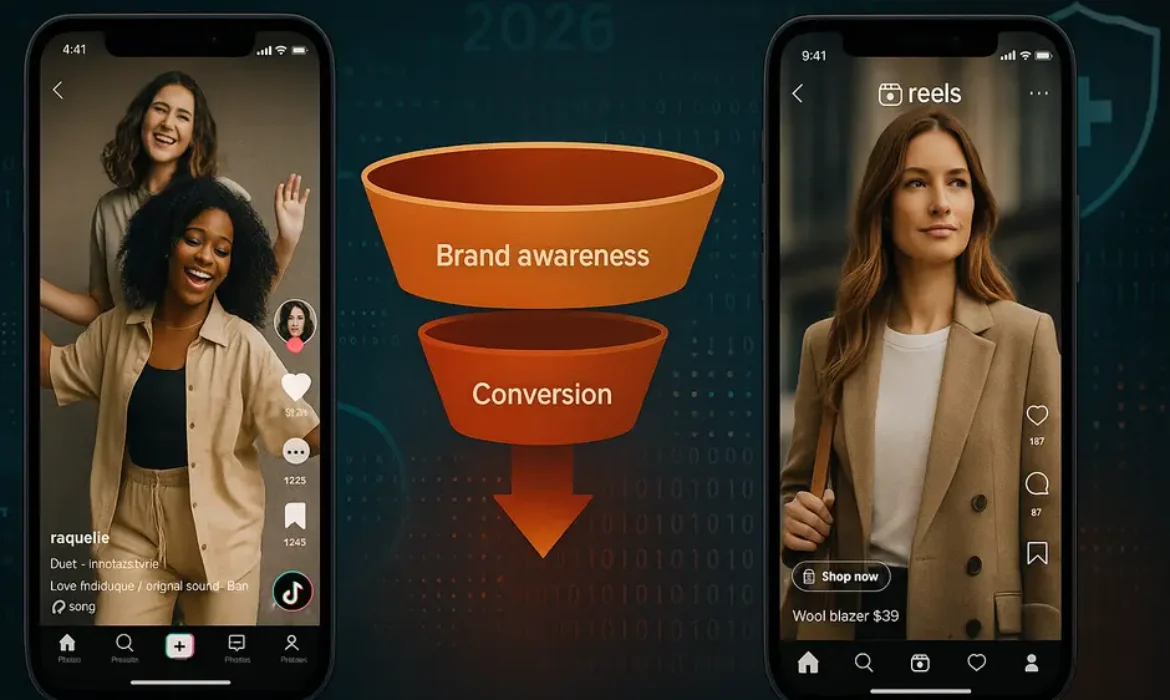
TikTok vs Instagram Reels: Which Platform Grows Your Brand Faster in 2026?
TikTok vs Instagram Reels: Which Platform Grows Your Brand Faster in 2026?
Estimated reading time: 14 minutes
Why This Comparison Still Matters in 2026
Short-form video has permanently reshaped how brands communicate. That is not hyperbole — it is the reality of consumer behavior in the mid-2020s. What began as a novelty format has become the dominant mode of brand discovery, community-building, and direct purchase influence across almost every industry vertical.
Yet for brand managers, marketing directors, and founders trying to allocate limited resources, the question remains frustratingly unresolved: should your brand be investing energy into TikTok, into Instagram Reels, or both?
The answer is more nuanced than most platform comparison articles acknowledge. TikTok and Instagram Reels are not simply two versions of the same product. They have distinct algorithms, entirely different audience psychologies, separate monetization ecosystems, and meaningfully different risk profiles for brands. Treating them as interchangeable is one of the most common and costly mistakes in social media strategy today.
This article cuts through the surface-level comparisons. Drawing on platform data, documented case studies, and firsthand strategic patterns, it gives you a clear, grounded framework for deciding where your brand should place its bets — and how to extract maximum value from whichever platform you prioritize.
Platform Overview: Where Each One Stands Today
Before comparing them head-to-head, it helps to understand where TikTok and Instagram actually are as platforms in 2026.
TikTok has crossed 1.8 billion monthly active users globally, cementing its position as one of the top five social platforms by active user base. After years of regulatory uncertainty, particularly in the United States, TikTok has navigated its ownership and compliance challenges sufficiently to remain a dominant force in Western markets. Its core identity remains the same: an entertainment-first, discovery-led platform where content from unknown accounts can reach millions of people without any prior following.
Instagram Reels, embedded within the broader Instagram ecosystem of 2.4 billion monthly active users, has evolved from a defensive response to TikTok into a genuinely capable short-form video product. Meta has poured substantial engineering and monetization resources into Reels since its launch, and the feature now commands a significant share of time spent on Instagram. Crucially, Reels does not stand alone — it integrates directly with Instagram Shopping, Stories, Direct Messages, and the broader Meta advertising suite.
Neither platform is losing ground in any meaningful sense. Both are growing. The question for your brand is not which platform is “winning” — it is which platform aligns with your specific goals.
Audience Demographics: Who’s Actually Watching
| Demographic Factor | TikTok | Instagram Reels |
|---|---|---|
| Largest age group | 18–24 (38%) | 25–34 (31.7%) |
| Second largest age group | 25–34 (32%) | 18–24 (29%) |
| Gender split | Slightly female-skewed (54/46) | Roughly equal (51/49) |
| Household income (US) | Indexed lower for high-income brackets | Stronger presence of $75k+ earners |
| Primary user mindset | Discovery and entertainment | Connection, aspiration, and shopping |
| Global reach | Stronger in Southeast Asia, emerging markets | Stronger in Western Europe, North America, Latin America |
Source: Statista Social Media Demographics 2025
What this table tells you is significant. TikTok reaches younger users who are browsing for entertainment, often without a specific purchase intent. They can be converted, but the journey typically requires more touchpoints. Instagram Reels users, while slightly older on average, enter the platform with a greater orientation toward lifestyle aspiration and, critically, shopping.
For a beauty brand, a fashion label, or a consumer goods company with strong visual storytelling, this demographic nuance matters enormously. For a B2B software company trying to reach decision-makers, neither platform is a natural fit — but Instagram edges ahead simply because its audience skews older and more professionally established.
That said, TikTok’s Gen Z and younger millennial users represent extraordinary long-term brand value. Habits formed now will drive purchasing decisions for decades. Brands that are patient and strategic enough to build genuine TikTok communities today are investing in tomorrow’s loyal customers.
Organic Reach and the Algorithm Explained
This is where TikTok’s competitive advantage has historically been — and where it remains strongest in 2026.
TikTok’s algorithm is built around content performance, not social graphs. When you post on TikTok, your content is initially served to a small test audience. If that audience engages — watches through, shares, comments, saves — the algorithm expands distribution progressively. A brand account with 200 followers can go viral on TikTok. That is not an occasional miracle; it is a structural feature of how the platform works.
Instagram’s algorithm, by contrast, is more relationship-weighted. Reels do receive discovery-oriented distribution beyond your followers, and Meta has invested in improving this significantly. But Instagram’s default gravity pulls toward content from accounts users already follow or have interacted with. The For You-style feed in Reels is genuinely competitive, but it operates within a system that still rewards established accounts over unknown ones.
For brands launching from scratch or entering new markets, TikTok’s organic reach advantage is real and practically significant. According to data published by Social Insider, TikTok’s median organic reach rate remains roughly three to four times higher than Reels for accounts under 100,000 followers.
For established brands with large, engaged Instagram followings, Reels makes it easier to leverage existing equity. You are not starting from zero — you are amplifying to an audience that already knows and trusts you.
The takeaway for brand strategy is this: if organic reach is your primary growth lever and you are starting with limited brand awareness, TikTok offers a faster runway. If you have an established Instagram presence and want to deepen engagement and drive conversions, Reels is the more efficient vehicle.
Engagement Rates: What the Numbers Actually Tell You
Engagement rate is one of those metrics that gets cited constantly and interpreted poorly. Raw engagement numbers are less useful than contextual ones — who is engaging, with what intent, and what happens next.
With that caveat stated clearly, the data still tells an interesting story.
| Metric | TikTok (Average) | Instagram Reels (Average) |
|---|---|---|
| Average engagement rate | 5.96% | 3.79% |
| Video completion rate | Higher for entertaining content | Higher for informative/tutorial content |
| Comment sentiment | More conversational, community-driven | More aspirational, product-focused |
| Share behavior | Strong “share to friends” culture | Stronger save-for-later behavior |
| Click-through to profile/bio | Lower | Higher |
TikTok’s engagement rates are higher, but the nature of that engagement differs from Instagram’s. TikTok users engage through participation — duets, stitches, sound repurposing, comment chains. This creates a participatory culture around brand content that can generate enormous earned reach and brand awareness.
Instagram Reels engagement, while lower in raw percentage terms, tends to correlate more directly with purchase intent behavior. Users saving Reels are often bookmarking products or ideas for future reference. Tap-throughs to profiles convert to link clicks and product page visits at a higher rate than TikTok’s profile traffic. For brands with e-commerce infrastructure, this distinction matters a great deal.
Brand Awareness vs. Direct Conversion
Think about your marketing funnel in two phases: the top, where people discover and learn about your brand, and the bottom, where they make decisions and purchase. TikTok and Instagram Reels each have a natural home in this funnel.
TikTok is a top-of-funnel powerhouse. Its entertainment-first culture, combined with aggressive organic reach, makes it exceptional for brand awareness. Brands like Duolingo, Ryanair, and Rhode Skin have demonstrated that TikTok-native content strategies can build mass cultural awareness at a fraction of the cost of traditional advertising. These brands did not just advertise on TikTok — they became part of its culture. That is a meaningful distinction.
Instagram Reels performs better at mid-to-lower funnel stages. The integration with Instagram Shopping allows brands to tag products directly in Reels, enabling a seamless path from content discovery to product page to checkout — all within a single platform. For direct-to-consumer brands, this is a significant structural advantage. Meta’s advertising infrastructure also gives brands far more granular control over retargeting, lookalike audiences, and purchase-event optimization than TikTok currently offers.
A practical example: a skincare brand launching a new product might use TikTok to seed awareness through creator partnerships and entertaining content, then capture that warm audience on Instagram through shoppable Reels and targeted Ads. This two-platform funnel approach is how sophisticated DTC brands are operating in 2026 — not choosing between TikTok and Reels, but assigning each platform a specific role.
TikTok for Business: Strengths and Limitations
TikTok has developed a notably mature business ecosystem since the early years of its growth. The TikTok for Business platform now includes sophisticated ad formats (TopView, Branded Hashtag Challenges, In-Feed Ads), robust analytics, a Creator Marketplace for influencer discovery, and shopping integrations through TikTok Shop.
Strengths for brands:
- Unmatched organic discovery potential, particularly for content-forward brands
- TikTok Shop has matured into a genuine e-commerce channel, particularly in Southeast Asia and, increasingly, in the US and UK
- Younger audience demographic is highly responsive to authentic, personality-driven content
- Branded sound and music integration creates unique opportunities for brand recall
- The Creator Marketplace offers transparent performance data and direct collaboration tools
Limitations brands should understand:
- Ad targeting is less sophisticated than Meta’s, particularly for niche B2B or high-value customer segments
- Brand safety controls, while improved, remain more variable than on Instagram
- TikTok Shop adoption is still building in Western markets — it works, but the infrastructure is newer
- Regulatory environment continues to evolve, creating some degree of strategic uncertainty for long-term investment
- Content production demands are high — TikTok culture rewards volume and authenticity, which requires consistent creative output
Instagram for Business Video: What Reels Offers Brands
Instagram has spent several years positioning Reels not just as a content format but as a full-stack business tool. For brands already operating within the Meta ecosystem, this integration creates compounding advantages.
Strengths for brands:
- Direct integration with Instagram Shopping and Meta’s advertising infrastructure
- Broader age demographic means more reach among consumers with established purchasing power
- Reels content can be cross-promoted to Stories, the Feed, and distributed as Meta Ads without separate creative production
- Meta’s advertising platform remains best-in-class for audience targeting, retargeting, and conversion optimization
- Creator Marketplace integration allows brands to manage influencer partnerships and track performance within the platform
- More robust brand safety tools and community standards enforcement
Limitations to keep in mind:
- Organic reach for new accounts is more limited compared to TikTok
- The platform’s entertainment culture is less developed — content that feels overly “produced” can underperform
- Reels algorithm updates have been inconsistent, causing some brands to experience reach volatility
- Competition for attention is fierce — Instagram users are exposed to content from a broader range of formats (Stories, Feed, DMs) which fragments attention
Influencer Partnerships and Creator Marketplaces
Influencer marketing on both platforms has professionalized enormously. Gone are the days of informal DM negotiations and rough performance guesswork. Both TikTok and Instagram now offer native creator marketplace tools that allow brands to search creators by niche, audience demographics, engagement benchmarks, and past campaign performance.
TikTok Creator Marketplace gives brands access to detailed analytics for creator accounts before committing to partnerships, including real audience demographics (not self-reported), average views, engagement rates, and follower growth trends. TikTok also offers Spark Ads, which allow brands to amplify organic creator content as paid ads — a particularly effective tool because it preserves the authentic feel of organic posts while adding paid distribution power.
Instagram’s Creator Marketplace operates within Meta Business Suite and connects to the broader paid amplification infrastructure. Branded Content Ads on Instagram work similarly to Spark Ads, letting brands run creators’ organic posts as targeted advertisements. Instagram’s advantage here is the ability to layer sophisticated Meta audience targeting on top of creator content — reaching not just the creator’s followers, but custom audiences built from your own customer data.
For brands evaluating influencer partnerships, the decision often mirrors the broader platform choice. If brand awareness and cultural credibility are the goal, TikTok creators — with their participatory audiences and higher organic reach — typically deliver stronger results. If conversion and direct ROI are the priority, Instagram creator partnerships, with their shoppable infrastructure and Meta retargeting capabilities, often show clearer attribution.
Brand Safety Considerations
Brand safety deserves honest discussion because it is often underweighted in platform comparison analyses.
TikTok has made substantial investments in brand safety tools, including keyword exclusion lists, content category controls, and third-party verification partnerships. However, the platform’s open, entertainment-first environment means that brand adjacency — the content appearing before and after your ads — is harder to control than on more structured platforms. Brands operating in sensitive categories (financial services, healthcare, regulated consumer goods) have encountered challenges with TikTok’s compliance framework.
Instagram’s brand safety environment is generally considered more stable and controlled, benefiting from Meta’s longer track record with brand advertisers and its more developed content moderation infrastructure. Instagram’s community standards, while imperfect, are more consistently applied and better understood by brand legal and compliance teams.
This does not mean TikTok is unsafe for brand advertising — major global brands run successful campaigns on the platform every day. It means that brands with strict compliance requirements, regulated industries, or conservative risk profiles should factor brand safety infrastructure into their platform decision, not just audience reach and engagement numbers.
Which Platform Should Your Brand Choose?
There is no universal answer, but there is a logical framework.
Choose TikTok as your primary platform if:
- You are a consumer-facing brand targeting audiences under 30
- Brand awareness and cultural relevance are your primary objectives
- You have (or can develop) creative capacity for consistent, high-volume authentic content
- You are in a category where entertainment value drives discovery — fashion, beauty, food, fitness, gaming, music
- You are willing to invest in organic community-building over a 6–12 month runway
Choose Instagram Reels as your primary platform if:
- You have an established Instagram following you want to deepen and monetize
- Direct-to-consumer sales and measurable ROI are your primary metrics
- Your audience trends 25 and older
- You operate in a category where aspirational lifestyle content drives purchase — home decor, travel, premium fashion, wellness
- You rely on paid media and need sophisticated targeting and attribution tools
Build a presence on both if:
- You have the creative and operational capacity to produce platform-native content for each
- You want to use TikTok for awareness and Instagram for conversion (the funnel approach described earlier)
- You are a growing brand that can afford to test and learn across channels simultaneously
The brands consistently winning in 2026 are not mono-platform strategies. They are brands that understand the distinct role of each platform and create content that honors that role — rather than simply cross-posting the same video everywhere and hoping for the best.
Key Takeaways
-
- TikTok still delivers stronger organic reach for new brands, but Instagram Reels offers superior conversion infrastructure through Instagram Shopping
- Audience demographics differ significantly — TikTok skews younger and discovery-driven, while Reels audiences trend slightly older and purchase-ready
- Engagement rates on TikTok remain higher on average, but Instagram provides a more brand-safe environment with tighter ad controls
- The best strategy for most brands in 2026 is not choosing one over the other — it is understanding which platform serves which stage of your funnel
- Creator partnerships on both platforms have matured dramatically, with TikTok’s Creator Marketplace and Instagram’s Creator Marketplace offering measurable ROI tools
FAQs
1. Is TikTok still worth investing in for brands given ongoing regulatory uncertainty?
Yes, and here is why. Despite years of legislative scrutiny in the United States and periodic concerns in other markets, TikTok has consistently demonstrated resilience. With 1.8 billion monthly active users and a user base that has shown strong platform loyalty, the cost of abandoning TikTok strategy out of regulatory caution is typically higher than the risk of that uncertainty materializing. Smart brands maintain platform-agnostic content assets — meaning they own the underlying creative and audience data — while distributing across TikTok. This mitigates risk without forfeiting reach. Watch the regulatory environment, absolutely. But absence from TikTok in 2026 is itself a strategic risk.
2. Which platform delivers better ROI for small businesses with limited budgets?
For small businesses with tight budgets, TikTok’s organic reach advantage makes it more cost-efficient for brand awareness. A single well-crafted video from an account with minimal following can reach hundreds of thousands of relevant users without paid amplification — something that has become increasingly rare on Meta platforms. However, if your primary goal is driving immediate sales and you have a strong product with visual appeal, Instagram Reels combined with a modest paid budget can deliver faster, more measurable returns through Shopping integration. The honest answer is to test both with organic content for 60 days, measure which drives more meaningful traffic and engagement for your specific audience, and allocate budget accordingly.
3. Should brands post the same content on TikTok and Instagram Reels?
Not without adaptation. Cross-posting identical content is a common shortcut that routinely underperforms on both platforms. TikTok content thrives when it feels native to TikTok — informal, personality-led, often trending-audio-driven, and built around the platform’s participatory culture. Instagram Reels content can be slightly more polished and lifestyle-oriented, and it benefits from strategic product tagging and call-to-action placement. A better workflow is to produce core content concepts and then adapt execution for each platform’s culture and technical specifications. This is more work, but the performance differential justifies it consistently.
4. How do engagement rates on TikTok and Instagram Reels compare across different industries?
Engagement rates vary significantly by industry on both platforms. On TikTok, entertainment, beauty, fashion, and food categories consistently outperform platform averages, with some niche creators in these spaces achieving 10%+ engagement rates. On Instagram Reels, lifestyle, travel, home design, and fitness categories tend to perform best. B2B categories underperform on both platforms relative to consumer categories, though thought leadership content from individual executives can build valuable professional audiences on Instagram specifically. Regardless of industry, video completion rate is the metric most strongly correlated with algorithmic distribution on both platforms — prioritizing hook quality and content pacing over production value alone.
5. What role does TikTok Shop play for brands in 2026, and how does it compare to Instagram Shopping?
TikTok Shop has grown aggressively and is now a meaningful e-commerce channel, particularly for impulse-purchase categories like beauty, fashion accessories, and consumer electronics. In Southeast Asia, TikTok Shop processes billions of dollars in GMV annually. In the US and UK, adoption has grown steadily, though Instagram Shopping still maintains a broader established base of brand merchants and a more mature customer checkout experience. The key difference is friction: Instagram Shopping benefits from Meta’s more developed payment infrastructure and a user base more accustomed to in-app purchase behavior. TikTok Shop’s advantage is its integration with viral content — when a product goes viral organically, the path to purchase is immediate. Brands with the capacity to manage both should consider running parallel storefronts and comparing performance by product category.
6. How important is posting frequency on each platform?
Posting frequency matters on both platforms, but it matters differently. TikTok’s algorithm rewards consistency and volume — brands posting three to five times per week typically see stronger cumulative reach growth than those posting once or twice. This is partly because TikTok distributes each piece of content independently, so more posts mean more distribution opportunities. Instagram Reels are more quality-weighted — posting one exceptional Reel per week often outperforms four mediocre ones because Instagram’s algorithm factors in account-level engagement history more heavily. For resource-limited teams, this means TikTok demands higher creative output volume while Instagram rewards investment in fewer, higher-quality executions.
7. Can older or more traditional brands succeed on TikTok, or is it mainly for youth-oriented categories?
Some of the most surprising TikTok success stories come from brands that have no obvious youth appeal — including B2B software companies, financial education accounts, law firms, and heritage food brands. The common thread is not youth-targeted content; it is content that entertains, educates, or creates genuine curiosity. TikTok users are not exclusively looking for youth culture — they are looking for content that holds their attention. Brands that approach TikTok with authenticity, a willingness to be less formal than their traditional marketing, and genuine respect for the platform’s culture consistently find audiences that are often surprised to discover them there. The risk for traditional brands is not irrelevance — it is inauthenticity.
Conclusion
The TikTok vs Instagram Reels debate is, at its core, a question about what you want your brand to accomplish and who you are trying to reach. Neither platform is objectively superior. Both have genuine, well-documented strengths that serve different brand objectives at different stages of growth.
What is clear in 2026 is that short-form video is not optional. The brands finding growth on social media are those treating video content as a core strategic asset, not an afterthought. Whether that means building a TikTok-first culture, maximizing Instagram’s shoppable ecosystem, or operating intelligently across both channels depends on your audience, your resources, and your goals.
The worst possible approach is paralysis. Waiting for a definitive winner that will never arrive. Pick a starting point based on where your audience actually is. Create content that fits the platform’s culture. Measure what matters to your business. Adjust. The platform that grows your brand fastest is ultimately the one you execute on with the most consistency and the most genuine understanding of why your audience is there.
For further reading on social platform algorithm behavior and brand content strategy, Google’s Search Quality Evaluator Guidelines offer useful perspective on how content quality signals translate across digital environments.
Best Time to Post on TikTok and Instagram Reels for Maximum Reach
Best Time to Post on TikTok and Instagram Reels for Maximum Reach
Estimated reading time: 15 minutes
Introduction
Most creators obsess over the content itself — the hook, the edit, the caption — and then upload it at whatever time happens to be convenient. It’s understandable. Production takes energy, and posting feels like the easy part.
But here’s the uncomfortable reality: two identical videos published at different times can produce wildly different results. Not because of luck, but because of timing, audience behavior, and how algorithmic distribution windows work.
Whether you’re trying to grow a brand account on TikTok, scale your content reach on Instagram Reels, or simply stop watching good videos underperform, your posting schedule is one of the highest-leverage variables you control. This guide breaks down the data, the platform mechanics, and the practical strategies you need to stop guessing and start timing your content with precision.
1. Why Timing Still Matters in 2024 (More Than You Think)
There’s a popular argument that TikTok’s algorithm is so powerful it renders timing irrelevant — that if your content is good, it’ll find an audience eventually. There’s some truth in that framing, but it ignores a crucial early-stage dynamic.
When you post a video, TikTok doesn’t immediately push it to millions of people. It shows it to a small, test audience first. How that audience responds — through watch time, replays, shares, and comments — determines whether the algorithm amplifies the video further. That test window is time-sensitive.
If your audience is asleep when your video goes live, the early engagement signals are weak. The algorithm interprets low initial engagement as a sign that the content isn’t worth distributing more broadly. A video that could have reached 500,000 people stalls at 2,000 impressions — not because it was bad, but because it launched in the wrong window.
Instagram Reels operates on a similar principle. According to Meta’s documentation on content distribution, Reels are first evaluated based on viewer interaction patterns before broader distribution is triggered. Post when your audience is active, and you enter the distribution cycle with stronger signals.
Timing won’t save weak content. But it absolutely determines whether strong content gets the runway it deserves.
2. How TikTok and Instagram Reels Algorithms Actually Work
Understanding the mechanics behind these platforms makes timing decisions far more intentional.
TikTok’s Distribution Model
TikTok uses a layered distribution system. A new video is pushed to a small cohort — often followers and users with similar interest graphs. If performance metrics (completion rate, shares, replays) cross an internal threshold, the video is escalated to a larger pool. This cycle can repeat multiple times over 24–72 hours.
The first 30–60 minutes after posting are disproportionately important. Videos that generate strong engagement in that window are significantly more likely to enter the next distribution phase. This is why posting when your core audience is online creates an immediate compounding advantage.
Instagram Reels’ Ranking Signals
Meta has publicly confirmed that Reels are ranked based on predicted engagement — specifically, whether a viewer is likely to watch the full video, like it, or share it. The algorithm draws heavily on past behavior patterns of both the content creator and the potential viewer.
Reels also benefit from the Explore tab and dedicated Reels feed, giving non-follower discovery a significant role. However, the initial push still relies on follower engagement to validate content quality before broader distribution kicks in.
Both platforms reward early momentum, which makes your posting window a foundational variable — not an afterthought.
3. Best Times to Post on TikTok by Day of the Week
The following data is synthesized from multiple published studies, including research from Influencer Marketing Hub and platform-reported engagement benchmarks. These represent general patterns observed across a large cross-section of accounts. Treat them as a starting baseline, not a final answer.
All times are in Eastern Time (ET) unless otherwise noted.
| Day | Best Posting Windows (ET) |
|---|---|
| Monday | 6:00 AM, 10:00 AM, 10:00 PM |
| Tuesday | 2:00 AM, 4:00 AM, 9:00 AM |
| Wednesday | 7:00 AM, 8:00 AM, 11:00 PM |
| Thursday | 9:00 AM, 12:00 PM, 7:00 PM |
| Friday | 5:00 AM, 1:00 PM, 3:00 PM |
| Saturday | 11:00 AM, 7:00 PM, 8:00 PM |
| Sunday | 7:00 AM, 8:00 AM, 4:00 PM |
What these patterns actually reflect:
The early morning windows (5:00–7:00 AM) capture users who scroll TikTok before work or school — a highly engaged segment because they’re relaxed and unrushed. The midday windows (12:00–1:00 PM) align with lunch breaks. Evening windows (7:00–10:00 PM) represent peak leisure browsing time for most demographics.
Weekdays, particularly Tuesday through Thursday, tend to show stronger consistent engagement than weekends for most niches. Weekends can work extremely well for entertainment, lifestyle, and travel content, where users are in a discovery mindset rather than task-oriented mode.
One pattern worth noting: late-night posts in the 10:00 PM to midnight window perform surprisingly well for TikTok specifically, because the platform has a strong international user base that creates continuous engagement across time zones even when US audiences are dormant.
4. Best Times to Post Instagram Reels for Maximum Reach
Instagram’s audience skews slightly older than TikTok’s — a distinction that shows up in engagement timing. Reels audiences tend to be most active during traditional leisure hours, with slightly less activity in the very early morning windows that perform well on TikTok.
| Day | Best Posting Windows (ET) |
|---|---|
| Monday | 6:00 AM, 12:00 PM, 6:00 PM |
| Tuesday | 8:00 AM, 2:00 PM, 6:00 PM |
| Wednesday | 9:00 AM, 11:00 AM, 3:00 PM |
| Thursday | 8:00 AM, 1:00 PM, 7:00 PM |
| Friday | 7:00 AM, 11:00 AM, 4:00 PM |
| Saturday | 9:00 AM, 12:00 PM, 5:00 PM |
| Sunday | 10:00 AM, 2:00 PM, 7:00 PM |
Wednesday and Thursday consistently emerge as high-performing days for Reels across most audience segments. Monday morning also performs well, likely because users are checking their phones before the workweek fully starts.
Saturday evenings tend to outperform Sunday evenings for Reels, which mirrors broader social media usage patterns where Saturday leisure engagement peaks between 5:00 and 9:00 PM.
For lifestyle, fashion, food, and travel accounts, weekend midday windows (Saturday 12:00 PM, Sunday 2:00 PM) often produce strong results because audiences are relaxed, browsing casually, and more likely to save and share content.
5. How to Find Your Own Optimal Posting Time Using TikTok Analytics
General data gives you a starting point, but your account’s own analytics will always be more accurate than industry averages. Your audience is specific. Their habits are specific. TikTok Analytics tells you exactly when they’re online.
Accessing TikTok Analytics:
- Open TikTok and go to your Profile
- Tap the three-line menu (top right), then tap “Creator Tools”
- Select “Analytics”
- Navigate to the “Followers” tab
Under Followers, you’ll find a “Follower Activity” section that shows the hours and days your audience is most active. This data is gold.
How to use it effectively:
- Look at the pattern across at least 7 days before drawing conclusions
- Identify the peak activity window — this is your primary posting target
- Note whether there’s a secondary peak earlier in the day — this could be a good option for a second daily post if your strategy calls for higher frequency
- Check the “Top Territories” section to understand where your audience is geographically concentrated, which directly informs time zone decisions
One practical approach: post 30–60 minutes before your identified peak activity window. This gives the algorithm a short lead time to begin distribution so your content is active and gaining momentum precisely when your most engaged followers are online.
Tracking what actually works:
After posting, monitor the first-hour performance of each video — views, likes, shares, and comments. Track this in a simple spreadsheet against the day and time you posted. After 4–6 weeks of consistent data collection, patterns will emerge that are far more reliable than any generalized benchmark study.
6. Using Instagram Insights to Nail Your Reels Timing
Instagram Insights, available to Creator and Business accounts, provides similar audience activity data with slightly different presentation.
How to access it:
- Go to your Instagram Profile
- Tap the “Professional Dashboard” or the three-line menu
- Select “Insights”
- Tap “Total Followers” and scroll to “Most Active Times”
The “Most Active Times” view shows hourly and daily activity patterns for your follower base. It’s displayed in your local time zone, so no conversion is needed if your audience and your time zone align.
What to look for:
Pay close attention to the contrast between your most active hours and your least active ones. Some accounts will see a sharp spike in a 2–3 hour window, suggesting a very clear optimal posting time. Others will see more distributed activity, which gives more flexibility but also less precision.
For Reels specifically, also pay attention to your Reels-specific metrics under the “Content You Shared” section. Instagram separates Reels from feed posts and Stories, allowing you to compare reach and engagement across different content formats and posting times directly.
If you notice that your Reels posted on Wednesdays consistently outperform those posted on Fridays, even when the content quality is comparable, that’s a meaningful signal about your specific audience’s behavior — and it’s worth adjusting your TikTok posting schedule accordingly if the audience demographics overlap.
7. Time Zones: The Variable Most Creators Ignore
Time zone management is where even experienced creators make costly mistakes.
If you’re based in Los Angeles (PT) and your primary audience is in New York (ET), posting at 9:00 AM your time means your audience sees it at noon. That might still work, but if the data shows your audience is most active at 8:00 AM ET, you’re already missing the peak window by posting at your convenience rather than theirs.
For accounts with concentrated audiences:
This is relatively straightforward. Identify where the majority of your audience is located (TikTok Analytics and Instagram Insights both show top territories), and calibrate your posting times to their local clock, not yours.
For accounts with internationally distributed audiences:
This requires more nuance. The approach depends on which segment drives the most meaningful engagement — not just the largest segment. A US-based brand might have 40% of its audience in the United States and 30% in the United Kingdom. If the US segment consistently drives more shares and conversion-related behaviors, optimizing for US Eastern Time makes sense even if it means posting at a suboptimal time for UK followers.
Alternatively, some creators with truly global audiences post twice — once optimized for US peak hours and once for European or Asian peak hours. This works particularly well when content themes have regional relevance.
A useful framework: identify your top three audience territories from analytics, map their peak activity windows, and find overlapping or consecutive windows where you can capture at least two major regions simultaneously.
8. Building a Posting Schedule That Actually Holds Up
A posting schedule that’s theoretically optimal but practically unsustainable is worthless. Consistency matters more than perfection.
Start with what you can actually maintain:
If you can realistically create and post three quality videos per week, build your schedule around three slots — not seven. Choose the days and times that your analytics indicate are strongest, spread them across the week to avoid audience fatigue, and commit to that cadence for at least 60 days before evaluating performance.
Structure your content calendar around content types, not just times:
Different content serves different purposes. Educational content tends to perform well on weekday mornings when people are in learning mode. Entertainment and humor content often sees better performance on Friday evenings and weekends. Behind-the-scenes or personal content can perform strongly on Sunday evenings when audiences are reflective and less rushed.
Map your content types to the time windows where they resonate most, and you create a calendar that’s both strategically timed and editorially coherent.
Build in review cycles:
Every four weeks, pull your analytics, compare your top-performing posts against the time and day they were published, and look for patterns. Social media audience behavior shifts seasonally — what works in January may shift by April. A monthly calendar review keeps your schedule aligned with how your audience’s behavior actually evolves.
9. Best Scheduling Tools: Buffer, Later, and Creator Studio Compared
Posting manually at specific times every day is unsustainable for most creators and marketers. Scheduling tools solve this problem, and the three most widely used are Buffer, Later, and Meta’s Creator Studio.
| Feature | Buffer | Later | Creator Studio |
|---|---|---|---|
| TikTok Scheduling | Yes | Yes | No |
| Instagram Reels | Yes | Yes | Yes |
| Best Time Suggestions | Yes | Yes | Limited |
| Analytics | Intermediate | Intermediate | Basic |
| Auto-Publishing | Yes (Reels) | Yes (Reels) | Yes |
| Free Plan Available | Yes (limited) | Yes (limited) | Yes |
| Best For | Multi-platform teams | Visual content focus | Meta-only accounts |
Buffer works well for teams managing multiple platforms simultaneously. Its interface is clean, the analytics are readable, and the built-in “best time to post” suggestions are genuinely useful as a starting benchmark, though they should be validated against your own data.
Later has a strong visual planning interface that suits Instagram-heavy strategies, and its Reels scheduling functionality is reliable. Its link-in-bio tool also makes it practical for e-commerce and content creators who drive traffic from Instagram.
Creator Studio (now integrated into Meta Business Suite) is free and handles both Facebook and Instagram natively. It’s the most direct tool for Reels scheduling within the Meta ecosystem and works well for creators who aren’t managing TikTok simultaneously.
For TikTok specifically, both Buffer and Later support scheduling, though TikTok’s own native scheduling feature — available through the TikTok app and TikTok for Business — has improved significantly and is worth considering as a no-cost option for individual creators.
10. Posting Frequency: How Often Should You Actually Post?
Frequency and timing are interconnected. There’s no point optimizing your posting times if your frequency is so low that the algorithm deprioritizes your content, or so high that quality drops and audience fatigue sets in.
TikTok:
TikTok has publicly encouraged creators to post 1–4 times per day, and the platform’s algorithm does reward consistency and volume. However, for most creators — particularly those who aren’t producing content full-time — 1–2 posts per day is a more realistic target. The critical factor is that quality must remain consistent. Five mediocre posts per week will underperform two strong ones.
Instagram Reels:
Meta’s internal guidance suggests that Reels creators who post 3–5 times per week see the strongest growth trajectories. Daily posting can work, but it requires a content operation capable of sustaining quality at that pace. For most business accounts and independent creators, 4 Reels per week is a sustainable and effective target.
The quality-consistency tradeoff:
If forced to choose between more frequent mediocre posts and less frequent strong posts, choose quality. Algorithms on both platforms track engagement rate — not just raw engagement volume. A creator posting twice a week with 8% average engagement rate will outperform one posting daily with 1.5% engagement. Frequency without quality is a trap.
Key Takeaways
-
- The first 30–60 minutes after posting are critical on both TikTok and Instagram Reels. Strong early engagement triggers broader algorithmic distribution
- Industry benchmarks are useful starting points. Your own TikTok Analytics and Instagram Insights data will always be more accurate for your specific audience
- Tuesday through Thursday mornings and evenings consistently perform well across most niches on both platforms
- Time zone alignment matters. Identify where your primary audience is concentrated and calibrate your posting clock to their local time, not yours
- Use scheduling tools — Buffer, Later, or Creator Studio — to maintain consistency without requiring manual posting at inconvenient hours
- Post quality content consistently before worrying about volume. Engagement rate is the metric that drives algorithmic reach on both platforms
- Review your analytics monthly and adjust your posting schedule as your audience behavior evolves
FAQs
Q1: What is the single best time to post on TikTok for maximum reach?
There isn’t one universal best time that applies to every account. However, if you’re just starting out and don’t yet have meaningful analytics to draw from, Tuesday through Thursday between 7:00 AM and 9:00 AM Eastern Time is consistently supported by multiple research studies as a strong default window. As your account grows, use the Follower Activity section in TikTok Analytics to identify your specific audience’s peak hours and refine from there.
Q2: Does posting time matter less if your content goes viral?
Viral content can overcome suboptimal timing, but that framing misses the point. A video’s probability of entering the viral distribution cycle is higher when it launches during peak activity hours. Posting at the right time doesn’t guarantee virality, but it gives every video the best possible conditions for strong initial engagement — which is what triggers broader distribution in the first place.
Q3: Should I post on TikTok and Instagram Reels at the same time?
Not necessarily. While the audiences overlap on many accounts, the optimal timing windows can differ because the platforms have distinct user behavior patterns. TikTok users tend to engage heavily in early morning and late-night windows, while Instagram Reels audiences are often most active during mid-morning and early evening hours. Check your analytics on each platform independently and treat the timing decisions separately.
Q4: How long does it take to see results from an optimized posting schedule?
Most accounts start seeing measurable differences within 3–4 weeks of consistently posting at optimized times. However, meaningful pattern recognition — the kind that lets you make confident decisions — typically requires 6–8 weeks of data. Avoid making major changes to your schedule based on one or two posts. Look at cumulative trends rather than individual results.
Q5: Can scheduling tools hurt my reach on TikTok or Instagram?
This concern circulates frequently in creator communities, but there is no credible evidence that using approved third-party scheduling tools negatively impacts algorithmic reach on either platform. Meta explicitly supports API-based scheduling through approved partners like Buffer and Later. TikTok has expanded its scheduling functionality natively and through approved partners. As long as you’re using platform-authorized tools, scheduling does not penalize your content.
Q6: How many times per week should I post Reels to grow my account?
For most creators, 3–5 Reels per week is the range that balances consistency with quality. This frequency signals to the algorithm that you’re an active creator without forcing a pace that compromises content quality. If your analytics show strong engagement at 3 posts per week, there’s no need to increase volume just for its own sake. Engagement rate per post matters more than total post count.
Q7: What should I do if my best-performing posts don’t follow any clear timing pattern?
First, check whether you have enough data — fewer than 20–30 posts with consistent timing documentation isn’t enough to establish meaningful patterns. Second, look at content type alongside timing. It’s possible that content quality variation is masking timing patterns. If after 60 days of consistent data collection no clear timing pattern emerges, focus on the windows supported by your follower activity data in TikTok Analytics or Instagram Insights, and continue posting consistently. Some accounts with highly engaged niche audiences see strong performance across multiple time windows because their followers actively seek out their content rather than discovering it passively through algorithmic feeds.
Conclusion
Timing your content isn’t about gaming the algorithm — it’s about meeting your audience where they already are. When you post at the right moment, you’re simply making it easier for the platform to connect your content with the people most likely to love it.
The general benchmarks in this guide give you a solid foundation. But the real competitive advantage comes from treating your own analytics as the primary source of truth. TikTok Analytics and Instagram Insights contain the exact behavioral data of your specific audience. Everything else is an estimate; that data is direct evidence.
Build a posting schedule you can maintain without burning out, use scheduling tools to remove the friction of manual posting, review your performance data monthly, and stay consistent long enough for meaningful patterns to emerge. That combination — disciplined timing, quality content, and continuous refinement — is what separates accounts that plateau from those that compound their growth over time.
Sources referenced in this article include Influencer Marketing Hub’s TikTok engagement research, Meta’s Business Help Center, and TikTok for Business platform documentation.
TikTok Hook Ideas: 50 Opening Lines That Stop the Scroll
TikTok Hook Ideas: 50 Opening Lines That Stop the Scroll
Estimated reading time: 14 minutes
Why the First 3 Seconds Decide Everything
TikTok’s algorithm does not care how long you spent editing your video. It does not reward production value, follower count, or posting consistency on its own. What it rewards is watch time, and watch time starts — or dies — in the first three seconds.
This is not a theory. TikTok’s own creator documentation confirms that the platform measures completion rate and replay rate as core signals that push content to the For You Page. If viewers scroll past your video before the third second, that watch data tanks your distribution before the content even begins.
Here is what makes that statistic brutal: according to Microsoft research on digital attention spans, human attention in digital environments has grown dramatically shorter over the past decade, with initial content judgment happening almost instantaneously. On a platform like TikTok, where infinite scrollable content sits one thumb-swipe away, your opening line is not just important — it is the entire ballgame.
The creators who consistently hit the For You Page are not necessarily the most talented videographers or the wittiest personalities. They are the ones who have mastered TikTok opening lines that create an immediate psychological pull. They understand pattern interrupts, open loops, and curiosity gaps in a way that most casual creators never explore.
This guide breaks all of that down into something actionable. You will get 50 scroll-stopping hook ideas you can use today, the frameworks behind why each one works, and a clear understanding of how to match your hook style to your specific audience and niche.
The Anatomy of a Great TikTok Hook
Before diving into examples, it is worth understanding what separates a great hook from a forgettable one. A high-performing hook does three things simultaneously.
It creates a pattern interrupt. The human brain is wired to ignore the familiar and snap to attention when something unexpected appears. A pattern interrupt breaks the monotony of a scrolling feed — whether through a bold statement, an unusual visual, an unexpected sound, or a question that disrupts assumptions.
It opens a loop. Psychological research on the Zeigarnik Effect, first documented by Soviet psychologist Bluma Zeigarnik, shows that humans remember and fixate on incomplete tasks far more intensely than completed ones. A great hook opens a mental loop — it promises a payoff that the viewer has not yet received, making them stay to close the loop.
It speaks directly to a specific person. Generic hooks appeal to everyone and therefore resonate with no one. The most effective TikTok attention grabbers are hyper-specific. “If you run a Shopify store and your conversion rate is under 2%..” immediately filters an audience and makes the right viewer feel like the content was made exclusively for them.
When these three elements align in your opening line, retention follows naturally.
The 8 Core Hook Frameworks
Think of these frameworks as the engine types behind every effective TikTok script starter. The 50 examples later in this guide each plug into one of these structures.
| Hook Framework | Psychological Trigger | Best Used For |
|---|---|---|
| Shocking Statement | Cognitive dissonance | Education, myth-busting, news |
| Curiosity Gap | Open loop / Zeigarnik Effect | Tutorials, storytelling, reveals |
| Bold Claim | Status and authority | Business, fitness, finance, life advice |
| Relatable Opener | Identification and social proof | Lifestyle, humor, niche communities |
| Question Hook | Direct engagement | Any niche with a defined pain point |
| Storytelling Hook | Narrative tension | Personal brand, entertainment, case studies |
| Fear or Urgency | Loss aversion | Finance, health, time-sensitive content |
| Visual Hook | First frame rule | Product demos, transformations, aesthetic niches |
Each of these frameworks taps into a different area of decision-making. The best creators rotate between them depending on the content type, keeping their audience from becoming desensitized to any single approach.
50 TikTok Hook Ideas by Category
Shocking Statement Hooks (1–8)
These video hook examples lead with a statement so counter-intuitive or surprising that the viewer cannot scroll without knowing more.
- “Everything you were taught about [topic] is factually wrong”
- “I made $14,000 in one week doing something most people consider a hobby”
- “The [industry] industry does not want you to know this exists”
- “Most doctors will never tell you this about [health topic]”
- “I quit my six-figure job and tripled my income. Here is exactly what happened”
- “Your [common product] is probably hurting you, and here is the proof”
- “The biggest mistake I see 90% of [your audience] making every single day”
- “This one thing is silently draining your [energy / money / time]”
Why they work: These hooks create immediate cognitive dissonance. The viewer’s brain is presented with information that conflicts with their existing belief system. That friction generates curiosity and stalls the scroll instinct.
Curiosity Gap Hooks (9–16)
These TikTok hook ideas deliberately withhold the most compelling piece of information, forcing the viewer to stay for the answer.
- “Wait until you see what happens at the end of this”
- “I tried [method] for 30 days. The results were not what I expected”
- “There is a reason successful people do this every morning, and it is not what you think”
- “Part 3 of the story that broke the internet. You need the context first”
- “The thing I found out last Tuesday changed how I run my entire business”
- “Nobody talks about the second step. That is where everything changes”
- “I almost did not post this”
- “What happened next is the part everyone gets wrong”
Why they work: The curiosity gap, a concept popularized in academic research by Carnegie Mellon professor George Loewenstein, explains that humans feel genuine discomfort when they sense a gap between what they know and what they could know. These hooks manufacture that gap deliberately.
Bold Claim Hooks (17–23)
These open with a confident, declarative statement that signals the creator has earned-authority insight to share.
- “This is the only [topic] framework you will ever need”
- “I have tested 47 different [strategies]. Only one actually works consistently”
- “Stop overcomplicating [topic]. It is this simple”
- “The fastest way to [desired result] is not what any guru is telling you”
- “After [X years] in [industry], here is the truth nobody publishes”
- “You do not need [expensive thing]. You need this instead”
- “This single habit is responsible for 80% of my [results]”
Why they work: Bold claims signal confidence and expertise simultaneously. According to research published by Nielsen Norman Group on trust and credibility in digital content, users give more attention to content that leads with specific, confident claims rather than hedged or vague openers.
Relatable Opener Hooks (24–30)
Relatable hooks build instant identification. The viewer sees themselves in the first line and feels the video is speaking directly to their reality.
- “If you have ever stayed up until 3am overthinking [situation], this is for you”
- “Nobody told me [truth about life, career, money] when I was starting out”
- “I used to be the person who [relatable negative habit]. Then I figured this out”
- “This is what no one tells you about [milestone everyone aspires to]”
- “POV: You are trying to [common goal] on a tight budget”
- “Every [your target audience] needs to hear this”
- “If [specific situation] sounds familiar, you are not the only one”
Why they work: Mirror neurons and social identification make humans instinctively lean into content that reflects their own experience. The moment a viewer thinks “that is me,” the hook has done its job.
Question Hooks (31–36)
A well-crafted question forces the brain to begin formulating an answer, which generates engagement before a single piece of advice has been delivered.
- “What would you do if you found out [surprising situation]?”
- “Have you ever wondered why [counterintuitive phenomenon] happens?”
- “What is the one thing holding you back from [desired outcome]?”
- “Why do [professionals] all do this but nobody talks about it?”
- “Are you making this mistake with your [daily habit / tool / strategy]?”
- “What does [successful person] do differently that nobody copies?”
Why they work: Questions activate what cognitive scientists call “instinctive elaboration” — the brain cannot receive a question without starting to process a response. That processing state is incompatible with scrolling away.
Storytelling Hooks (37–42)
Storytelling hooks drop the viewer directly into the middle of a narrative. No preamble, no context — just the action.
- “Three years ago, I was living in my car. Last month, I closed a $200,000 deal”
- “My client was about to give up. Then this happened on a Tuesday afternoon”
- “I sent one cold email. What happened over the next 72 hours changed everything”
- “The call I got at 11pm last October completely restructured how I think about [topic]”
- “I almost made the worst decision of my career. Here is what stopped me”
- “Day one of [challenge / experiment]. I had no idea what I was about to learn”
Why they work: Narrative transportation theory, explored extensively by researchers including Melanie Green and Timothy Brock, demonstrates that story-based content overrides analytical skepticism and creates genuine emotional investment.
Fear or Urgency Hooks (43–47)
These hooks activate loss aversion — one of the most powerful motivational forces in human psychology, identified by Daniel Kahneman and Amos Tversky in their foundational work on Prospect Theory.
- “If you are still doing [common practice], stop immediately”
- “The window for [opportunity] is closing faster than anyone realizes”
- “You are losing money every single day you ignore this”
- “This mistake is costing [your audience] thousands without them knowing it”
- “By the time most people figure this out, it is too late”
Why they work: Humans are psychologically more motivated by the fear of loss than the prospect of gain. These hooks signal that inaction carries a cost, which creates urgency far more effectively than positive framing alone.
Visual Hooks (48–50)
These are hooks where the first frame itself does the heavy lifting — they are built for silent viewers who have not yet turned on sound.
- Show the dramatic end result of a transformation in the first frame, then rewind. No words needed
- Hold a physical object, product, or tool to camera with bold text overlaid: “This thing changed my [area of life]”
- Begin mid-action — hands working, something being built or revealed — with text asking “Can you guess what this becomes?”
Why they work: According to TikTok’s own creator insights documentation, a significant percentage of TikTok videos are watched without sound. A compelling visual hook captures both sound-on and sound-off viewers simultaneously.
How to Match Your Hook to Your Niche
Not every hook framework works equally well across every category. Here is a practical matching guide.
| Niche | Best Hook Types | Why |
|---|---|---|
| Personal Finance | Bold Claim, Fear/Urgency, Shocking Statement | Audience is motivated by fear of loss and desire for financial clarity |
| Fitness & Health | Relatable Opener, Shocking Statement, Question | Viewers identify with struggle and want debunked myths |
| Business & Entrepreneurship | Storytelling, Bold Claim, Curiosity Gap | Social proof and authority drive trust; aspiration drives retention |
| Beauty & Fashion | Visual Hook, Relatable Opener | High visual category; first frame and identification are paramount |
| Food & Cooking | Visual Hook, Question | The result is the hook — show it immediately |
| Education & Tutorials | Curiosity Gap, Bold Claim | Withholding the method creates the compulsion to watch |
| Mental Health & Lifestyle | Relatable Opener, Storytelling | Vulnerability and identification are the primary engagement drivers |
| Comedy & Entertainment | Pattern Interrupt, Relatable Opener | Subverting expectations is the mechanism; relatability seals retention |
The First Frame Rule: Visual Hooks That Work Without Sound
The first frame rule is straightforward: assume your first frame will be seen as a static image before the viewer decides whether to play your video. That frame needs to communicate value, tension, or intrigue on its own.
Practically, this means several things.
Your face or subject should fill the frame. Wide, impersonal shots do not create connection. Close proximity creates immediate intimacy and focus.
Text overlay should appear within the first half-second. Waiting until second two to introduce your caption text is waiting too long. Viewers who have not turned on audio need a reason to tap the sound on within the first frame.
Never start with a black screen, a logo card, or a slow pan. These are conversion killers. They signal to the algorithm and to the viewer that the creator prioritized aesthetics over the viewer’s time.
The contrast between your background and your text needs to be sharp. Readability on a small mobile screen in various lighting conditions is a real-world consideration that many creators overlook entirely.
Common Hook Mistakes Killing Your Retention
Even experienced creators fall into these patterns. Recognizing them is the first step to correcting them.
Starting with “So..” or “Hey guys.” These phrases have become the audio equivalent of a loading screen. They signal nothing and create no tension. Begin your video at the point where something is already happening.
Burying the hook. The hook is not your third sentence after you have explained who you are and what the video is about. The hook is the first thing out of your mouth or the first thing visible on screen.
Being vague to seem mysterious. There is a meaningful difference between a genuine curiosity gap and a hook that is simply confusing. “I learned something interesting” is not a curiosity gap. “The reason your savings account is actually costing you money” is.
Overpromising without delivering. A hook is a contract with the viewer. If your opening promises a revelation and your video delivers a meandering ramble, your completion rate collapses and your account’s algorithmic authority drops with it.
Using the same hook structure repeatedly. Your existing audience will clock your formula and tune out. Rotate between frameworks to maintain genuine novelty.
Key Takeaways
-
- TikTok’s algorithm rewards watch time. Your hook determines whether that watch time is captured or lost within three seconds
- There are eight core hook frameworks: Shocking Statement, Curiosity Gap, Bold Claim, Relatable Opener, Question, Storytelling, Fear/Urgency, and Visual Hook
- The curiosity gap and open loop principle are among the most psychologically powerful tools in video scripting — use them deliberately and close the loop with genuine value
- Match your hook style to your niche. A fear/urgency hook that performs brilliantly in personal finance will feel out of place in a food content account
- The first frame rule applies to every video. Assume your thumbnail must communicate something compelling before a single second of video plays
- Avoid generic openers like “Hey guys” or “So today I wanted to talk about” — these are retention killers dressed as friendliness
- Rotate your hook frameworks to prevent audience desensitization
- A hook is a promise. Your video content must deliver on it
FAQs
Q1: How long should a TikTok hook actually be?
The most effective hooks land their central tension within the first two to three seconds. That translates to roughly one to two sentences of spoken content, or a single strong visual paired with on-screen text. Some hooks work in a single sentence. The measure of a hook’s length is not word count — it is how quickly it creates a reason to keep watching. If your opening line requires a second sentence to get interesting, your first sentence needs reworking.
Q2: Do TikTok hooks work the same way on Instagram Reels and YouTube Shorts?
The underlying psychology is identical across all short-form video platforms because it is rooted in human attention behavior, not platform mechanics. However, the specific execution varies. On Instagram Reels, aesthetic quality and visual hooks carry slightly more weight given Instagram’s heritage as a visual platform. On YouTube Shorts, the audience may have slightly longer patience for context before the payoff because YouTube’s broader user base includes more long-form content consumers. The core frameworks — curiosity gap, open loop, pattern interrupt — transfer completely.
Q3: Is it manipulative to use psychological hook techniques?
This concern comes up frequently and deserves a straightforward answer. Every form of effective communication uses psychology — from book covers to news headlines to the layout of a supermarket. The ethical distinction lies in what the hook leads to. A hook that opens a loop and then delivers genuine, useful content is a service to the viewer. A hook that manufactures false urgency, misleads about the content of the video, or baits viewers into watching something entirely different is a legitimate issue — and TikTok’s own community guidelines address misleading content directly. The technique itself is neutral. The intent and delivery determine the ethics.
Q4: Can I use the same hook for multiple videos?
A hook framework can absolutely be reused. The specific wording, however, should be refreshed regularly. If your audience recognizes your hook structure before you have finished the first sentence, the pattern interrupt effect disappears entirely — and the pattern interrupt is often what makes the hook work. Think of frameworks as templates and specific lines as content that should rotate with each video. Additionally, TikTok’s algorithm itself can penalize perceived repetition in content structure over time, making fresh variation a technical priority as well as a creative one.
Q5: What is the difference between a hook and a thumbnail?
These two elements work in concert but serve distinct functions. A thumbnail (or cover image) is the static image that appears before a viewer decides to play a video. Its job is to prompt the tap. The hook is the spoken or on-screen content within the video’s first two to three seconds. Its job is to prevent the viewer from scrolling after tapping. Both are essential, and both need to work together — a great thumbnail that sets an expectation which the hook then abandons immediately will still result in high drop-off. Continuity between your cover and your opening moment is a detail that separates professional creators from amateurs.
Q6: How do I write a hook if my content is educational and I do not have a dramatic story?
Educational content is particularly well-suited to curiosity gap and bold claim hooks. You do not need a personal story to create tension — you need to withhold the most valuable piece of information until after the hook has done its work. For example, rather than opening with “Today I am going to explain how compound interest works,” you open with “The reason most people never build real wealth has nothing to do with income — and I can show you the math in under two minutes.” The same information, the same video, but the second version creates forward momentum. The curiosity gap is built from the information asymmetry between what the viewer knows and what you are about to show them.
Q7: How many hooks should I test before deciding what works for my account?
Test at minimum three to five distinct hook frameworks per content theme before drawing conclusions. TikTok’s organic distribution means that some videos take 24 to 72 hours to reach their full distribution, so patience in the analysis phase is essential. When reviewing performance, look at average watch time and completion rate in your TikTok Analytics rather than likes alone — a video with modest likes but high completion rate is algorithmically healthy and worth studying for its hook structure. Over time, you will identify which frameworks generate the strongest early retention for your specific audience, while continuing to rotate to prevent formula fatigue.
Conclusion
The scroll is relentless, and attention is genuinely scarce. But the creators who understand that a TikTok video lives or dies in its opening three seconds have a structural advantage that has nothing to do with budget, equipment, or follower count.
Every hook idea in this guide is grounded in real psychological mechanisms — pattern interruption, open loops, loss aversion, narrative tension, and social identification. These are not tricks. They are a recognition of how human attention actually operates in high-volume content environments.
Start by picking two or three frameworks from this guide that align naturally with your content style and niche. Test them with intentionality. Study your watch time data. Iterate on what the numbers tell you rather than what your instinct assumes. Over time, crafting a scroll-stopping opening line becomes less about searching for the perfect hook and more about understanding your audience deeply enough to know exactly what makes them stop.
That understanding is what separates creators with growing, engaged audiences from those who post into the void wondering why nothing sticks.
Sources and further reading: TikTok Creator Portal | Nielsen Norman Group on Digital Credibility | Loewenstein, G. (1994). The psychology of curiosity. Psychological Bulletin. | Kahneman, D. & Tversky, A. (1979). Prospect Theory. Econometrica.