TikTok Video Editing Tips: How to Make Videos That Stop the Scroll
Estimated reading time: 14 minutes
Introduction
Most people assume TikTok success comes down to personality, luck, or posting at the right time. Those things matter, but they are not what separates a 200-view video from one that racks up half a million plays. The real differentiator, the one most creators overlook, is editing.
Not editing in the Hollywood sense. Not color grading, cinematography, or expensive software. TikTok editing is a craft in its own right, built around psychology, pacing, and the specific behaviors of someone scrolling through a feed at 11 PM with nothing particular in mind. Understanding how that person thinks, and more importantly, what makes them stop, is the foundation of every TikTok video editing tip worth following.
This guide is not a surface-level checklist. It is a deep dive into the mechanics of TikTok editing, drawing on how the platform’s algorithm responds to watch time, completion rate, and replays, as well as what the most consistently viral creators are doing that their competitors are not.
Whether you are editing on CapCut, TikTok Studio, or a desktop editor, these principles apply.
Why Editing Is the Real Differentiator on TikTok
TikTok’s algorithm is fundamentally a watch-time machine. According to TikTok’s own documentation on how its recommendation system works, the platform prioritizes videos that users complete, replay, or interact with. Every editing decision you make directly affects those metrics.
Think about it this way: two creators shoot the exact same topic with the exact same information. One edits tightly, uses animated captions, drops a strong hook, and paces the video to maintain tension throughout. The other uploads raw footage with minimal editing. The algorithm will push the first video significantly further, not because the content is better in substance, but because the editing communicates value faster and keeps people watching longer.
This is not speculation. Completion rate is one of the heaviest signals TikTok uses to determine distribution. A video that 80% of viewers watch to the end will be pushed to far more For You pages than a video where 70% of people tap away after four seconds.
Every cut, every caption, every sound choice is either adding watch time or bleeding it.
The First 3 Seconds: Engineering a Visual Hook
If there is one principle that overrides everything else in TikTok video editing, it is this: the first three seconds determine whether anyone sees the rest.
Screen time in those opening moments is brutally competitive. A user scrolling through TikTok sees a new video every few seconds. Your video has roughly one to three seconds to answer an unconscious question in their head: “Is this for me? Is this worth stopping for?” If the answer is not immediately obvious, they scroll.
This is what creators refer to as the visual hook, and it needs to be designed, not discovered in the edit.
What makes a strong visual hook:
- A bold, unexpected image or action in the first frame (not a logo, not a static shot of your face)
- A text overlay that introduces tension, curiosity, or a bold claim immediately
- A midpoint of action rather than a beginning, dropping viewers into something already in motion
- Movement in the frame, which the human eye is biologically wired to track
One of the most effective TikTok hook editing techniques is called the cold open. Instead of introducing yourself or setting context, you begin with the most compelling moment of the video and then pull back. You have seen this in documentary filmmaking for decades. It works on TikTok for the same reason it works on Netflix.
Consider the difference between these two openings for a cooking video:
- “Hey guys, today I’m going to show you how to make the best pasta of your life.”
- A close-up shot of pasta being pulled apart with melting cheese, followed by “I made this in 12 minutes and people think I catered it.”
The second is a hook. The first is a reason to scroll.
Practical editing tip: Edit your intro last. Shoot your full video, identify the most compelling 1-2 seconds anywhere in the footage, and place that at the beginning. Then build your story around it.
Pattern Interrupts and Jump Cuts: Keeping Viewers Locked In
Getting someone to stop scrolling is only half the challenge. Keeping them watching until the end is where most creators fall apart.
The human brain is designed to disengage from predictable stimuli. When your video becomes easy to predict, people leave. This is why the pattern interrupt is one of the most powerful tools in TikTok editing.
A pattern interrupt is any sudden change in the video that resets the viewer’s attention. It can be:
- A jump cut that shifts the camera angle or position
- A sudden text overlay appearing on screen mid-sentence
- A sound effect that punctuates a point
- A change in background or setting mid-video
- A zoom in or zoom out at an unexpected moment
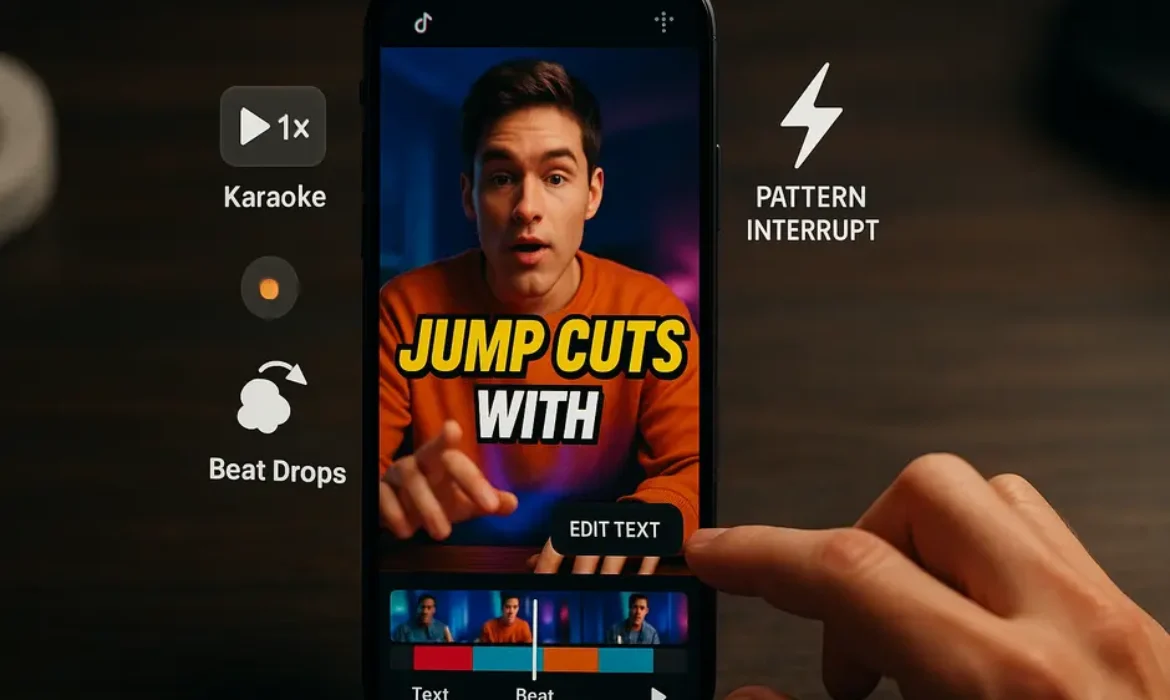
Jump cuts deserve particular attention. Used correctly, a jump cut removes all the dead air between thoughts, creating a sense of pace and energy even in talking-head videos. The most effective TikTok creators cut on every breath, sometimes on every sentence. This is not about being frantic. It is about respecting the viewer’s time and signaling that every moment of your video contains something worth watching.
Research in media psychology consistently shows that faster editing paces are associated with higher perceived energy and engagement. For short-form content specifically, slower pacing correlates directly with higher drop-off rates.
Here is a practical framework for thinking about your cuts:
| Editing Technique | Best Used For | Effect on Viewer |
|---|---|---|
| Jump Cut | Talking-head content, tutorials | Increases pace, removes dead time |
| Pattern Interrupt | Every 5-8 seconds in longer videos | Resets attention, prevents disengagement |
| Zoom Emphasis | Key moments, punchlines, reveals | Creates visual punctuation |
| B-roll Cutaway | Educational or story content | Adds context, maintains visual variety |
| Hard Cut to Text | Making a bold point | Reinforces the message through two channels |
The sweet spot for most TikTok content is introducing some form of pattern interrupt every five to eight seconds. You do not want the interrupts to feel mechanical, but the viewer should never have more than a few seconds of completely static, visually uniform content.
Mastering TikTok Caption Style and Text Overlays
Text overlays are not decorative. They are functional, and understanding TikTok caption style is one of the most undervalued TikTok video editing tips you can apply immediately.
There are two primary reasons captions are so effective on TikTok. First, a significant portion of TikTok users watch with the sound off, particularly in public or work environments. Captions make your content accessible to this audience and dramatically increase completion rates. Second, reading and listening simultaneously reinforces comprehension and creates a stronger connection to the content.
The TikTok caption style that consistently performs well shares several characteristics:
- Large, bold font that is readable on a mobile screen without zooming
- High contrast between text and background (white text with a black outline, or black text on a white background)
- Short phrases rather than full sentences, appearing in sync with the spoken words
- Strategic emphasis on key words, often through size, color, or animation changes
Text placement matters more than most creators realize. Research on mobile video viewing behavior shows that users’ eyes naturally gravitate toward the lower third of the screen but also track the center. Avoid placing text directly over faces or critical visual elements. The TikTok interface already takes up real estate at the bottom of the screen, so consider the upper-center or middle of the frame as prime text real estate for critical messages.
A common mistake: Using captions that simply transcribe what you are saying word for word at the same pace as your speech. This is a missed opportunity. The most effective text overlays on TikTok emphasize specific words, create their own rhythm, and sometimes add information that is not spoken aloud, functioning as a second layer of communication running parallel to your voiceover.
Animated Captions on TikTok: The Feature Everyone Is Using
Animated captions have moved from a novelty to a near-universal standard in high-performing TikTok content. If you are not using them, your videos likely feel slightly dated compared to those appearing around them in the feed.
Animated captions are subtitles that appear dynamically, usually word by word or phrase by phrase, synchronized to the speaker’s voice. The animation can be as simple as words fading in, or as stylized as letters bouncing, glowing, or flipping into position.
The reason they work comes down to dual coding theory, a well-established principle in cognitive psychology suggesting that people process information more effectively when it is presented through both verbal and visual channels simultaneously. Animated captions activate both channels in a coordinated way, making your message land harder and stick longer.
How to add animated captions on TikTok:
TikTok’s native editor has an auto-caption feature that generates synchronized captions automatically. While it is convenient, the styling options are limited. Most serious creators use CapCut to generate animated captions with more stylistic control, then export the finished video to TikTok.
In CapCut, the “Auto Captions” feature produces word-by-word animated subtitles that can be customized in font, size, color, animation style, and position. The feature has improved significantly, with accuracy rates high enough that most creators only need minimal correction.
The most popular animated caption style in 2025 involves bold, high-contrast fonts with each word highlighted as it is spoken, a style sometimes called “karaoke-style captioning.” It is immediately readable, visually engaging, and reinforces the message with precision.
Trending Sounds and How to Edit Around Them
Sound is not background ambiance on TikTok. It is an algorithmic signal, a creative tool, and a cultural reference all at once.
When a sound is trending, TikTok’s algorithm actively promotes videos using that sound because the platform knows users have demonstrated a preference for it. Using a trending sound does not guarantee virality, but it gives your video access to a wider initial distribution pool. Think of it as borrowing momentum.
The mistake most creators make is treating sound as an afterthought, choosing something that fits the mood and moving on. The most effective approach is to edit your video around the sound’s structure.
Trending audio usually has:
- A distinct beat drop or musical transition
- A memorable spoken phrase or lyric that functions as a cultural shorthand
- A natural pause or tension point
Editing to trending sound:
Identify the beat drop or the key moment in the audio, then build your visual cut to coincide exactly with that moment. A jump cut or a reveal timed to a beat drop creates what editors call a “hit point,” a moment where the sound and visual change simultaneously. This creates a visceral, satisfying sensation for the viewer that is difficult to consciously identify but extremely effective at increasing replay rate.
To find trending sounds, browse TikTok’s Creative Center, which catalogues trending audio in real time by region and category. Checking this regularly and incorporating sounds while they are still climbing (rather than after they have peaked) gives you a timing advantage.
CapCut Editing Tips for a Professional Finish
CapCut has become the dominant mobile editing tool for TikTok creators, and for good reason. It is free, consistently updated with TikTok-native features, and capable of producing results that rival desktop editing software for short-form content.
Here are CapCut editing tips that will immediately elevate your output:
Speed Ramping: CapCut’s speed curve feature allows you to slow down and speed up clips within the same piece of footage, creating a cinematic effect that looks sophisticated but takes about 30 seconds to apply. A common TikTok editing style uses speed ramping to slow down a reveal or an impactful moment, creating emphasis without additional text.
Keyframe Animations: Use keyframes to animate elements across the screen over time. Moving text, zooming images, or sliding overlays add a layer of production quality that static text cannot match.
CapCut Templates: These are pre-built editing sequences that automatically sync your footage to a particular editing style. They are worth studying even if you do not use them directly, because they reveal what specific combinations of cuts, sounds, and animations are currently performing well.
Background Removal: CapCut’s AI-powered background removal is remarkably accurate and allows creators to place themselves in front of custom backgrounds without a green screen. This is particularly useful for lifestyle and educational content.
Auto-enhance and Filters: CapCut’s color correction and filter tools can elevate shaky, poorly-lit footage into something watchable. The “Auto” enhancement tool is a reliable starting point that adjusts exposure, contrast, and saturation intelligently.
| CapCut Feature | What It Does | When to Use It |
|---|---|---|
| Auto Captions | Generates animated word-by-word subtitles | Every talking-head video |
| Speed Curve | Creates slow-motion/fast-motion effects | Reveals, transitions, impact moments |
| Keyframe | Animates positions, scale, opacity over time | Text movement, zoom effects |
| Background Remove | Removes background without green screen | Lifestyle, educational, commentary videos |
| Beat Sync | Auto-cuts clips to music beats | Montage, product, travel content |
| CapCut Templates | Pre-built editing styles synced to trending audio | Trend-based content, quick turnaround |
TikTok Studio: The Built-In Tool Most Creators Ignore
While CapCut gets most of the attention, TikTok Studio deserves a dedicated mention because it is deeply integrated with TikTok’s ecosystem in ways that third-party editors simply cannot replicate.
TikTok Studio is TikTok’s own desktop and mobile creator suite, offering editing, analytics, scheduling, and monetization tools in one platform. For editing specifically, it provides:
- Access to TikTok’s full commercial sound library directly within the editor
- Auto-caption generation in multiple languages
- Basic transition and text overlay tools
- Direct integration with TikTok’s analytics, so you can see which edits are correlating with performance data
Where TikTok Studio excels is in the analytics layer. Unlike editing in CapCut and exporting, using TikTok Studio gives you direct insight into how each video performed by average watch time, replays, and audience retention, at a second-by-second level. This data is invaluable for iterating on your editing style because you can literally see where viewers are dropping off.
If your average viewer drops off at the eight-second mark, that is a signal to add a pattern interrupt at seven seconds in future videos. That level of precision is how professional content teams operate, and TikTok Studio makes it accessible to individual creators.
TikTok Editing Style: What Actually Works in 2025
Trends in TikTok editing style evolve quickly, but some principles have remained consistent enough to be considered structural rather than fashionable.
What is working consistently:
- Tight, punchy pacing: Videos with frequent cuts and no wasted frames continue to outperform those with a slower, more traditional pacing
- Vertical-first composition: Shooting and editing with the 9:16 frame in mind from the start, rather than cropping horizontal footage
- Text-heavy editing for educational content: Tutorials and how-to content that combines spoken explanation with synchronized text consistently achieves higher completion rates
- The “loop” ending: Engineering the end of your video to flow naturally back into the beginning, creating a seamless loop that boosts replay count without the viewer consciously deciding to replay it
- Authenticity signals within polished editing: Paradoxically, the most effective editing often includes deliberate moments of imperfection, a small stumble in the voiceover, a slightly shaky pan, because these signal authenticity and increase trust
What is fading:
- Overuse of glitch effects and heavy filters, which now read as dated
- Long, slow intros with music building before the creator speaks
- Lower-third name plates and formal graphic packages, which feel more like corporate video than TikTok
The TikTok trending cuts that dominate the platform right now favor naturalistic, high-energy pacing over cinematic production. The goal is to look effortless, even when significant editing effort went into creating that impression.
Key Takeaways
-
- The first three seconds of your video are the single most important editing decision you will make. Start with your most compelling moment, not your introduction.
- Completion rate is the algorithmic metric that editing most directly influences. Every edit decision should be evaluated against whether it adds or removes watch time.
- Jump cuts and pattern interrupts should appear every five to eight seconds in longer videos to prevent attention drift.
- Animated captions, particularly word-by-word synchronized subtitles, increase accessibility, comprehension, and completion rates simultaneously.
- Trending sounds are algorithmic amplifiers. Edit your visuals to the beat structure of the audio, not the other way around.
- CapCut and TikTok Studio serve different purposes. CapCut offers more creative control for editing; TikTok Studio provides deeper analytics to inform your editing decisions over time.
- The most effective TikTok editing style in 2025 combines polished technique with deliberate authenticity signals.
FAQs
1. What is the most important TikTok video editing tip for beginners?
Start with your hook. Before you worry about transitions, filters, or sound design, make sure the first two to three seconds of your video give the viewer a compelling reason to stay. This single change, engineering your opening rather than letting it happen organically, will have a more measurable impact on your performance than any other edit decision. Record your full video, then go back and identify the most interesting moment in the footage. Put that moment first.
2. Do I need expensive software to edit TikTok videos professionally?
No. CapCut is free, consistently updated, and capable of producing professional-quality TikTok content. TikTok Studio is also free and deeply integrated with the platform’s analytics. Most top TikTok creators with millions of followers edit primarily on their phones using CapCut. The tools are not the limitation. The understanding of pacing, hooks, and viewer psychology is where the real skill gap exists.
3. How long should a TikTok video be for maximum reach?
There is no single correct length, but the data consistently shows that videos between 21 and 34 seconds tend to have the highest average completion rates, while videos between 60 and 90 seconds can achieve strong absolute watch time if the content warrants it. The key principle is that your video should be exactly as long as it needs to be to deliver its value and not one second longer. Padding a video with filler to hit a certain length will hurt your completion rate and signal to the algorithm that your content is less engaging.
4. How often should I use jump cuts in a TikTok video?
In talking-head or educational content, jump cuts should appear every one to three sentences, essentially cutting on every natural pause or breath. For lifestyle or narrative content, the pace can be slightly slower, but you should still be cutting more aggressively than feels natural when you are first starting out. The biggest mistake new editors make is being too conservative with cuts out of fear that the video will feel choppy. On TikTok, the opposite is almost always true.
5. What makes animated captions different from regular subtitles?
Regular subtitles appear as static lines of text, typically at the bottom of the screen, and update at a fixed pace. Animated captions appear dynamically, often word by word, synchronized precisely to the spoken audio. The animation draws the eye, reinforces emphasis, and activates both auditory and visual processing simultaneously. This combination increases information retention and creates a more engaging viewing experience. Apps like CapCut make animated captions easy to generate automatically, with the ability to customize fonts, colors, and animation styles.
6. Should I use TikTok’s native editor or CapCut?
Both have a place in a creator’s workflow. CapCut offers significantly more creative control for editing, with advanced features like speed ramping, keyframe animation, background removal, and more sophisticated caption styling. TikTok Studio’s built-in editor is faster for simple edits and offers direct access to TikTok’s sound library, but its analytics features are where it genuinely excels. A smart workflow involves editing in CapCut for creative control and using TikTok Studio’s analytics to understand which creative decisions are driving performance.
7. How do I know if my TikTok editing style is working?
Look at your average watch time and completion rate in TikTok Studio analytics. If your average watch time is below 50% of your video’s length, your editing is losing people somewhere in the middle. Watch your own videos with the sound off and track when your attention starts to drift, that is where you need a pattern interrupt. Compare your retention curves across videos with different editing approaches. The data will tell you which specific techniques are working for your audience faster than any external advice can.
Conclusion
TikTok editing is not about mastering software or chasing the latest filter. It is about understanding the psychology of someone who is one swipe away from leaving at every single moment, and making a series of precise decisions that give them a reason to stay.
The creators who consistently succeed on TikTok are not always the most talented, the most polished, or the most naturally charismatic. They are the ones who understand that every second of footage is an argument for continued attention, and who edit accordingly.
Start with the hook. Cut aggressively. Add animated captions. Time your cuts to the music. Use TikTok Studio to learn what is working and iterate from there. These are not abstract principles. They are specific, testable, and immediately applicable.
The scroll is undefeated against weak content and weak editing. But a video built around these principles gives you a genuine fighting chance to stop it.
For further reading on how TikTok’s recommendation algorithm works and what signals it prioritizes, TikTok’s official transparency resource center provides regularly updated documentation that is worth bookmarking if you are serious about building on the platform.