
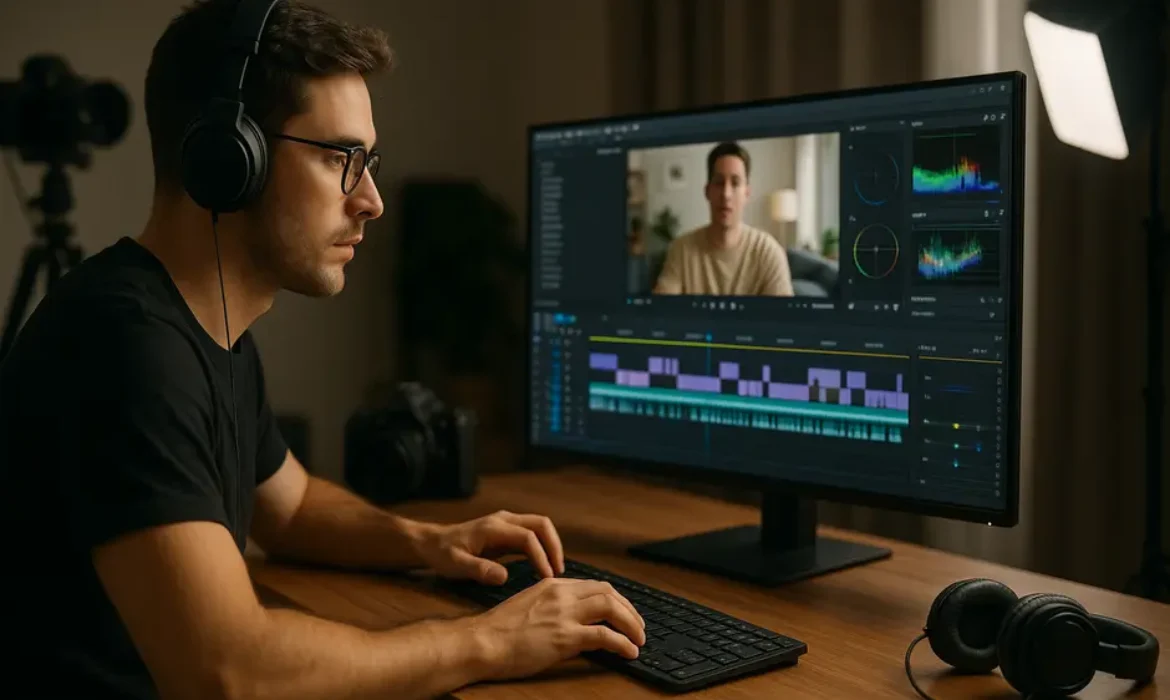
Video Editing & Vlog Production Skills for YouTubers
Estimated reading time: 14 minutes
Introduction
The difference between a vlog that gets 200 views and one that breaks 200,000 isn’t always about personality or equipment—it’s often about editing. Every successful YouTube creator understands this fundamental truth: capturing footage is only half the battle. The real magic happens in post-production, where raw clips transform into compelling narratives that hold attention spans measured in seconds.
According to YouTube’s Creator Research, viewers decide whether to continue watching within the first 15 seconds. That crucial window is shaped entirely by your vlog editing skills—the pacing, the visual interest, the audio clarity, and the storytelling rhythm you establish through your cuts.
Whether you’re launching your first channel or looking to elevate your existing content, mastering video editing skills for YouTube isn’t optional anymore. It’s the baseline requirement for competing in a platform where over 500 hours of video are uploaded every minute. This guide breaks down the essential vlog editing techniques that separate amateur content from professional-grade productions, along with practical workflows you can implement immediately.
Understanding the Foundation: Core Vlog Editing Skills
Before diving into specific techniques, you need to understand what makes vlog editing fundamentally different from other video formats. Unlike scripted productions or corporate videos, vlogs thrive on authenticity and pacing. Your editing needs to preserve personality while eliminating dead air, tangents, and technical imperfections.
The Three Pillars of Effective Vlog Editing
1. Pacing and Rhythm
Modern YouTube audiences have developed sophisticated content consumption habits. They can sense when a video drags, even by a second or two. Your primary responsibility as an editor is maintaining forward momentum. This doesn’t mean frantic cuts every half-second—it means being ruthless about removing anything that doesn’t serve the story or add value.
Professional vloggers typically cut 40-60% of their raw footage. Casey Neistat, one of YouTube’s most influential vloggers, has discussed in interviews how he shoots roughly 20 minutes of footage for every 1 minute in the final edit.
2. Story Structure
Even seemingly casual “day in the life” vlogs follow narrative principles. Your editing decisions should guide viewers through a beginning, middle, and end. This might mean rearranging chronological footage, building toward a payoff, or creating thematic connections between disparate clips.
3. Technical Polish
Audio levels need consistency. Colors should match across different lighting conditions. Transitions should feel invisible unless they’re intentionally stylistic. These technical fundamentals separate amateur from professional work, regardless of content quality.
Essential Video Editing Software for YouTube Creators
Your choice of video editing software significantly impacts both your workflow efficiency and creative possibilities. Here’s a breakdown of the most popular options among successful YouTubers:
| Software | Best For | Learning Curve | Price Range | Key Strengths |
|---|---|---|---|---|
| Adobe Premiere Pro | Professional creators, teams | Moderate-Steep | $20.99/month | Industry standard, extensive plugin ecosystem, seamless Adobe integration |
| Final Cut Pro X | Mac users, solo creators | Moderate | $299 one-time | Magnetic timeline, optimized for Mac, excellent performance |
| DaVinci Resolve | Color grading focus, budget-conscious | Steep | Free (Studio: $295) | Professional color tools, robust free version, Fairlight audio |
| CapCut | Beginners, mobile editing | Easy | Free | Template library, auto-captions, TikTok integration |
| HitFilm Express | VFX enthusiasts, beginners | Moderate | Free (Pro: $12.99/month) | Built-in effects, composite tools, free tier |
Making the Right Choice
For most beginners developing their vlog editing skills, I recommend starting with DaVinci Resolve’s free version or CapCut. Both offer professional capabilities without financial commitment. As your channel grows and monetizes, transitioning to Premiere Pro or Final Cut Pro gives you the industry-standard tools that scale with increasingly complex projects.
The software matters less than your understanding of editing principles. A skilled editor can create compelling content in any professional-grade platform. Focus first on mastering techniques, then choose software that supports your specific workflow needs.
Jump Cuts: The Vlogger’s Secret Weapon
If there’s one technique that defines modern vlog editing, it’s the jump cut. This simple edit—cutting out pauses, mistakes, or dead air within the same shot—has become synonymous with YouTube’s authentic, conversational style.
Why Jump Cuts Work
- Pace acceleration: They eliminate natural speech pauses that feel interminable on camera
- Retention optimization: They maintain visual interest through constant movement
- Authenticity signaling: Paradoxically, jump cuts feel more genuine than heavily produced smooth edits
- Error correction: They allow you to remove verbal mistakes while maintaining energy
Executing Clean Jump Cuts
- Cut on movement or emphasis: Time your cuts to coincide with hand gestures, head movements, or vocal emphasis. This natural motion masks the temporal jump
- Maintain consistent framing: If you move significantly between takes, the jump becomes jarring rather than dynamic. Stay relatively centered in frame
- Audio consideration: Cut just before or after breath sounds, not during them. Dead air between words is your friend when hunting for cut points
- Strategic pacing variation: Not every pause needs cutting. Occasionally letting a moment breathe creates rhythmic variety that makes fast sections feel faster by contrast
Popular creator Marques Brownlee (MKBHD) uses jump cuts selectively, typically for tech explanations where precision matters more than conversational flow. Meanwhile, lifestyle vloggers like Emma Chamberlain built entire aesthetics around rapid-fire jump cuts that became signature styles.
The “Too Many Jump Cuts” Debate
Some viewers find excessive jump cuts distracting. The sweet spot varies by niche—tech and educational content typically uses them more sparingly than lifestyle and comedy vlogs. Monitor your YouTube Analytics retention graphs to see if certain editing densities correlate with drop-off points.
B-Roll Techniques That Transform Amateur Vlogs
B-roll—supplemental footage that overlays your primary talking-head content—separates polished vlogs from webcam recordings. This vlog editing technique adds visual interest, illustrates points, and provides editing flexibility.
Strategic B-Roll Applications
1. Covering Edit Points
When you need to make major cuts or combine disparate footage segments, B-roll provides seamless transitions. Rather than jarring jump cuts, you momentarily cut away to relevant visuals while the audio continues underneath.
2. Illustrating Verbal Content
When you mention grabbing coffee, visiting a location, or using a product, corresponding B-roll transforms abstract description into concrete visualization. This multi-sensory approach dramatically improves information retention.
3. Establishing Context and Location
Wide shots of environments, close-ups of details, and transitional footage between scenes give viewers spatial awareness and create professional production value.
B-Roll Shooting Best Practices
- Shoot 3x more B-roll than you think necessary: You’ll be grateful for options during editing
- Vary shot types: Get wide establishing shots, medium frames, and macro details
- Hold shots for 10+ seconds: Shaky, brief clips are nearly useless in editing
- Capture sequences: Film actions from beginning to end for natural motion
- Match lighting: B-roll shot hours apart from A-roll creates jarring color discontinuity
B-Roll Organization
Professional editors catalog B-roll footage by category—locations, activities, objects, transitions. This organizational system transforms a 10-minute search through random clips into a 30-second retrieval. Most video editing software allows color coding and keyword tagging that makes this process manageable even with extensive footage libraries.
Color Grading for Visual Consistency
Color grading might seem like an advanced concern, but even basic color correction dramatically improves perceived production quality. This post-production skill ensures visual consistency across different lighting conditions, cameras, and shooting days.
Color Correction vs. Color Grading
These terms are often confused but represent distinct processes:
Color Correction normalizes footage to accurate, neutral standards—correcting white balance, exposure, and contrast to match how scenes appeared in reality.
Color Grading applies creative looks and moods—the cinematic teal-and-orange Hollywood blockbuster aesthetic, vintage film emulations, or brand-specific palettes.
For YouTube vlogs, you need color correction on every video. Color grading is optional but helps establish visual branding.
Basic Color Workflow for Vloggers
- Adjust exposure: Ensure your subject is properly lit without blown-out highlights or crushed blacks
- Correct white balance: Remove unwanted color casts from different lighting (the blue tone from windows, yellow from indoor lights)
- Balance contrast: Add depth without losing detail in shadows or highlights
- Enhance saturation: Subtle increases make footage pop, but excessive saturation looks amateurish
Most video editing software includes automatic color correction tools that provide decent starting points. Adobe Premiere Pro’s Auto Color, Final Cut’s Balance Color, and DaVinci Resolve’s Auto Color can handle 80% of typical vlog footage with one click.
Creating Signature Looks
Once you’ve mastered correction, developing a consistent grade across all videos strengthens your visual brand. Peter McKinnon uses slightly desaturated, contrast-heavy grading. Travel vloggers often favor warm, saturated looks that make destinations feel inviting.
Create custom LUTs (Look-Up Tables) of your preferred grades and apply them across footage for instant consistency. Most professional YouTubers use the same LUT template on every video, making their content instantly recognizable regardless of location or lighting.
Adobe’s guide to Lumetri Color provides excellent technical depth if you’re working in Premiere Pro.
Sound Design and Audio Post-Production
Poor audio is the fastest way to lose viewers. According to production research, audiences will tolerate mediocre video quality far longer than mediocre audio quality. Your sound design and audio post-production skills directly impact watch time and subscriber conversion.
Essential Audio Post-Production Steps
1. Dialogue Cleanup
Remove background noise, hum, and environmental sounds that distract from your voice:
- Use noise reduction plugins to eliminate consistent background sounds (air conditioning, computer fans)
- Apply high-pass filters to remove low-frequency rumble
- De-click to remove mouth sounds and lip smacks
- De-ess to soften harsh “s” and “sh” sounds
Most video editing software includes basic audio repair tools. For serious cleanup, consider dedicated audio software like Adobe Audition or the free Audacity.
2. Level Normalization
Your voice should maintain consistent volume throughout the video. Use compression to reduce the dynamic range between quiet and loud moments, then normalize overall levels to broadcast standards (typically -14 LUFS for YouTube, though -16 to -10 LUFS all work acceptably).
Inconsistent audio levels cause viewers to constantly adjust volume—a friction point that encourages clicking away.
3. Music and Sound Effects
Strategic music enhances mood and maintains energy during B-roll sequences or transitions. Key principles:
- Duck music under dialogue: Your voice should always be clearly audible. Music should drop 15-20dB when you’re speaking
- Match energy to content: Upbeat tracks for energetic vlogs, ambient sounds for contemplative moments
- Respect rhythm: Edit cuts to musical beats when possible—this creates subconscious satisfaction
- Use sound effects sparingly: Whooshes, pops, and effects can enhance transitions but easily become gimmicky
For royalty-free music, legitimate sources include Epidemic Sound, Artlist, and YouTube’s Audio Library. Using copyrighted music without licenses triggers Content ID claims that demonetize videos.
Creating Audio Depth
Advanced vlog editing techniques include subtle audio layering that adds richness:
- Ambient environmental sounds underneath primary audio (café chatter, street noise, nature sounds)
- Room tone to fill silent gaps
- Slight reverb to add natural space to voice recordings made in acoustically dead environments
These touches are nearly invisible but contribute to professional polish that keeps audiences engaged.
Advanced YouTube Editing Skills for Viewer Retention
Once you’ve mastered fundamentals, these advanced youtube editing skills will optimize for the metrics that matter most to the algorithm and your growth.
Pattern Interrupts and Attention Resets
YouTube’s algorithm heavily weights Average View Duration and Watch Time. Maintaining attention throughout longer videos requires intentional pattern interrupts—visual or audio changes that reset wandering attention.
Effective pattern interrupts include:
- Camera angle changes: Switching between multiple camera positions every 15-30 seconds
- Text overlays and graphics: Highlighting key points visually
- Speed ramps: Brief slow-motion or fast-forward sections
- Zoom cuts: The “Ali Abdaal zoom”—punching in slightly on the same footage to create dynamic movement
- Split screens: Showing multiple perspectives or before/after simultaneously
MrBeast’s videos exemplify retention-focused editing, with substantial changes every 3-5 seconds. While that frenetic pace doesn’t suit every niche, the principle applies universally: variety maintains attention.
Strategic Chapter Markers
YouTube allows creators to add timestamps that divide videos into chapters. This serves dual purposes:
- Viewer experience: Allows skipping to relevant sections, reducing frustration
- Algorithmic benefit: Provides structured data that helps YouTube understand your content
When implementing chapters:
- First chapter must start at 0:00
- Minimum three chapters required
- Each chapter needs minimum 10 seconds
- Use keyword-rich chapter titles that match search intent
Thumbnail-Intro Congruence
Your editing workflow should begin with your thumbnail design. The opening seconds must immediately deliver on the thumbnail’s visual promise, or viewers bounce. If your thumbnail shows you holding a strange product with an amazed expression, your first shot should replicate that exact scene.
This principle, called “pattern matching,” reduces the cognitive dissonance that causes immediate clicks away. Tom Scott’s educational videos exemplify this—his thumbnails capture a specific moment that appears within the first 15 seconds of every video.
Workflow Optimization and Post-Production Efficiency
Professional vlog editing skills include efficiency systems that reduce editing time without compromising quality. Full-time YouTubers often spend 8-20 hours editing a single video. Optimization makes the difference between sustainable production schedules and burnout.
Pre-Production Planning
- Script or outline key points: Reduces rambling footage that requires excessive cutting
- Shot list preparation: Know what B-roll you need before filming
- Consistent camera settings: Reduces color correction variations between clips
Proxy Workflows
If you’re shooting 4K or higher resolution, editing with full-quality files overwhelms most computers. Proxy workflows create lower-resolution copies for editing, then automatically relink to high-quality originals for export.
All professional video editing software supports proxy workflows. This single technique can transform stuttering, frustrating editing sessions into smooth, responsive experiences.
Template and Preset Systems
Create reusable assets:
- Intro/outro templates: Pre-built sequences you drop into every video
- Lower-third graphics: Your name, social handles, or location cards ready to customize
- Favorite effects: Color grades, audio processing chains, and transitions saved for instant application
- Keyboard shortcuts: Learning 10-15 essential shortcuts literally cuts editing time in half
I’ve worked with creators who reduced 12-hour editing sessions to 6 hours simply by systematizing recurring elements.
Organization Protocols
Establish consistent folder structures and naming conventions:
Project_Name/
├── 01_Raw_Footage/
│   ├── A_Roll/
│   ├── B_Roll/
│   └── Audio/
├── 02_Assets/
│   ├── Music/
│   ├── Graphics/
│   └── Sound_Effects/
├── 03_Project_Files/
└── 04_Exports/
This might seem excessive initially, but when you’re managing dozens of videos, organization prevents hours wasted searching for files.
Key Takeaways
-
- Master jump cuts to eliminate dead air and maintain YouTube’s rapid pacing expectations while preserving authentic conversational tone
- Invest time in B-roll during filming—it provides editing flexibility and visual interest that transforms amateur vlogs into polished productions
- Prioritize audio quality over visual effects; viewers tolerate visual imperfections far better than distracting or inconsistent sound
- Learn basic color correction to ensure consistency across different lighting conditions and establish recognizable visual branding
- Choose video editing software based on your workflow needs rather than popularity—free options like DaVinci Resolve rival expensive alternatives
- Implement pattern interrupts every 15-30 seconds to maintain viewer attention and optimize for YouTube’s retention-focused algorithm
- Develop systematic workflows with templates, presets, and organization protocols to reduce editing time without compromising quality
- Study retention analytics to understand which editing techniques correlate with audience engagement in your specific niche
Frequently Asked Questions
What vlog editing skills should beginners learn first?
Start with the fundamentals that deliver immediate impact: clean audio (dialogue clarity and consistent levels), basic jump cuts to remove pauses, and simple B-roll integration. These three skills will dramatically improve your vlogs’ watchability without requiring advanced technical knowledge. Only after mastering these basics should you invest time in color grading, complex transitions, or motion graphics. Too many beginners get distracted by flashy effects while neglecting the foundational editing principles that actually retain viewers.
How long should it take to edit a 10-minute vlog?
Expect 3-6 hours for beginners, 2-4 hours for intermediate editors, and 1-2 hours for advanced creators with optimized workflows. These estimates assume a typical talking-head vlog with B-roll and basic graphics. More complex productions with extensive motion graphics, advanced color grading, or intricate sound design can take 8-12 hours even for professionals. The ratio of shooting time to editing time typically ranges from 1:3 to 1:6—if you filmed 30 minutes of footage, plan for 90-180 minutes of editing. As your vlog editing techniques improve and you develop template systems, efficiency increases substantially.
Which video editing software do professional YouTubers use most?
Adobe Premiere Pro dominates among full-time creators due to its industry-standard status, extensive plugin ecosystem, and seamless integration with other Adobe tools like After Effects and Photoshop. Final Cut Pro X is the second choice, particularly among Mac users who appreciate its optimized performance and magnetic timeline. DaVinci Resolve is gaining ground rapidly, especially among creators focused on color grading or those preferring perpetual licenses over subscriptions. The honest truth: software choice matters less than technique mastery. Successful YouTubers exist on every platform, and you can create professional content with free tools if you understand editing principles.
How can I improve viewer retention through editing?
Focus on these proven retention techniques: eliminate all dead air and unnecessary pauses through aggressive jump cutting; add pattern interrupts (camera changes, graphics, B-roll) every 15-30 seconds; ensure your opening 15 seconds immediately deliver on your thumbnail’s promise; use strategic music to maintain energy during potentially dry segments; and implement chapter markers so viewers can navigate to relevant sections. Study your YouTube Analytics retention graph to identify exactly where viewers drop off, then analyze what editing choices coincided with those moments. Sometimes retention issues stem from content rather than editing, but pacing problems almost always manifest as gradual retention decline rather than sudden drop-offs.
Do I need expensive equipment to develop professional vlog editing skills?
Absolutely not. Your computer matters more than your camera—editing software demands substantial processing power, RAM, and storage. A decent computer with 16GB RAM, a modern processor, and an SSD can handle 1080p editing smoothly in any professional software. Many successful YouTubers started editing on basic laptops using free software like DaVinci Resolve or HitFilm Express. Your editing skills—understanding pacing, storytelling, and technical polish—deliver far more value than premium software or powerful hardware. Upgrade equipment only when it becomes a genuine bottleneck preventing you from executing techniques you’ve already mastered.
What’s the difference between vlog editing and other YouTube video styles?
Vlog editing prioritizes authenticity and personality over technical perfection. Unlike tutorial videos that require precise instructional clarity or cinematic productions demanding Hollywood-style color grading, vlogs succeed through relatability and pacing. This means more liberal use of jump cuts, conversational audio rather than broadcast-quality dialogue, and personal filming angles that create intimacy rather than polished distance. However, “authentic” doesn’t mean sloppy—professional vlog editing still requires clean audio, color consistency, and thoughtful B-roll. The distinction is philosophical rather than technical: vlogs feel like conversations with friends, while other formats feel like presentations to audiences.
How important is color grading for YouTube vlogs?
Color correction (normalizing exposure and white balance) is essential for every video—it’s the difference between professional and amateur. Color grading (applying creative looks) is valuable for branding but not strictly necessary for success. If you’re starting out, spend your limited time mastering pacing, audio, and storytelling through editing before diving deep into color grading. That said, even basic color grading dramatically improves perceived production quality. Start with simple adjustments: slight saturation increases, gentle contrast boosts, and consistent white balance. As your post-production skills advance, develop a signature look using custom LUTs that make your content instantly recognizable. Many successful YouTubers use minimal grading—their consistency and quality come from excellent lighting during shooting rather than corrective post-production.
Conclusion
Developing strong vlog editing skills transforms your YouTube presence from casual hobby to professional content creation. The techniques covered here—from fundamental jump cuts and B-roll integration to advanced color grading and retention optimization—represent the same post-production skills that separate viral creators from those struggling for views.
The path forward is straightforward: start with audio quality and basic pacing through jump cuts. Once those become second nature, layer in B-roll for visual interest and basic color correction for consistency. Only then should you explore advanced techniques like complex sound design, motion graphics, or stylized grading.
Remember that your video editing software choice matters far less than your understanding of editing principles. Free tools offer professional capabilities when wielded with skill. Focus on mastering techniques before upgrading equipment.
Most importantly, analyze your results. YouTube Analytics provides direct feedback on which editing choices resonate with your specific audience. What works for tech review channels differs from lifestyle vlogs or educational content. Use retention graphs, traffic sources, and engagement metrics to refine your approach based on evidence rather than assumptions.
Every professional YouTuber started exactly where you are now—overwhelmed by timeline interfaces, confused by audio waveforms, and frustrated by rendering times. The difference between those who succeeded and those who quit wasn’t talent. It was consistent practice, analytical refinement, and refusing to settle for “good enough.”
Your next video should be noticeably better than your last. That’s the only benchmark that matters.
Now stop reading and start editing.